The file structure of OpenCart rests on three pillars. admin/ and catalog/ contain two separate MVC-L applications: the admin and the storefront. system/ contains the shared core: the engine, libraries, and storage. In OpenCart 4.x, a catalog extension/ was added, where all extensions now live. If you know this map, any route such as product/product turns into an exact path to the controller, model, template, and language file, and you don't have to search for anything.
What is in the OpenCart root and why does each folder exist?
After you unpack the archive into the site root (usually public_html), you will see roughly the same set of files in both branches:
index.phpis the single entry point of the storefront. All requests to the store pass through it, including those that arrive via SEO URLs and.htaccess.config.phpcontains path constants (DIR_APPLICATION,DIR_SYSTEM,DIR_IMAGE,DIR_STORAGE, and so on), the site address, and database access. The installer generates it automatically.admin/is the admin application, with its ownindex.phpandconfig.php.catalog/is the storefront application: controllers, models, templates, and languages.system/is the core, libraries, default configs, and also default storage.image/holds original images (image/catalog/) and generated thumbnails (image/cache/). Sizes and naming are covered in detail in the article about images in OpenCart.install/is the web installer. Delete it after installation.extension/is OpenCart 4.x only: this is where all extensions live, including the "native" modules, payment methods, and shipping methods from OpenCart.
Pay attention to the check at the beginning of index.php. If config.php is empty and the constant DIR_APPLICATION is not defined, the engine will redirect the visitor to install/index.php. So if after moving the site to another hosting you suddenly see the installer, most likely config.php was not copied or was reset. The installer itself has nothing to do with it.
If you come across unfamiliar terms (route, module, theme), the e-commerce and OpenCart glossary explains them briefly.
How are admin/ and catalog/ organized: the MVC-L principle
Both applications are built the same way. These are four parallel trees in which the relative path matches the route:
controller/: controllers, that is, page logic and AJAX handling;model/: database work;view/: Twig templates, and on the storefront also CSS, JS, and icons;language/: language files, organized into folders by language (en-gb/,uk-ua/, and so on).
Take the route product/product. The controller is located in catalog/controller/product/product.php. The product model is loaded by calling $this->load->model('catalog/product'), read from catalog/model/catalog/product.php, and becomes available as $this->model_catalog_product. Language strings are taken from catalog/language/uk-ua/product/product.php.
The main difference between the branches shows up in the storefront templates and in class names.
| What | OpenCart 3.0 | OpenCart 4.x |
|---|---|---|
| Product page template | catalog/view/theme/default/template/product/product.twig | catalog/view/template/product/product.twig |
| Controller class name | ControllerProductProduct | Opencart\Catalog\Controller\Product\Product (namespaces) |
| Method separator in the route | product/product/review | product/review.list (dot; early 4.0.x used |) |
| New storefront sections | — | catalog/controller/cms/ (blog), catalog/controller/cron/ |
| Admin templates | admin/view/template/ | admin/view/template/ |
In 3.0, the theme is a subfolder of catalog/view/theme/. Templates missing from the active theme are pulled from default. In 4.x, there is no theme folder in the core: base templates are located directly in catalog/view/template/, and third-party themes are connected as extensions. Besides MVC-L, each application has service controllers: controller/startup/ (request initialization) and controller/event/ (core event handlers). For example, in 4.x, alongside theme.php and translation.php, a catalog/controller/event/modification.php appeared there.
What is inside system/: engine, library, helper, config, storage
system/ does not depend on which application launches it. It contains the shared code for the admin and the storefront. The difference between the applications arises only in which file from system/config/ gets loaded: admin.php or catalog.php. Both are layered on top of default.php.
system/engine: the MVC engine
This is where the base classes controller.php and model.php are located, as well as registry.php, loader.php, action.php, event.php, and proxy.php. The proxy wraps models so that events can be attached to calls of their methods. There are differences between the branches:
- OpenCart 3.0: there is
engine/router.php, and the classConfigis located insystem/library/config.php. - OpenCart 4.x:
router.phphas disappeared. Instead,autoloader.php(PSR-4-style autoloading by namespaces),factory.php, andengine/config.phpappeared.
system/library: services
This is where the services are gathered: db.php with drivers in db/ (mysqli, pdo, pgsql), cache.php with drivers in cache/, session.php, request.php, response.php, url.php, document.php, mail/, template/twig.php, and the cart set cart/ (cart, currency, taxes, customer, admin user). In 4.x, curl.php, cart/api.php, and the session driver session/redis.php were added. In 3.0, built-in libraries for payment integrations are also located here, for example paypal/ and squareup/.
system/helper and system/storage
helper/ contains global functions: general.php and utf8.php, and in 4.x also validation.php and db_schema.php, that is, the description of the database schema from which the tables are built. storage/ is everything that changes: cache/, logs/, session/, download/, upload/, and Composer dependencies in vendor/ (including Twig). In 3.0, it also contains modification/ with the results of applying OCMOD. In 4.x, backup/ and marketplace/ were added, where uploaded .ocmod.zip archives are stored.
Where do extensions live in OpenCart 3.0 and 4.x?
This is where the branches differ the most, and that is exactly why a module for 3.0 cannot simply be copied into 4.x.
OpenCart 3.0: extensions scattered across the core
Module files are located in the same trees as the core, but in the subfolder extension/{тип}/. Take the module featured:
admin/controller/extension/module/featured.phpadmin/language/en-gb/extension/module/featured.phpadmin/view/template/extension/module/featured.twigcatalog/controller/extension/module/featured.phpcatalog/view/theme/default/template/extension/module/featured.twig
The types match the admin sections: module, payment, shipping, total, feed, analytics, captcha, and so on. The route looks like extension/module/featured. Because of this scattering, it is hard to cleanly remove a module in 3.0: its files get lost among the core files.
OpenCart 4.x: each extension in a separate folder
Now each extension lives in one directory, extension/{код}/, and inside it the structure of the applications is repeated: admin/{controller,model,view,language} and catalog/{controller,model,view,language}, plus the file install.json. Even the standard OpenCart modules are moved to extension/opencart/. The route extension/opencart/module/featured leads to extension/opencart/catalog/controller/module/featured.php, and the class has the namespace Opencart\Extension\Opencart\Catalog\Controller\Module. Third-party extensions add their own code, for example extension/mymodule/. Next to them is extension/ocmod/, the service directory for modifications.
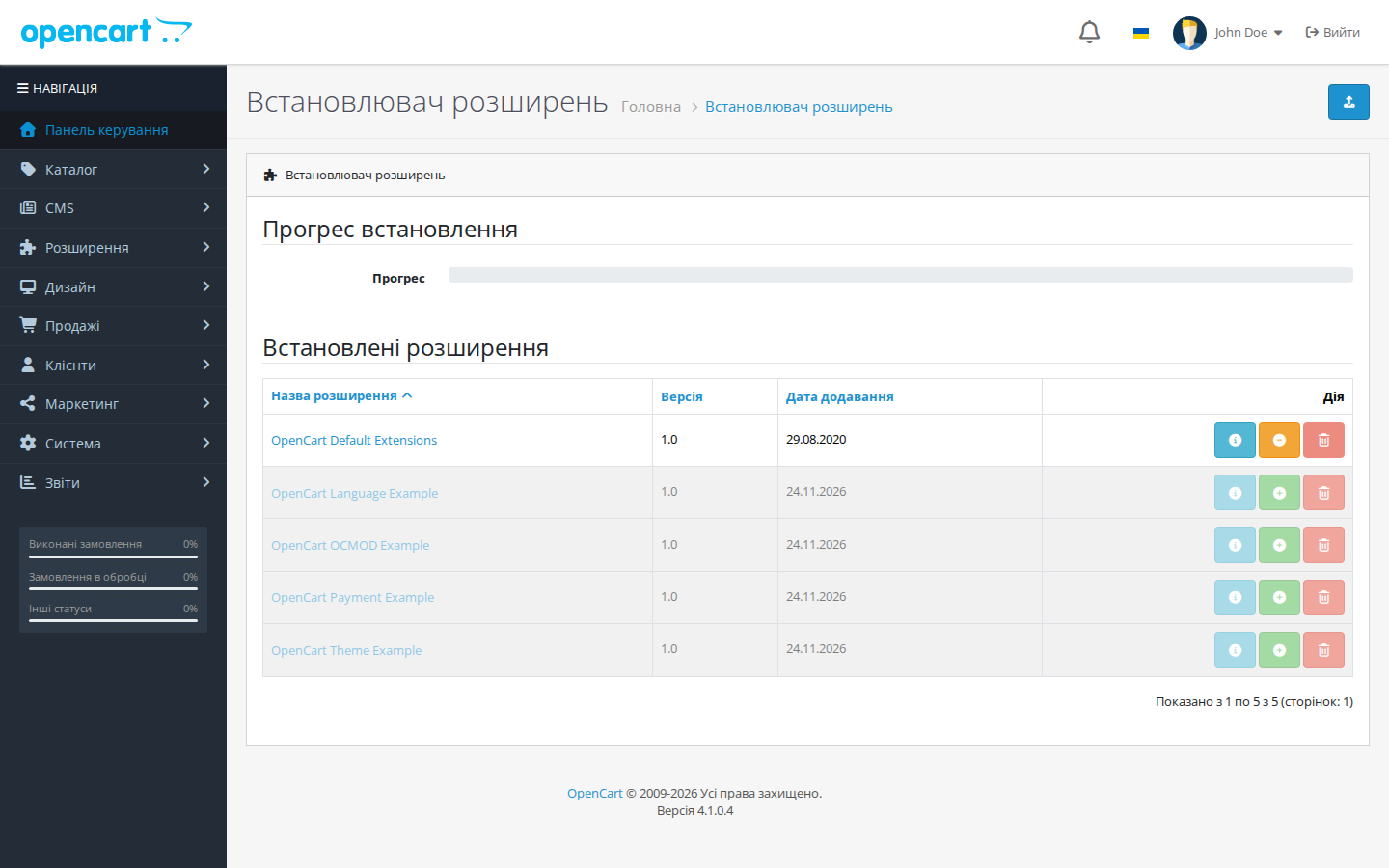
Extensions are installed via "Extensions → Installer". The .ocmod.zip archive is uploaded there, and then the extension is activated in the corresponding section.
How does a request travel from index.php to the response?
A full breakdown of the request lifecycle is given in a separate article in this section. Here we only show how the folders are connected to each other during a request. The entry point in both versions is short, and the branches diverge in the last lines.
index.php · OpenCart 3.0.5.1 · lines 17–20
// Startup
require_once(DIR_SYSTEM . 'startup.php');

start('catalog');
index.php · OpenCart 4.1.0.4 · lines 17–21
// Startup
require_once(DIR_SYSTEM . 'startup.php');

// Framework
require_once(DIR_SYSTEM . 'framework.php');
OpenCart 3.0: startup.php declares the function start(). It receives the application name ('catalog' or 'admin') and internally includes framework.php. OpenCart 4.x: framework.php is included directly, and which application it is gets determined from the constants in config.php. After that, everything proceeds similarly. The framework loads system/config/default.php and the application config, registers services in the Registry, runs the controllers from controller/startup/ (SEO URL, session, language, currency, events), and finally calls the route's controller. In 4.x, the list of startup actions is also stored in the database, and it is visible in the admin.
flowchart TD
  A["index.php / admin/index.php"] --> B["config.php: DIR_* constants"]
  B --> C["system/startup.php"]
  C --> D["system/framework.php"]
  D --> E["system/config: default + catalog/admin"]
  E --> F["controller/startup/*: session, language, SEO URL"]
  F --> G["Route controller"]
  G --> H["Model → database"]
  G --> I["Twig template + language file"]
  I --> J["Response: output to browser"]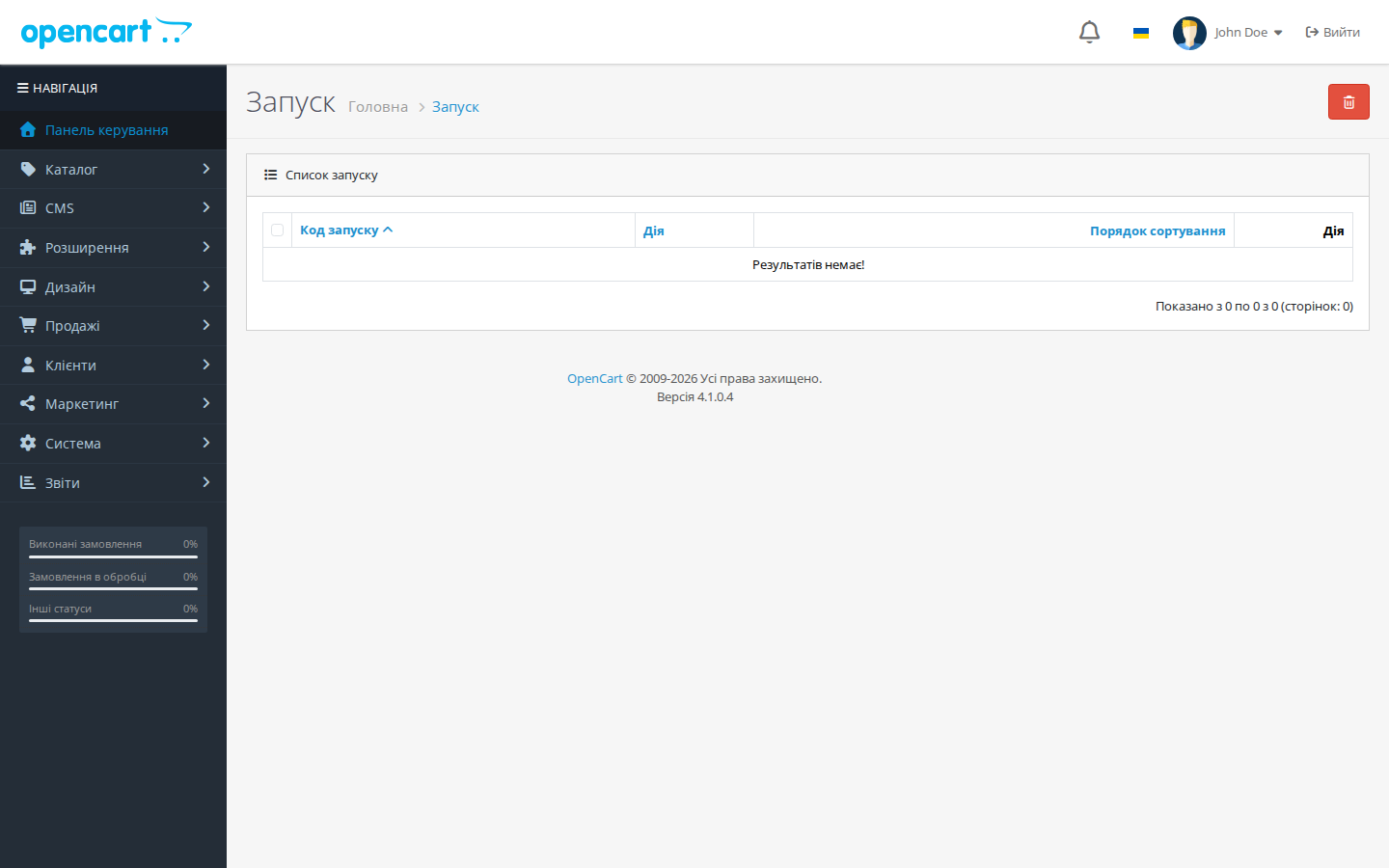
Where should you put your code, and which files are better left alone?
The most common beginner mistake is editing core files directly. After an OpenCart update these changes will disappear, and if you don't update, it becomes almost impossible to figure out what exactly was changed. Here are a few practical rules.
- Implement new functionality as an extension. In 3.0, files go into subfolders
extension/{тип}/of both applications; in 4.x, into their own folderextension/{ваш_код}/. That way the module can be packaged and moved as a single whole. - Change core behavior through events. The event system (
system/engine/event.php) lets you alter data before or after a call to a controller, model, or template without a single line in someone else's file. - If events are not enough, use OCMOD. It makes targeted edits without changing the original files. In 3.0, modified copies are placed in
storage/modification/, and the engine executes exactly those. The mechanism is described in detail in the article about OCMOD in OpenCart. - In 3.0, make the theme a copy rather than editing
default. It is enough to copy only the templates you change: the engine will take the rest fromdefault. - Do not place your own libraries manually in
system/storage/vendor/. This folder is overwritten by Composer, and in 4.x also by updates.
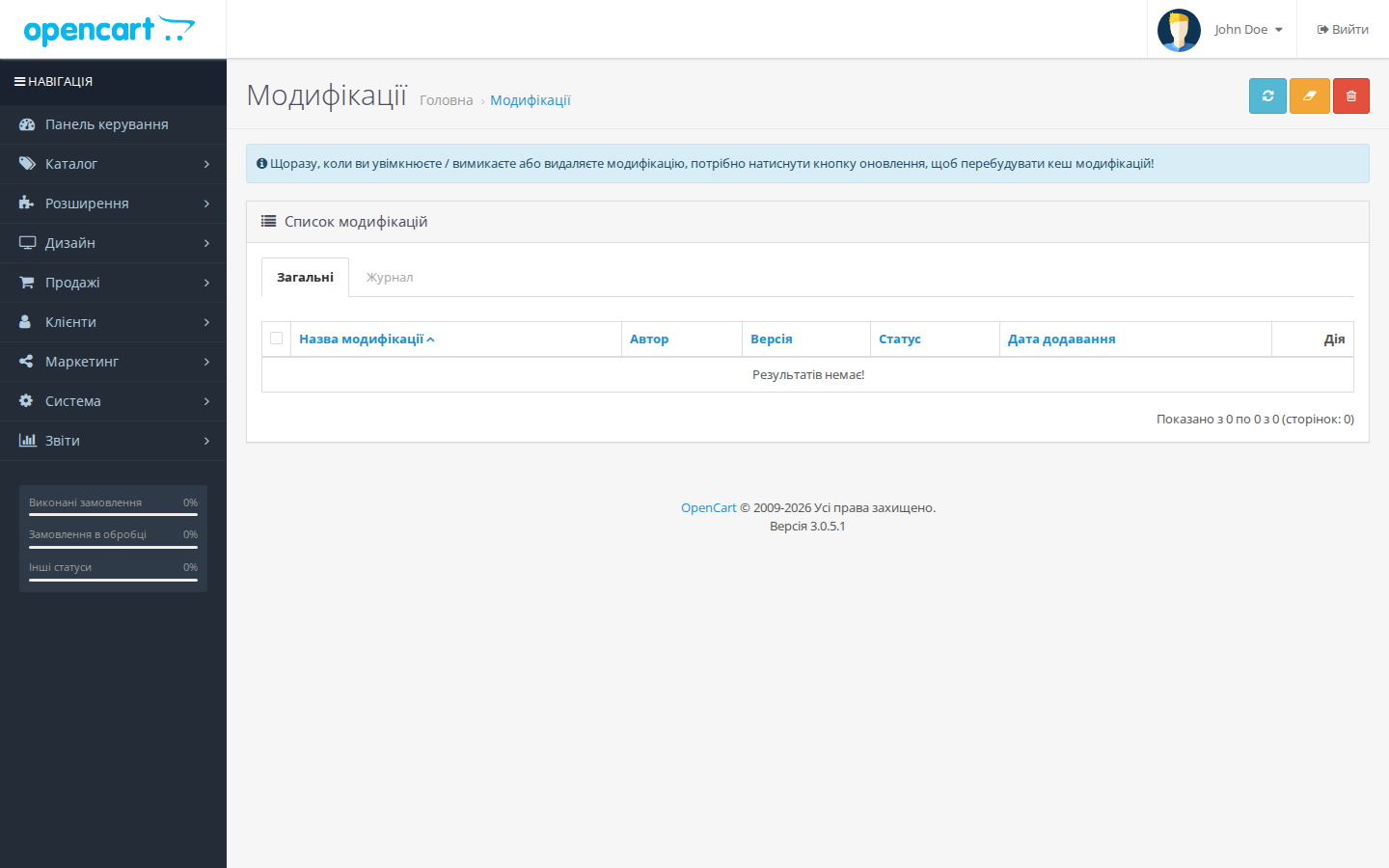
A separate pitfall in 3.0: you edit a file, but nothing changes on the site. Most often the reason is that there is an OCMOD modification for this file, and its copy from storage/modification/ is being executed. After editing the original, refresh the modifications in "Extensions → Modifications" with the "Refresh" button. Another reason is the theme cache: the dashboard has a button for clearing the Twig and SASS cache.
How do you quickly find the right file from a page URL?
The search algorithm familiar to developers looks like this. For both versions, you need to disable SEO URLs or look at route in the browser cache or in the link's code.
- Take the parameter
route. For example, inindex.php?route=account/loginit isaccount/login. - Add the application prefix:
catalog/controller/for the storefront oradmin/controller/for the admin. You getcatalog/controller/account/login.php. - If the route starts with
extension/, in 3.0 the path is the same (catalog/controller/extension/...). In 4.x, the second segment of the route is the extension code:extension/{код}/catalog/controller/.... - Open the controller and find the call to
$this->load->view('...'). Its argument is the relative path to.twiginview/(in 3.0, taking the active theme into account). - Look for language strings by the same relative path in
language/{код_мови}/.
Keep in mind the difference in language folder names. The base language of the distribution is en-gb, while Ukrainian appears after installing the language pack (usually uk-ua). If a string does not translate, check whether the file exists in the folder of the active language. If the file is missing there, the key will not be pulled from en-gb automatically: OpenCart will show the key name instead of the text.
To understand what makes this architecture convenient and where it gets in the way (for example, because of the scattering of files in 3.0), see the overview of the strengths and weaknesses of OpenCart. If you are only choosing a branch for a new project, the step-by-step order for launching a store will help.
Summary
- OpenCart consists of two MVC-L applications (
admin/,catalog/) on a shared coresystem/. A route directly corresponds to the relative path of the controller, model, template, and language file. - OpenCart 3.0: classes without namespaces, themes are located in
catalog/view/theme/, extensions are scattered acrossextension/{тип}/inside the applications, and OCMOD copies are stored instorage/modification/. - OpenCart 4.x: namespaces and autoloader, storefront templates are located directly in
catalog/view/template/, and each extension has its own folderextension/{код}/with a mirrored admin/catalog structure. - Variable data (cache, logs, sessions, uploads) is located in
storage/, and it should be moved outside the web root. - Write your own code as extensions, change core behavior through events, and in extreme cases through OCMOD. Do not edit core files.
The next step is to examine in detail what happens between index.php and the controller, and how the Registry and Loader work. These topics are collected in the section Architecture and files of OpenCart.