An e-commerce glossary explains the terms that store owners and managers encounter every day, from "conversion" to "OCMOD." The terms below are grouped by topic, and each is explained in plain language, with an OpenCart example where relevant. If you are still choosing a platform, start with the article on choosing one in the list of links below: OpenCart's strengths and weaknesses.
Which platform terms should you know for OpenCart?
These are the basic concepts that make up any OpenCart store. The current branches are 3.0.5.x and 4.1.0.x. They differ in architecture, so some terms apply to only one of them.
OpenCart
A free open-source CMS for online stores, written in PHP with a MySQL/MariaDB database. Everything outside the core is added through extensions.
CMS
Content management system: a program that lets you edit a site without programming. In OpenCart, this is the admin panel.
Open source
Open code that can be read and modified. The license allows you to use the platform without paying for the engine itself.
Admin panel
The control panel for managing the store, located at /admin (the folder is often renamed for security). Products, orders, and settings are managed there.
Storefront
What the customer sees: the home page, categories, product page, and cart.
Core
The standard OpenCart files. It is not advisable to edit them directly, because updates will overwrite your changes.
Extension
Additional functionality: a module, a payment or shipping method, a feed, or a theme. Managed under Extensions → Extensions.
Module
A block on a page: a slideshow, popular products, a filter. Placed through layouts.
Theme
A set of templates and styles that defines the look of the storefront. In 3.0, child themes are usually created as copies of the "default" template.
Template
A display file: .tpl in 3.0, .twig in 4.x.
Twig
The template engine used by OpenCart 4.x (and by 3.0 only partially, after installing a suitable solution). Syntax such as {{ name }}.
Layouts
The Design → Layouts section: defines which modules appear on which pages and in which positions.
Multi-store
Several storefronts in one admin panel with a shared product database, for example for different domains or brands.
Multilingual
A storefront in several languages. For Ukraine, this is typically Ukrainian and Russian or English. Languages are added under System → Localisation → Languages.
Multicurrency
Displaying prices in several currencies with exchange rates relative to the base currency. The order is saved in the currency chosen by the customer.
Customer group
A segment of buyers (retail, wholesale) with different prices and terms.
Order status
A processing stage: "Pending," "Shipped," "Complete." Custom statuses are added in the dictionary.
Coupon
A discount code under Marketing → Coupons. It can be limited by amount, date, or products.
Custom fields
Custom fields in registration or address forms, for example a tax ID number or a post office branch.
User permissions
Staff access to admin sections through User Groups. A manager usually needs only orders and products.
Version 3.0.5.x
An older branch with a large number of ready-made modules. Many stores still run on it.
Version 4.1.0.x
A more modern branch: Twig, events, cron jobs, and a separate extension system. Modules from the 3.0 line are not directly compatible.
What are catalog and product terms?
The catalog is the heart of the store, and this is where attributes, options, and filters are most often confused. Separating them correctly is critical for customer convenience and SEO.
Category
A section of the catalog that contains products. It may have subcategories.
Product
A catalog item with a name, price, description, and photos.
Model
A required field in the product form, on the "Data" tab. It is often used for the manufacturer's article number.
SKU
An internal warehouse product code. OpenCart has a separate SKU field.
Article number
A code by which the product is searched for by managers and customers. It is convenient to have a single, unchanging article number.
Attribute
A product characteristic that does not affect the price: material, weight, power. Set under Catalog → Attributes and displayed on the "Specification" tab.
Attribute group
A container for attributes: "Main," "Dimensions."
Option
A choice made by the customer that can change the price or stock: size, color. Managed under Catalog → Options and assigned in the product form.
Option value
A specific variant: "M," "L," "red."
Filter
A tool for narrowing down a product list. OpenCart's standard filter is simple and tied to categories.
Manufacturer
The product's brand. Manufacturers have their own pages.
Special
A special price for a period and for a customer group, set in the product form.
Quantity discount
A price reduction starting from a certain quantity. Useful for wholesale.
Related products
Products shown in the product form as recommendations. They increase the average order value.
Stock
The quantity in the warehouse. When stock is zero, you can display "Out of Stock" or "Pre-order."
Stock tracking
A setting that subtracts the quantity after an order is placed. Enabled in the settings.
Minimum quantity
The smallest quantity that can be added to the cart.
Duplicate products
Identical products with different addresses; they harm SEO. It is better to have one product with options.
Import
Bulk uploading of products from CSV/XLS. There is no built-in import in the core; an extension is required.
Bulk editing
Changing many products at once. For attributes, Attribute Manager PRO can help if the catalog is large and the standard interface is slow.
Product page
The page for a single product: photos, price, options, description, and reviews.
Warehouse and supplier
A warehouse is a storage location, and a supplier is a source. In dropshipping, you do not have the product; it is in the supplier's warehouse.
Dropshipping
A model in which you accept orders and the supplier ships them. The risk is a mismatch in stock levels.
How are payment and shipping organized?
Checkout is where the customer decides whether to buy or leave. Below are the terms related to the cart, payments, and logistics.
Cart
A list of products the buyer intends to purchase.
Checkout
The order placement page. The fewer fields, the higher the conversion.
One-click order
A purchase in one step using a phone number. Usually implemented through a module.
Guest checkout
Purchasing without registration. Enabled in the settings.
Shipping method
An extension that calculates the cost: Extensions → Shipping.
Nova Poshta
The most popular carrier in Ukraine. Integration usually pulls cities and branches via API.
Ukrposhta
The national postal operator. For remote settlements, it is sometimes the only option.
Cash on delivery
Payment upon receipt. It increases the risk of parcel refusals.
Payment method
An extension for options such as card or cash payment.
Payment system
A service that accepts cards: LiqPay, WayForPay, Monobank, and others. The commission depends on the contract.
Acquiring
A service from a bank or provider that processes card payments.
Callback
A response from the payment system to your site about the payment result. If it does not arrive, the order remains unpaid.
Prepayment
Payment before shipment. It reduces the number of parcels that are not collected.
RRO / PRRO
A (software) cash register for issuing receipts. Whether you need one depends on your tax form: check with your accountant and current legislation.
Tax class
A rule for calculating tax on a product. Many Ukrainian stores do not show VAT separately.
Geo zone
A group of regions with their own delivery or tax conditions.
Order totals
Lines at the end of the order: total, shipping, discount, coupon. Managed in Extensions → Order Totals.
Returns
Processing a customer's refusal of a product. It has its own statuses and reasons.
TTN
Waybill (consignment note) used to track a parcel. It is convenient to show the number to the customer in an email.
Which SEO terms are worth understanding?
Search engine optimization brings free traffic. For OpenCart, URLs, meta tags, and duplicates are important.
SEO
Work on a site so that it appears higher in Google.
SEO-friendly URLs
Readable addresses such as /kurtky/zymova instead of index.php?route=. Enabled in the settings on the "Server" tab and via .htaccess.
SEO URL
A unique page address. The field is available on the SEO tab of every product and category.
.htaccess
An Apache configuration file required for SEO-friendly URLs. Rename htaccess.txt after installation.
Meta Title
The page title shown in search results.
Meta Description
A short description under the title in search results. It does not directly affect rankings, but it affects clicks.
H1
The main heading of a page; each page should have only one.
Keyword
A query for which you want to promote a page.
Semantic core
A list of queries for promotion, distributed across pages.
Canonical
A tag with the "main" address of a page. It protects against duplicates with parameters.
Duplicate page
The same content at several addresses. In OpenCart, this often happens through category paths.
Sitemap
An XML site map for search engines. Generated by a feed or a module.
robots.txt
A file that prevents indexing of service pages: cart, admin panel, search.
Indexing
Adding pages to a search engine's database. Checked in Google Search Console.
Search Console
A free Google service for monitoring impressions, clicks, and errors.
Microdata
Structured data (Schema.org) about the product, price, and rating. It enables rich snippets.
Breadcrumbs
The navigation chain "Home → Category → Product."
301 redirect
A permanent redirect from an old address to a new one. Required when the structure changes.
404 error
The page was not found. Mass 404 errors after migration are a signal that redirects were forgotten.
hreflang
A hint to search engines about language versions of a page.
Loading speed
Affects rankings and conversion. The main causes of slowness: images, unnecessary modules, and lack of caching.
Core Web Vitals
Google's page quality metrics: speed, layout stability, responsiveness.
Internal linking
Links between pages of the site that distribute link weight.
Site search
Internal search. OpenCart's standard search is simple; for a large catalog, there are solutions such as Manticore Search for OpenCart 3.
What do advertising and analytics terms mean?
To know whether advertising pays off, you need to measure it. Here are the terms you will hear from a marketer.
Conversion
The share of visitors who completed a goal, usually a purchase. Calculated as orders ÷ visits × 100%.
Traffic
Site visitors. It can be organic, paid, direct, or from social media.
Average order value
Revenue divided by the number of orders.
LTV
Total revenue from a customer over the entire period of the relationship.
CAC
The cost of acquiring one customer.
ROI and ROAS
Return: ROI measures profit, ROAS measures revenue per unit of advertising spend.
Google Analytics
A visitor behavior analytics system. Connected with a code snippet or under Extensions → Analytics.
Ecommerce events
Data on product views, add-to-cart actions, and purchases for analytics.
Google Tag Manager
A container for managing scripts without editing code.
Meta Pixel
A Meta script for tracking actions and retargeting.
Merchant Center
A Google service where the product feed for Shopping ads is uploaded. It requires correct prices, availability, and identifiers.
Product feed
An XML/CSV file with product data for marketplaces. Find it under Extensions → Feeds.
Prom.ua, Rozetka
Marketplaces that work both as a sales channel and as competitors.
Price.ua, Hotline
Price comparison sites to which a feed is also submitted.
Retargeting
Showing ads to people who have already visited the site.
Abandoned cart
A visitor added products but did not buy. An email reminder recovers some of them.
UTM tags
Parameters in a link that show the source of the visit.
CTR
The share of clicks from impressions.
CPC
The price of a click in advertising.
A/B test
A comparison of two page versions on a portion of traffic.
Email newsletter
Emails to customers: news, promotions, reminders.
CRM
A system for managing customers and deals. It connects to OpenCart via API or a module.
Which development terms does an owner need?
Even if you do not program, these words will help you agree on terms with a contractor and understand what is being changed in your store.
OCMOD
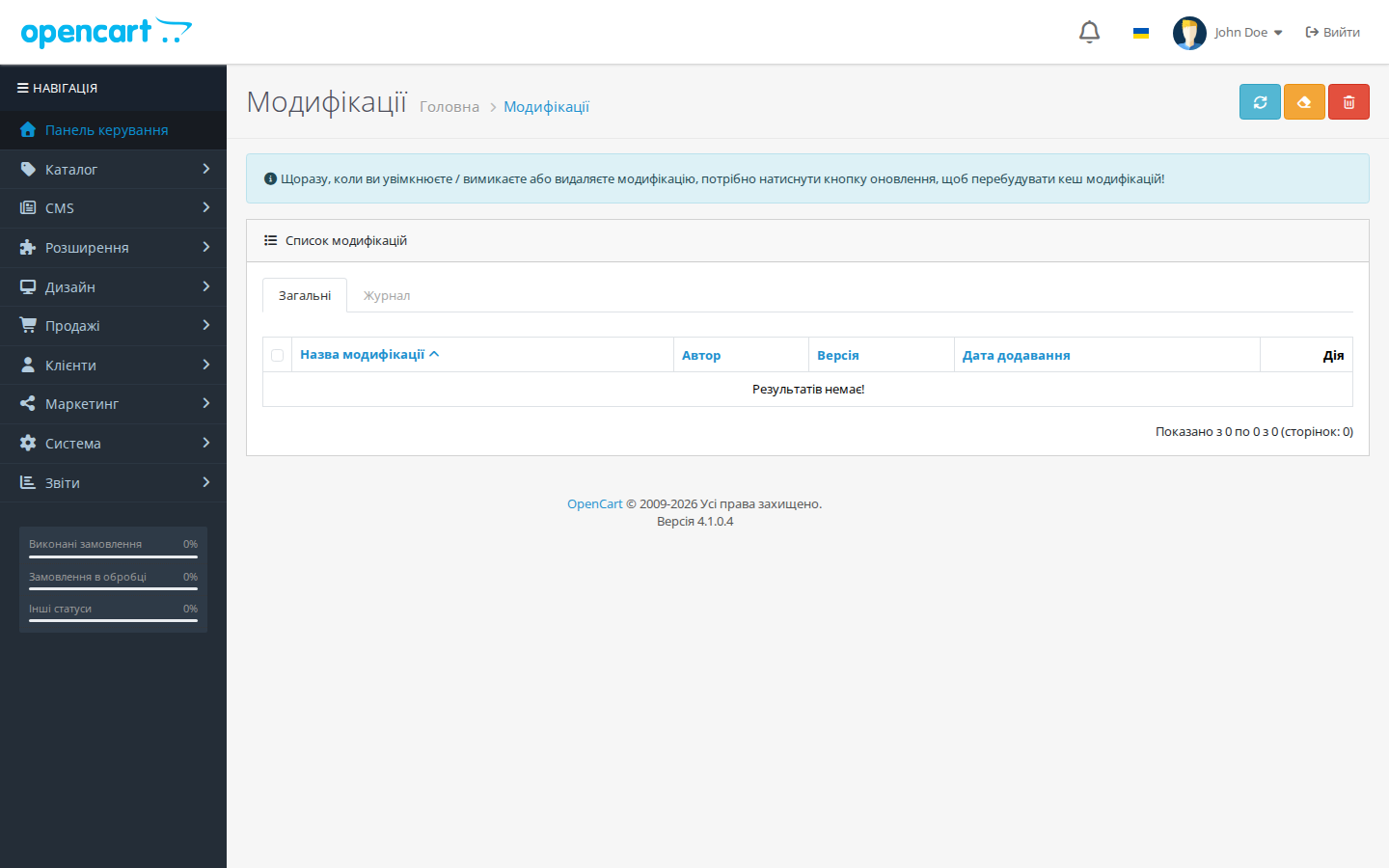
An XML-based modification format that changes files "on the fly" without touching the originals. Managed under Extensions → Modifications; after making changes, click "Refresh."
VQMod
An older modification method that is used less often now.
Events
Events: attaching custom code to a core action, for example before a page is output. It allows extending OpenCart without editing files.
Cron
A task scheduler on the server. In 4.x, there are "Scheduled Tasks" for regular operations.
MVC-L
The OpenCart architecture: model, view, controller, and language file.
Controller
Code that receives a request and prepares the data.
Model
A class for working with the database.
Language file
A PHP file with interface texts, separate for each language.
Registry
A shared container of objects ($this->config, $this->db).
route
An address parameter that specifies which controller to run, for example product/product.
Table prefix
The beginning of table names, oc_ by default.
phpMyAdmin
A web interface for the database. Make a dump before making any changes.
Cache
Stored results that speed up the site. It is cleared after changes to templates and modifications.
Error log
The error.log file, visible under System → Maintenance → Error Logs. The first place to look when something breaks.
Debug mode
Displaying errors for the developer. Turn it off on a live site.
Staging
A test copy of the store for checking updates.
Backup
Files plus a database dump. Store them off the server.
PHP version
The version of the language on the hosting. 3.0.5.x and 4.1.0.x have different requirements, so check compatibility before updating.
Composer
A PHP dependency manager. Some 4.x extensions use it.
API
A way to exchange data with other systems: warehouse, CRM, delivery.
Webhook
An automatic request from an external service when an event occurs, for example a payment.
SSL
https encryption. Without it, browsers mark the site as unsafe, and payments do not work.
CSRF and XSS
Common vulnerabilities: forged requests and script injection. The developer must filter input data.
Responsive design
Correct display on a phone. For most stores, a significant share of purchases come from mobile devices.
Summary
The key points: distinguish between attributes, options, and filters; remember that SEO-friendly URLs, canonical tags, and redirects protect SEO; measure conversion and average order value, not just traffic. Changes to OpenCart should be made through OCMOD or events, not by editing the core, and always after a backup.
Next steps: go through the glossary and note what your store is missing. A step-by-step plan is in the article how to launch an online store, and you can find other terms in the Glossary section.