Registry in OpenCart is a simple object registry: an associative array "key → object" that is created at the start of each request and passed to all controllers, models, and libraries. When you write $this->db, $this->config, or $this->model_catalog_product, the controller stores nothing itself: the magic method __get takes the object from the registry. Below we look at how the OpenCart registry is built in versions 3.0 and 4.x, who fills it, and how to safely add your own service to it.
What is the Registry and why does OpenCart need it?
OpenCart has no DI container like Symfony or Laravel. Instead, there is a single class Registry in the file system/engine/registry.php. It is a service locator in its simplest form: a private array $data and four or five access methods. There is no automatic dependency assembly, no factories, and no lazy services. What you put under a key is what you get back.
This is done for simplicity. Controllers and models don't need constructors with a dozen parameters: each one receives a single registry object and sees the whole core through it. The price of this simplicity is global state within a request. Any code can overwrite any key, and nothing protects against it.
Here is the entire class logic in OpenCart 4.x, without PHPDoc comments:
system/engine/registry.php · OpenCart 4.1.0.4 · lines 15–19
class Registry {
	/**
	 * @var array<string, object>
	 */
	private array $data = [];
system/engine/registry.php · OpenCart 4.1.0.4 · lines 68–82
	public function get(string $key): ?object {
		return $this->data[$key] ?? null;
	}

	/**
	 * Set
	 *
	 * @param string $key
	 * @param object $value
	 *
	 * @return void
	 */
	public function set(string $key, object $value): void {
		$this->data[$key] = $value;
	}
Three practical points follow from this code. First, the registry lives for one request only: nothing persists between requests; for that there are sessions and cache. Second, in 4.x you can only store objects, because the parameter type is object. Third, if a key is missing, get() returns null, and the error appears only when the method is called.
How does $this->db "appear" in a controller?
The base classes Controller and Model (directory system/engine/) receive the registry in the constructor and store it in the property $this->registry. They also have the magic methods __get and __set, which delegate access to the registry. So the chain for $this->db->query(...) looks like this:
- PHP does not find a declared property
dbin your controller. Controller::__get('db')is called.- It accesses
$this->registry->get('db'). - The registry returns the object
DBcreated at the start of the request, andquery()is called on it.
The registry itself also has __get, so the entries $this->registry->get('config') and $this->registry->config are equivalent:
system/engine/registry.php · OpenCart 4.1.0.4 · lines 30–32
	public function __get(string $key): ?object {
		return $this->get($key);
	}
Models get into the registry through the Loader. When you call $this->load->model('catalog/product'), the Loader creates the model object, wraps it in an event proxy, and stores it in the registry under the key model_catalog_product: slashes are replaced with underscores, and the prefix model_ is added at the beginning. In 4.x, the route for extension models is longer, so the key is too: extension/opencart/total/coupon becomes $this->model_extension_opencart_total_coupon. The Loader will be covered in detail in a separate article in this section. The key point here: a model becomes available to any code that runs later in the same request, even if that code did not load it itself.
Who fills the registry and when?
The registry is created in system/framework.php. The full request path is described in the article about framework.php and the route from index.php to the controller. Below is only what concerns the registry.
flowchart TD
  A["index.php"] --> B["system/startup.php: autoload"]
  B --> C["framework.php: new Registry()"]
  C --> D["config, log, event, load, request, response, db, session, cache…"]
  D --> E["startup controllers: setting, customer, currency, tax, cart…"]
  E --> F["Route controller"]
  F --> G["$this->load->model(): model_* in registry"]
Filling happens in two stages.
Stage 1: the core in framework.php
This is where the infrastructure objects are created: config, log, event, load, request, response, db, session, cache, url, language, document. The set and order differ somewhat between versions and between admin and catalog. Values for config are taken from file configs and then supplemented with settings from the setting table. How these layers overlap is explained in the article about config.php, system/config and database settings.
Stage 2: startup controllers
Next, controllers from the directory controller/startup/ are executed, and it is they that register the "business" objects.
OpenCart 3.0: most objects are registered in a single file catalog/controller/startup/startup.php. There, customer, currency, tax, weight, length, cart, encryption, and others are created. The list of startup actions is defined in system/config/catalog.php and admin.php.
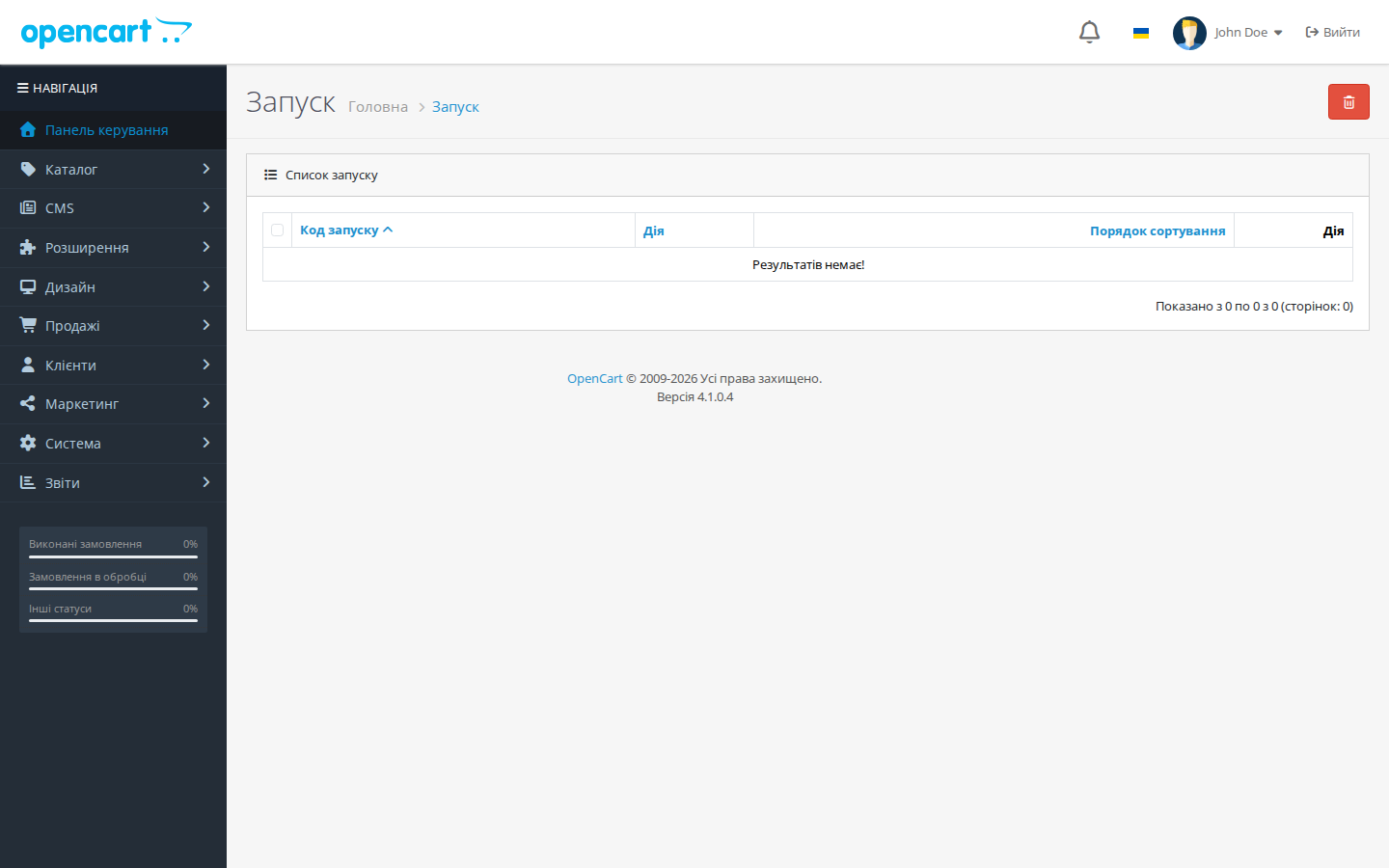
OpenCart 4.x: startup is split into separate controllers (startup/customer, startup/currency, startup/tax, and others). In addition to the file list, there is a table startup in the database. Through it, extensions add their own startup actions without changing the core. These entries are visible in the admin on the Startup page.
This gives a rule: in the startup controller of your extension, you cannot yet rely on objects registered by a startup that runs later. If your service depends on customer or cart, check them via has() or register the service lazily, at the moment of first use.
How does the Registry in OpenCart 3.0 differ from 4.x?
The public interface is almost the same, but the typing is different, and this affects module compatibility. Here is the class in 3.0.5.1:
system/engine/registry.php · OpenCart 3.0.5.1 · lines 37–38
final class Registry {
	private $data = array();
system/engine/registry.php · OpenCart 3.0.5.1 · lines 60–72
	public function get($key) {
		return (isset($this->data[$key]) ? $this->data[$key] : null);
	}

    /**
     *
     *
     * @param	string	$key
	 * @param	string	$value
     */
	public function set($key, $value) {
		$this->data[$key] = $value;
	}
| Aspect | OpenCart 3.0 | OpenCart 4.x |
|---|---|---|
| Namespace | Global, class Registry | Opencart\System\Engine\Registry |
| Class modifier | final, cannot be inherited | No final |
Value type in set() | Any (mixed) | Objects only (object) |
Magic __get | Present, returns ?object | Present, returns ?object |
__set / __isset on the registry itself | No | Yes |
| Removing a key | No method | unset($key) |
The main trap in 3.0: set() accepts a string or an array, but __get is declared with the return type ?object. So $this->registry->set('my_flag', true) works, while reading $this->my_flag through magic access ends with TypeError. An explicit $this->registry->get('my_flag') returns the value without error. Because of this inconsistency, it is better not to store scalars in the registry at all, even in 3.0. In 4.x the error will appear already at set().
The location of the class itself and neighboring core files is shown in the directory map of OpenCart 3.0 and 4.x.
How do you add your own object to the registry?
A typical task: a module has a client for an external API (delivery service, fiscal device, CRM), and it is needed in several controllers and models. Creating it anew each time is inefficient, and passing it through parameters is inconvenient. The registry is well suited for this.
OpenCart 3.0
- Place the class in
system/library/. The 3.0 autoloader converts the namespace to a lowercase path:\Mystock\Clientwill be looked up assystem/library/mystock/client.php. - Register the object lazily, at the place where it is first needed. You can also do this in an event handler that fires at the start of the route.
- Use a key with your module's prefix to avoid conflicts with the core.
class ControllerExtensionModuleMystock extends Controller {
	public function index() {
		if (!$this->registry->has('mystock_client')) {
			$this->registry->set('mystock_client', new \Mystock\Client(
				$this->config->get('module_mystock_api_key'),
				$this->log
			));
		}

		$data['items'] = $this->mystock_client->getItems();

		return $this->load->view('extension/module/mystock', $data);
	}
}
OpenCart 4.x
In 4.x, the extension code lives in extension/<код_розширення>/, and the library is in extension/<код>/system/library/. The namespace is formed from the extension code: for mystock it is Opencart\Extension\Mystock\System\Library. The approach itself is the same:
namespace Opencart\Catalog\Controller\Extension\Mystock\Module;

class Mystock extends \Opencart\System\Engine\Controller {
	public function index(): string {
		if (!$this->registry->has('mystock_client')) {
			$this->registry->set('mystock_client', new \Opencart\Extension\Mystock\System\Library\Client(
				(string)$this->config->get('module_mystock_api_key'),
				$this->log
			));
		}

		$data['items'] = $this->mystock_client->getItems();

		return $this->load->view('extension/mystock/module/mystock', $data);
	}
}
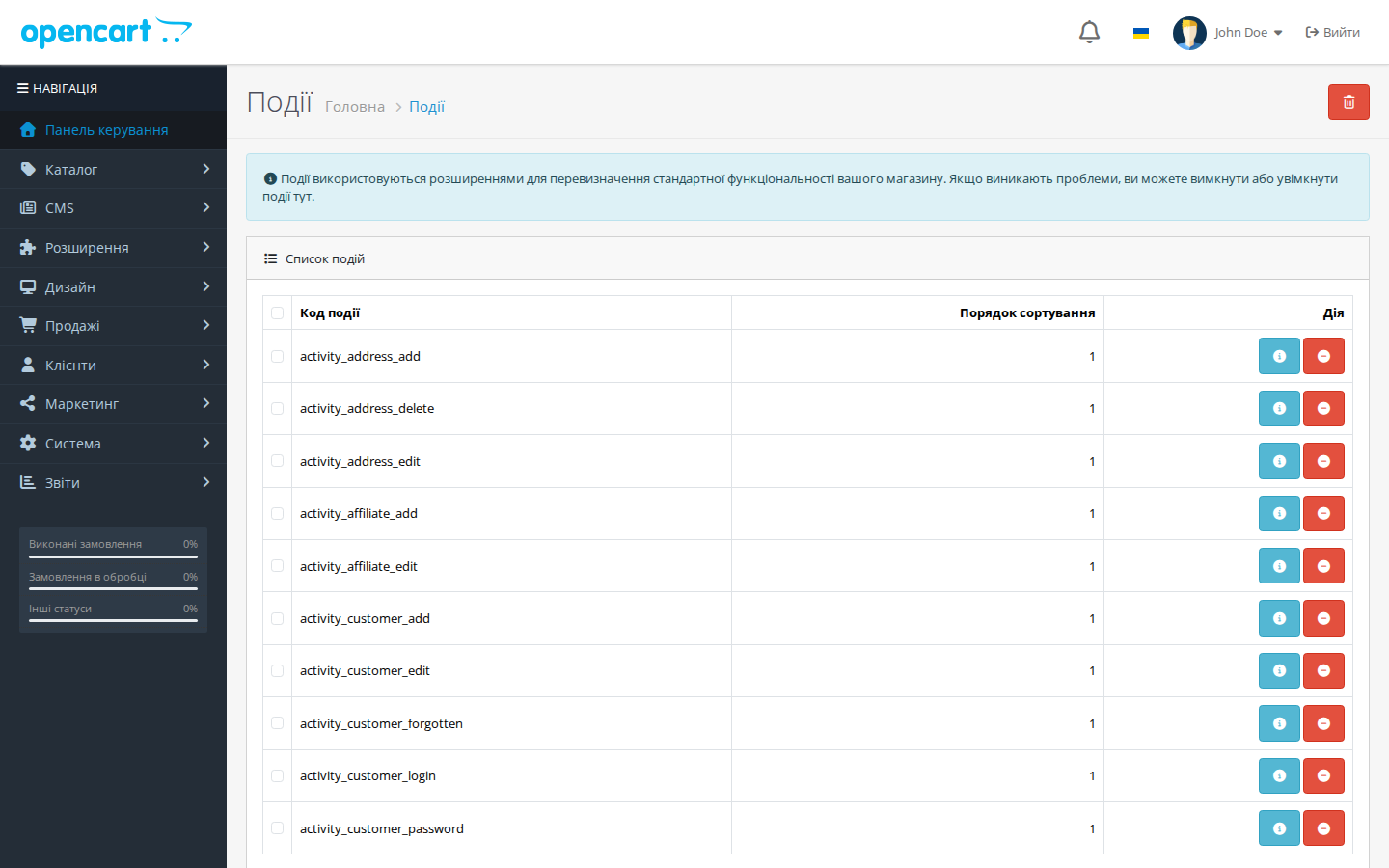
If the object must be available on every request before the main controller, in 4.x there is an extension startup entry for this, which is added during module installation. Another option is an event, which can be reviewed in the section Extensions → Events.
What registry errors occur most often?
Most problems with third-party modules that "break the store after installation" come down to a few recurring situations:
- Overwriting a service key. A module makes
set('cart', ...)orset('customer', ...)its own class, and then the whole checkout works with someone else's object. Before registering, checkhas(), and name keys with a prefix. - Undeclared property in a controller. The base controller's magic
__setwrites to the registry, so$this->error = []without a declaredprivate $error = [];in 3.0 ends up in the global registry and breaks on read. In 4.x it fails immediately, because only objects are accepted. Always declare service properties of the class explicitly. - "Call to a member function … on null". The key is missing: the model was not loaded, startup has not finished yet, or you are accessing in admin an object that is registered only in catalog (and vice versa). Admin and catalog have separate registries, because they are two different applications.
- Trying to keep state between requests. The registry is reset on every HTTP request, including AJAX. Store cart or filter data in the session or cache.
- Global
global $registryin templates or helpers. In 4.x a variable in the global scope may be absent, and this approach ties the code to the initialization order. Pass the registry explicitly through the constructor.
For diagnostics, it is useful to temporarily output the list of keys, for example array_keys via Reflection in debug mode, or simply check $this->registry->has('ключ') at the needed point and write the result to $this->log->write(). The log will appear in System → Maintenance → Error Logs.
Summary
- The registry is an array of objects for one request. Controllers and models access it through the magic
__get, so$this->dbworks without any declarations. - The core fills the registry in
framework.php, business objects are added by startup controllers, and models are added by the Loader under keysmodel_*. - OpenCart 3.0:
final, no typing, but__getexpects an object. OpenCart 4.x: namespace, strictobjecttype, and there areunset()and__isset. - Register your own services lazily, with a prefix in the key and a
has()check. Do not put scalars or arrays into the registry.
Next, it is worth understanding how the Loader creates models and event proxies, and how Request and Response are built. The rest of the material on the internal structure of the core is collected in the section "Architecture and Files". If any term in the article is unfamiliar, check the glossary of OpenCart and e-commerce terms.