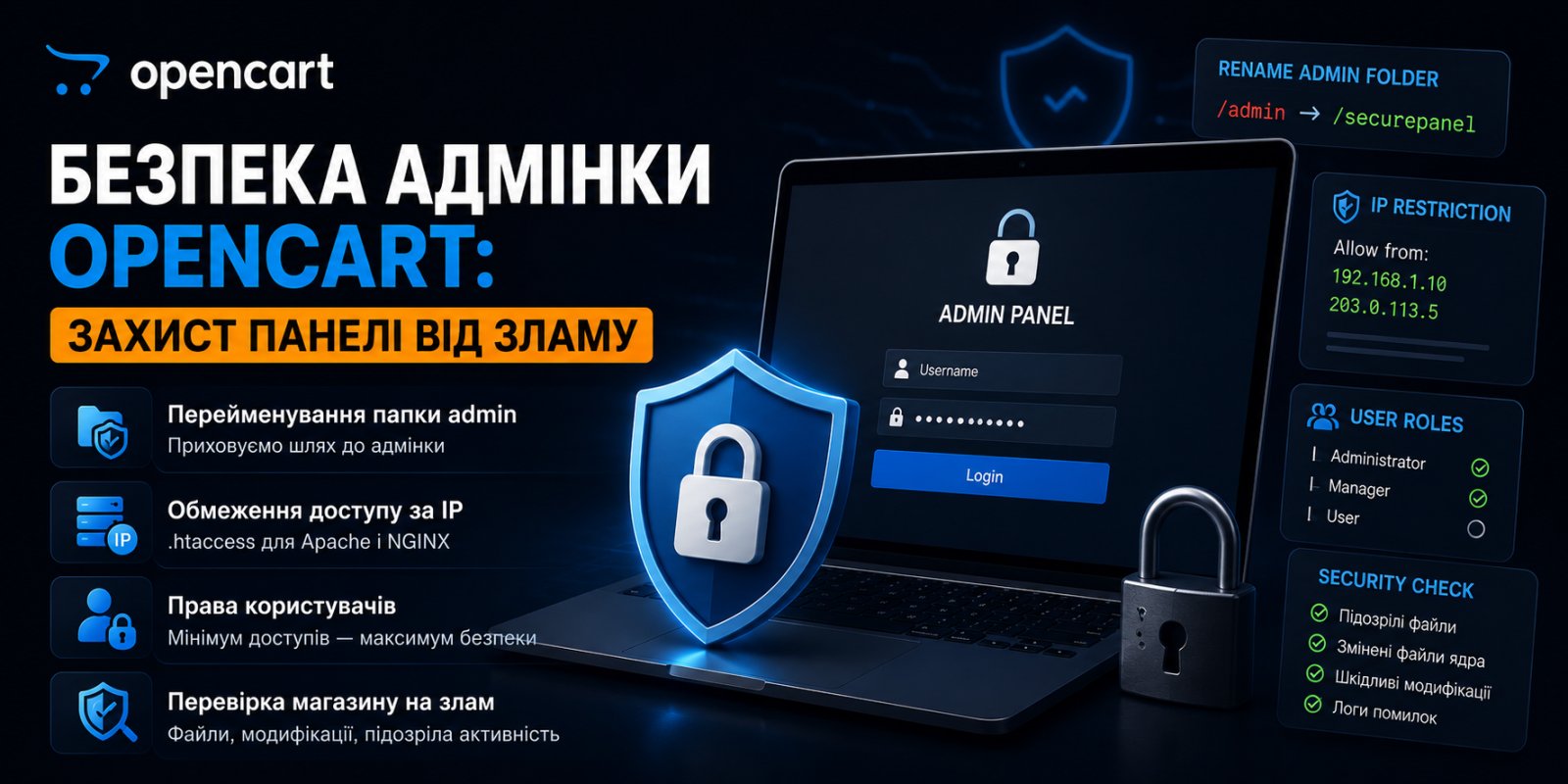
A broken store rarely looks broken. The website works, orders come in, managers notice nothing. Meanwhile, an administrator sits in the oc_user table that no one created, a file called cache.php lies in the image/catalog folder that is no cache at all but a web shell, and the customer database with phone numbers and addresses has already gone to spammers. This usually comes to light by accident: a customer complained that the homepage redirected them to a casino, or Google suddenly marked the site as unsafe.
There are almost always two entry points in these stories. The first is the admin panel itself: not a hole in the OpenCart core and not a tricky SQL injection, but a banal login through /admin with a guessed or stolen password. The second is modules from pirate sites: a backdoor is built into the nulled version of a paid extension, and the owner unwittingly lets the attacker into the store along with the "free" module they were looking for to save a few thousand hryvnias. The saddest part is that the vast majority of such hacks can be closed in an hour of work with configs and basic extension hygiene. Below is a collection of what to do exactly, in order from mandatory to desired, with examples for OpenCart 2.x, 3.x, and 4.x.
Why bots find your admin panel in minutes
Open the access.log of any store that has been online for at least a month. You're guaranteed to find lines like this:
185.220.101.34 - - [05/Jul/2026:03:12:44] "GET /admin/ HTTP/1.1" 200
185.220.101.34 - - [05/Jul/2026:03:12:45] "POST /admin/index.php?route=common/login HTTP/1.1" 200
185.220.101.34 - - [05/Jul/2026:03:12:47] "POST /admin/index.php?route=common/login HTTP/1.1" 200
This is not a hacker who chose you specifically. This is a bot going through millions of domains using a list of standard paths: /admin, /administrator, /wp-admin, /manager. It found the OpenCart login page and started trying login-password pairs from leaked databases. Such requests on a live store happen by the hundreds a night, and none of them enter the owner's field of vision because OpenCart doesn't display failed login attempts anywhere in the admin panel.
From this comes the first conclusion: as long as the login form is accessible to the whole internet at a predictable address, your security rests solely on password complexity. That's not enough.
Close access at the server level
The idea is simple: even if someone knows the panel address, the server won't let them go further without additional verification. There are two working options: IP restriction and basic HTTP authentication.
Apache: .htaccess in the admin folder
If your office or home has a static IP address, put a .htaccess file in the admin folder:
# Apache 2.4
Require ip 91.218.100.15
Multiple addresses are listed separated by spaces. If your IP is dynamic, use basic authentication instead: the browser will ask for a separate login and password before it even shows the OpenCart login form.
First check your hosting control panel; most can do this out of the box: in cPanel the section is called Directory Privacy, in Plesk it's Protected Directories. Select the admin folder, enter a login and password, and the panel will create the necessary files automatically. If you don't find such a section, write to your hosting support: these things are set up with one request. The manual option via .htaccess remains for those with full server access:
AuthType Basic
AuthName "Restricted"
AuthUserFile /home/user/.htpasswd
Require valid-user
The .htpasswd file is generated with the command htpasswd -c /home/user/.htpasswd username and should be located outside the website root. The result is two doors with different keys: to get to the OpenCart password crack, the bot first has to break through HTTP authentication, and mass scanners don't do that.
NGINX: there are pitfalls that almost everyone steps on
On NGINX, .htaccess files don't work. At all. This is a classic mistake when migrating from Apache: someone copies the store, the .htaccess file with restrictions comes along with the files, and the owner happily thinks the admin panel is closed. But NGINX doesn't even read these files, and the login form is open to the world.
On NGINX, restrictions are written in the virtual host configuration. And here's another trap, purely NGINX-specific:
# WRONG: protection doesn't work
location /k7-panel/ {
    allow 91.218.100.15;
    deny all;
}
It looks logical, but a request to k7-panel/index.php won't be caught by this block: PHP files are usually handled by a separate location ~ \.php$, and regular expressions in NGINX have priority over prefix locations. So you've closed the static files in the folder, but the actual login to the admin panel is still open. The correct option: a separate regex for PHP inside the panel, placed in the config above the general one:
# CORRECT: block comes before the general location ~ \.php$
location ~ ^/k7-panel/.*\.php$ {
    allow 91.218.100.15;
    deny all;

    include fastcgi_params;
    fastcgi_pass unix:/run/php/php8.1-fpm.sock;
    fastcgi_param SCRIPT_FILENAME $document_root$fastcgi_script_name;
}
After changing the configuration, be sure to nginx -t and restart. And don't be lazy to test the result from a phone via mobile internet: if you get a 403 from a different IP address, you've done it right. On shared hosting, direct access to NGINX configs is usually not available, then this is a question for hosting support: decent support will add such a block with one request.
PHP execution in the images folder.
The admin panel's image manager validates files based on their extension, creating a vulnerability: a file named `shell.php.jpg` appears to be an image, yet Apache—configured with the `AddHandler application/x-httpd-php .php` directive—will execute it as PHP. This happens because `mod_mime` triggers on *any* occurrence of `.php` in the filename, not just the final extension. This is a classic scenario where a web shell is uploaded using a compromised administrator password. The issue can be mitigated by disabling script execution at the folder level.
For Apache file `image/.htaccess`:
<FilesMatch "\.(php|php[3-8]|phtml|phar|pl|py|cgi|sh|asp|aspx)$">
    Require all denied
</FilesMatch>
On NGINX, the same thing is done in the host configuration:
location ^~ /image/ {
    location ~ \.php$ { deny all; }
}
The check takes a minute: place a file containing the single line `<?php echo 'test';` into the `image/` directory and open it in your browser. A 403 error means the rule is working; the displayed text means it is not.
Users and permissions: not everyone under one login
Now about what's inside the panel itself. Many stores have had one admin account for years, whose password is known to the owner, two managers, an SEO contractor, and a freelancer who once edited the template. This is bad on two fronts: the password circulates in chats and mailboxes, and after an incident, it's impossible to understand who did what.
OpenCart has a full-fledged user group system: System → Users → User Groups in the English interface. For each group, checkboxes set access to view and modify each controller separately. A manager who handles orders only needs access to sale/order, customer/customer, and related sections. Access to marketplace/installer, system/usersis not for them: it's through extension installation and backups that an attacker with a stolen manager password turns into a store owner.
A separate point is the first administrator's login. The name admin is what the bot tries first, so an account with that login gives away half the login-password pair for free. Create a new administrator with a non-standard name, log in as them, and delete the standard one.
And since you've already opened the user list, look at it carefully. An account you didn't create means the store is already compromised. Such records most often appear after installing nulled modules: in a cracked paid extension it takes five minutes for whoever assembled the nulled version to add a few lines that create a hidden administrator or write a web shell to the file structure. So every extension from a "free" source becomes a lottery where your store is the prize. You can check if a module is pirated at warez.rip.
Password brute force: why there's no built-in protection
Here OpenCart deserves criticism. For customers, protection against brute force exists: the Max Login Attempts parameter in store settings (Option tab), after exceeding which the account is blocked for an hour, attempts are written to the oc_customer_login table. But the admin login form in 2.x and 3.x has no attempt limits whatsoever. None. A bot can pound route=common/login with thousands of requests, and OpenCart will dutifully check each password, blocking and logging nothing anywhere.
There are two conclusions. First: protection against brute force for the admin panel lives only at the server level, which is another argument for IP restriction or HTTP authentication from the previous section. If for some reason both options don't work (distributed team, dynamic addresses, don't want to hand out authentication passwords), write to hosting support and ask them to limit the request rate to the admin login page. This is standard server-side configuration, manager work in the panel won't suffer from it, and the brute-forcer will get a rejection instead of checking the next password.
The second conclusion: the administrator password is the last line of defense, and you should treat it accordingly. Twenty-plus random characters from a password manager, unique, used nowhere else. Not "store name plus year". Databases of leaked passwords have long trained bots on human logic.
Two-factor authentication doesn't exist in standard OpenCart either, in any version, including 4.x. There are extensions on the marketplace that add TOTP codes through Google Authenticator and the like; if more than two people access the admin panel, such an extension pays for itself many times over. Just get it from the official marketplace, given the previous section.
Session token and HTTPS
Look at the address bar of an open OpenCart 3.x admin panel:
https://example.com/k7-panel/index.php?route=common/dashboard&user_token=f3a91c...
That user_token is your session pass. In 2.x it was simply called token, the essence is the same: whoever has a link with a live token works in the admin panel on your behalf without any password. So you can't share a complete link from the admin page in chats, support tickets, or screenshots without blacking it out. The token dies with the session, but the session lives for hours, and that's enough. From the same principle comes the habit of not staying logged into the admin on someone else's or shared computers: the Logout button exists for a reason, it kills the session along with the token immediately, not sometime later.
For the same reason, the admin panel must work only over HTTPS. If the config still has http:// in HTTP_SERVER and HTTPS_SERVER of the admin panel, the token and password fly over the network in plain text, and in a cafe Wi-Fi anyone will grab them. Let's Encrypt certificate is free and installed from the control panel of any decent hosting, so there's no excuse here: both constants in the admin's config.php must start with https://.
Files, permissions, and what lies in the root
A few things outside the login form itself that directly affect the security of the panel.
Config permissions. After finishing store setup, translate both configuration files, the root config.php and the admin's config.php, to read-only mode:
chmod 444 config.php
chmod 444 k7-panel/config.php
This is not a silver bullet, but an extra barrier for scripts that try to append themselves to configs. General rule for the rest: folders 755, files 644, and never, under any circumstances, 777, no matter how much the instructions for the next module beg for it. Instructions demanding 777 say more about the module's quality than its sales page.
The storage folder. OpenCart 3.x shows a warning in the admin after installation that the storage directory should be moved outside the website root, and a Move button that does the move automatically. Click it, that's the shortest path. The point is that storage contains logs, cache, and sessions, and there's no reason to keep them in an HTTP-accessible zone. On Apache the system folder is protected by its own .htaccess, but you already know from the NGINX section what that protection is worth after moving to another web server. If the button is unavailable for some reason, the move is done manually: move the folder one level above the root and fix DIR_STORAGE in both configs.
The install folder. Delete it right after installing the store. OpenCart reminds you about this, but on live sites it still occurs, and it's a ready tool for reinstalling the store by someone else's hands.
Backups in the root. A separate sore spot visible in scanner logs: requests for /backup.sql, /dump.sql, /1.sql. Bots deliberately search for dumps left in the root after a move or manual backup. And a dump of OpenCart contains the entire oc_user table with admin password hashes and the entire customer database. Backup files should live outside the website root, period. If a dump needs to be temporarily put in the root for transfer, it's deleted the same hour, not "sometime later".
Old versions: a hole you can't patch with config
Everything listed above makes sense only if the engine itself and extensions aren't buggy. A store on OpenCart 2.0 with PHP 5.6, which "works and don't touch it," remains a bomb with a ticking mechanism regardless of how cleverly the admin panel is hidden. Vulnerabilities of old versions have long been picked apart in public reports, and scanners check for them automatically, along with the engine version, which OpenCart happily reveals in headers and response structure.
The same applies to extensions: an abandoned module that hasn't seen updates in years becomes a hole in itself over time. Every six months do an audit of what's installed and delete everything you don't use completely, not just disable it. A module disabled in the admin doesn't disappear from disk, and its code is just as accessible from outside.
And about PHP. Branches that left support don't receive security fixes, so keeping a store on PHP 7.4 in 2026 means knowingly taking the risk. OpenCart 3.0.3.x runs fine on PHP 8.0–8.1, older builds may require fixes in third-party modules, but that's a one-time job, not a permanent threat.
How to tell if you've already been hacked
Protection is protection, but periodic audits are needed even for a well-locked store. Here's what I check when there's suspicion of compromise, and what's worth running monthly as a preventive measure.
List of administrators in the database, without going through the admin panel (a compromised panel can hide foreign entries):
SELECT user_id, username, email, status, date_added FROM oc_user;
Anything you didn't create is reason for a full investigation, not just deleting the row.
The oc_modification and oc_event tables. Both allow foreign code execution without touching the core files, so attackers like them for persistence: the site looks clean, files match the original, but malicious code is pulled through a modification or event. Looking at both tables and checking against the list of actually installed extensions is twenty minutes of work.
PHP files where they shouldn't be. There shouldn't be executable files in the image directory by definition, so the check is trivial:
find image/ -name "*.php"
Empty output means everything is clean. Any found file is a web shell until proven otherwise. It's also useful to see which PHP files have been modified recently when you haven't installed or updated anything:
find . -name "*.php" -mtime -7
And finally: system/storage/logs/error.log. A sharp spike in errors like "undefined function" or "failed to open stream" from unknown paths often means a foreign script is trying to run and something is in its way. A log that no one reads won't warn you about anything.
Admin panel security checklist
- Close access at the server level: IP restriction or HTTP authentication. On NGINX make sure the rule catches exactly PHP requests.
- Delete the account with login
admin, creating a replacement with a non-standard name. - Give managers separate accounts with minimal permissions through User Groups.
- Set passwords from a password manager; if needed, add a 2FA extension from the official marketplace.
- Switch the admin panel to HTTPS in both config constants; don't share links with
user_token. chmod 444on bothconfig.php; folders 755, files 644, no 777 under any circumstances.- Move
storageoutside the root with the Move button; delete theinstallfolder and backups from the root. - Don't install nulled modules; check suspicious ones at warez.rip.
- Delete unused extensions completely, not just disable them; keep an up-to-date PHP branch.
- Disable PHP execution in the `image/` folder and verify this with a test file.