Analytics for OpenCart: Google Analytics 4, Facebook CAPI, TikTok
GA4 ecommerce events, Facebook Pixel and Conversions API, TikTok, plus reports and profit tracking.
 oc_kit
Analytics
oc_kit
Analytics
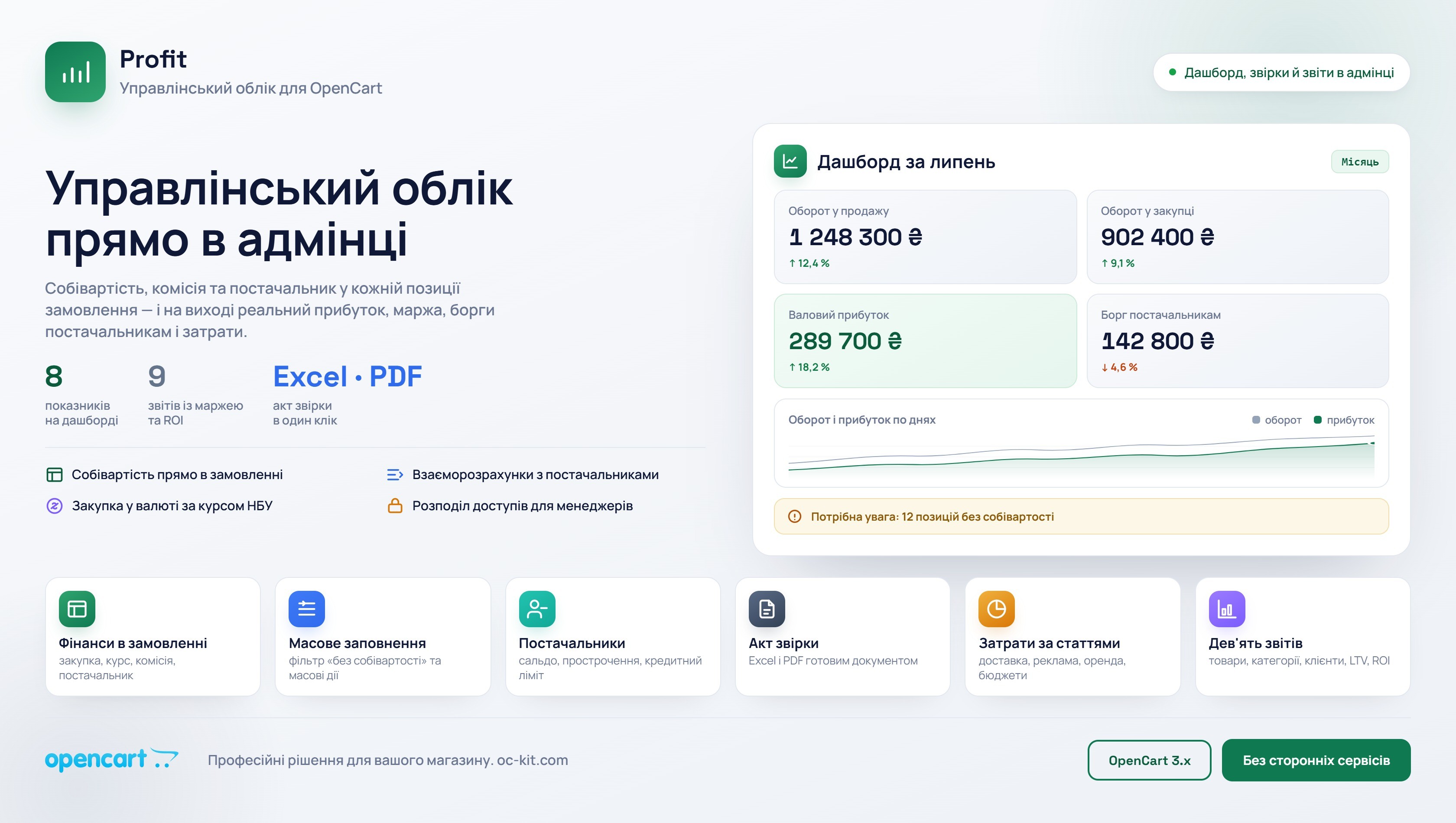
Profit - Management Accounting for Opencart Store
The module shows how much your store actually earns. In each order, you see not only the selling price, but also the purchase cost, commission, and net profit. Separately — debts to suppliers, expenses, cash register, and reports. Everything in the familiar admin panel, without Excel spreadsheets.
 spectre
Reports
spectre
Reports
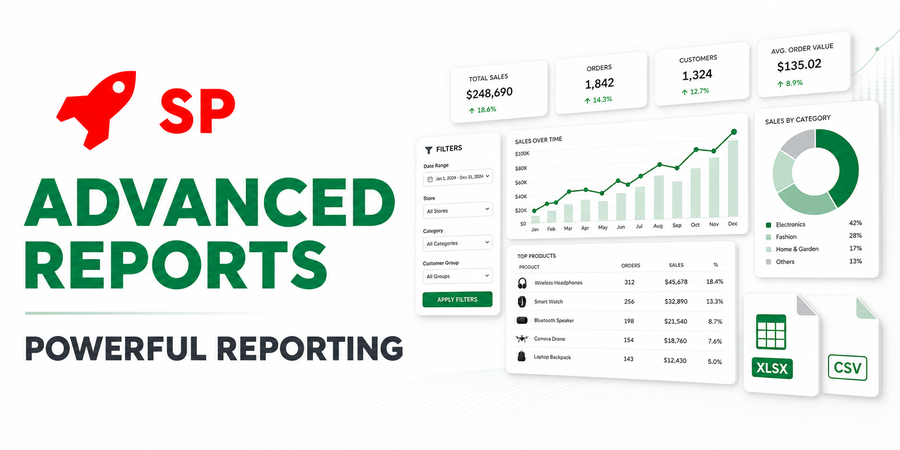
SP Advanced Reports - POWERFUL REPORTING
Create virtually any reports based on your store's data — without the need to manually write SQL queries and constant refinements from a programmer.
 spectre
SEO
spectre
SEO
SP SEO Remarketing All In One Pro 2.3.x - 3.x Google Analytics 4, Google ADS, Facebook, TikTok,XML Feed, eSputnik, Snapchat, Microsoft ADS
The module is a complete solution for organizing everything related to sending events for Google Ads and Facebook Pixel remarketing (+Conversions API), TikTok (+Marketing API), Google Analytics 4 advanced eCommerce, eSputnik, Snapchat, Microsoft Advertising (Bing) and more
 spectre
SEO
spectre
SEO
SP SEO Remarketing All In One Pro 2.1.x Google Analytics 4, Google ADS, Facebook, TikTok,XML Feed, eSputnik, Snapchat, Microsoft ADS
The module is a complete solution for organizing everything related to sending events for Google Ads and Facebook Pixel remarketing (+Conversions API), TikTok (+Marketing API), Google Analytics 4 advanced eCommerce, eSputnik, Snapchat, Microsoft Advertising (Bing) and more
Store analytics answers three questions: where buyers come from, what they do on the site and how much the store really earns.
Google Analytics 4, Facebook CAPI and TikTok
SP SEO Remarketing sets up Google Analytics 4, Facebook Pixel and Conversions API, TikTok and other systems. Its requirements and real limitations are covered in the SP SEO Remarketing review. For OpenCart 2.1.x there is SP SEO Remarketing for OpenCart 2.1. Google Merchant feeds and UTM tags are in the Advertising category.
Reports and profit tracking
SP Advanced Reports builds custom reports without programming, exports them to XLSX and CSV and sends them by email. Profit tracks income, expenses and commissions, so an order shows the selling price and the net profit. Both modules are also in the Reports category.
How to choose
If you only need events for ads, SP SEO Remarketing is enough. For management accounting add Profit, and for non-standard reports SP Advanced Reports. Check the OpenCart version and compatibility with your cart and theme.