The configuration in OpenCart is split across three levels. The config.php OpenCart file (in the root and in admin/) defines constants: paths, the site address, and database access. The system/config/*.php files define core behavior: drivers, startup steps, events. The setting table in the database stores everything the store owner changes in the admin. Developers need to know which of these overrides which, and when each value becomes available in $this->config.
What configuration files does OpenCart have, and why are there three levels?
The division has a logic to it. Each level answers a separate question.
- config.php describes where the store lives on a specific server. It holds absolute directory paths, URLs, MySQL credentials, and the table prefix. The file is unique to each environment (local, staging, production), so it is not committed to git. The installer generates it from the
config-dist.phptemplate. - system/config/ describes how the core works. This is where you choose the database, cache, and session drivers, the template engine, the list of pre-action controllers, and system events. These files ship with the distribution and are updated along with the OpenCart version.
- The setting table describes how a specific store behaves: its name, default currency, image sizes, extension statuses. Values are changed through the admin and can differ for each store in a multi-store setup.
The rule is simple. If a value depends on the server, it belongs in config.php. If it depends on the core version, it belongs in system/config. If it depends on the business, it belongs in the DB. If you store a payment gateway API key in config.php, migrating between environments breaks. If you put a directory path in the setting table, copying a database dump to another server breaks. For more about directory layout, see the article OpenCart 3.0 and 4.x directory map.
| Level | Where it lives | Who changes it | How to read it in code |
|---|---|---|---|
| Environment constants | config.php, admin/config.php | Installer, server administrator | DIR_IMAGE, DB_PREFIX, etc. |
| Core config | system/config/default.php, catalog.php, admin.php | Developer (with caution) | $this->config->get('session_engine') |
| Store settings | DB_PREFIX . 'setting' table | Owner via admin, modules | $this->config->get('config_name') |
What is in config.php, and how do 3.0 and 4.x differ?
There are two config.php files. The root one serves the storefront (catalog), and admin/config.php serves the admin. They share the same database, but the paths and URLs differ: DIR_APPLICATION in the admin points to admin/, while on the storefront it points to catalog/.
OpenCart 3.0: the file has two addresses, HTTP_SERVER and HTTPS_SERVER. The DIR_* set includes DIR_APPLICATION, DIR_SYSTEM, DIR_IMAGE, DIR_STORAGE, DIR_LANGUAGE, DIR_TEMPLATE, DIR_CONFIG, DIR_CACHE, DIR_DOWNLOAD, DIR_LOGS, DIR_MODIFICATION, and DIR_UPLOAD. The DB block consists of DB_DRIVER, DB_HOSTNAME, DB_USERNAME, DB_PASSWORD, DB_DATABASE, DB_PORT, and DB_PREFIX. The admin additionally has HTTP_CATALOG/HTTPS_CATALOG so that the admin can build links to the storefront.
OpenCart 4.x: there is no separate HTTPS address anymore; a single HTTP_SERVER remains, and it usually comes with https://. A new APPLICATION constant (the application name) and DIR_OPENCART (the installation root) have appeared, along with DIR_EXTENSION for extensions. The installer suggests moving the storage directory outside the web root, in which case DIR_STORAGE points there. The difference is easiest to see in system/config/catalog.php: in 3.0 both address constants are read there, while in 4.x only one is.
system/config/catalog.php · OpenCart 3.0.5.1 · lines 2–4
// Site
$_['site_url']           = HTTP_SERVER;
$_['site_ssl']           = HTTPS_SERVER;
system/config/catalog.php · OpenCart 4.1.0.4 · lines 2–3
// Site
$_['site_url'] = HTTP_SERVER;How does the system/config directory work?
system/config/ contains regular PHP files that populate the $_ array. The Config class includes such a file and merges the array into its own storage. A later file overwrites the keys of an earlier one. First, default.php loads with default values, then the file for the specific application, catalog.php or admin.php. The order is visible in the session example in OpenCart 4.x: the general default config sets the file driver.
system/config/default.php · OpenCart 4.1.0.4 · lines 40–49
// Session
$_['session_autostart']    = false;
$_['session_engine']       = 'file'; // db or file
$_['session_name']         = 'OCSESSID';
$_['session_domain']       = '';
$_['session_path']         = '/';
$_['session_expire']       = 86400;
$_['session_probability']  = 1;
$_['session_divisor']      = 5;
$_['session_samesite']     = 'Strict';
For the storefront, the application config overrides the driver to db:
system/config/catalog.php · OpenCart 4.1.0.4 · lines 17–19
// Session
$_['session_autostart']  = false;
$_['session_engine']     = 'db'; // db or file
So on the 4.x storefront, sessions are stored in the database by default, even though default.php is set to file. This detail often causes confusion during debugging. The same applies to db_autostart: in default.php it is false, while in catalog.php it is true. The application config is what enables the database connection and pulls the credentials from the config.php constants.
Another important point in these files: action_pre_action (the list of startup controllers that run before the main route) and action_event (system events, such as theme substitution or language hooks). For how these steps execute, read the breakdown of the request path through framework.php.
OpenCart 4.x has one convenient detail. The cache driver can be set with a constant in config.php, so the core does not need to be modified:
system/config/default.php · OpenCart 4.1.0.4 · lines 36–38
// Cache
$_['cache_engine']         = defined('CACHE_ENGINE') ? CACHE_ENGINE : 'file'; // apcu, file, mem, memcached or redis
$_['cache_expire']         = 3600;
How do settings from the DB get into $this->config?
Everything you see under "System → Settings" is stored in the setting table with the prefix from DB_PREFIX. The main columns are: store_id, code (the group, for example config or payment_cod), key (the full key, for example config_name), value, and serialized. Arrays are stored as JSON, and for them serialized = 1.
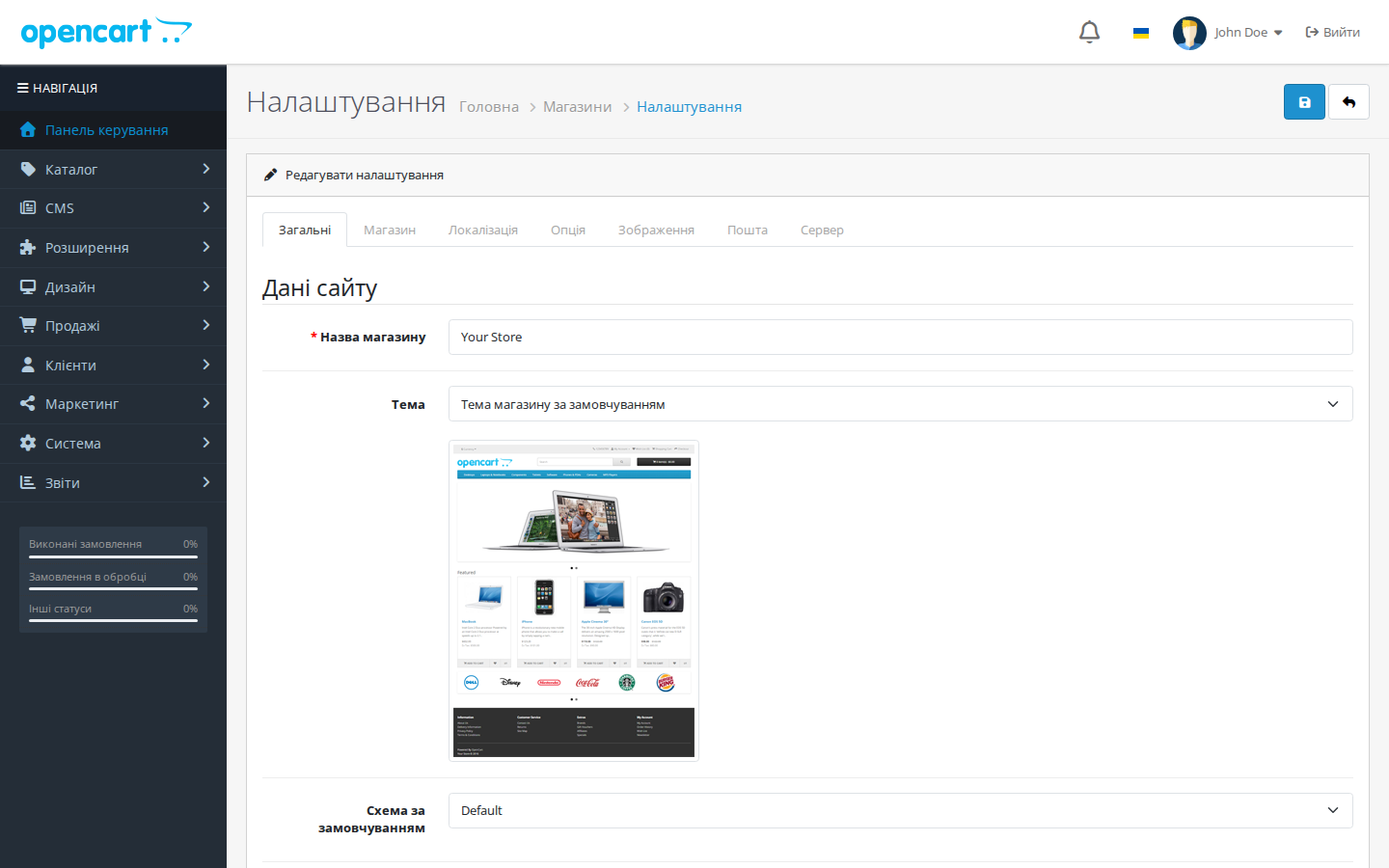
On the storefront, the settings are loaded by a startup controller. It selects the rows for store_id = 0 and for the current store, sorts them by store_id so that the store-specific values override the base ones, and stores each one via $this->config->set(). OpenCart 3.0: this is handled by startup/startup, together with detecting the store by domain, language, and currency. OpenCart 4.x: settings loading has been moved to a separate startup/setting step, which comes first in action_pre_action.
flowchart TD
  A["index.php"] --> B["config.php: constants"]
  B --> C["system/config/default.php"]
  C --> D["system/config/catalog.php or admin.php"]
  D --> E["Database, session, cache connection"]
  E --> F["startup: setting table for store_id 0 and the current one"]
  F --> G["Other startup steps"]
  G --> H["Route controller reads $this->config"]
The practical consequence follows. Keys from the setting table are not available until the corresponding startup step has run. If you add a custom pre-action or event handler that fires very early, $this->config->get('config_language') may return null. Keys from system/config (without the config_ prefix) are available immediately.
Values from the database can be checked with a simple SQL query. This is handy when the admin "doesn't save" a parameter:
SELECT store_id, `code`, `key`, `value`, serialized
FROM oc_setting
WHERE `key` LIKE 'config_error%'
ORDER BY store_id;
How does a module store and read its own settings?
A module should not create its own table for a few flags. The standard approach is to write them to the setting table under its own code. In the admin, there is a setting/setting model with the getSetting() and editSetting() methods for this. When the form is saved, the module passes code and the POST array, and the model deletes the old rows with this code and inserts the new ones.
// admin-контролер розширення (спрощено)
$this->load->model('setting/setting');
$this->model_setting_setting->editSetting('module_np_widget', $this->request->post);

// на вітрині значення вже завантажене startup-кроком
if ($this->config->get('module_np_widget_status')) {
    $api_key = $this->config->get('module_np_widget_api_key');
}
Key naming rules
- Every key starts with the
codeof the extension. In OpenCart 3.0 and 4.x,codecontains the type:module_…,payment_…,shipping_…,total_…. If a field is not named according to this rule,editSetting()will still save it, but the admin and uninstall may behave unexpectedly. - Name the extension status
{code}_status. The core and extension lists check exactly this key. - Arrays (for example, a list of Nova Poshta warehouses or Ukrposhta branches) can be passed as is; they will be saved as JSON. For large directories with thousands of records, it is better to create a separate table, because all
settingrows of the store are loaded on every request.
The last point is often underestimated. The setting table is read in full on every storefront hit. If a module puts a megabyte-sized JSON there, it slows down the entire store, not just its own page.
Where should you change a parameter: in the file or in the admin?
Most configuration problems arise when the same parameter is edited at the wrong level. Typical cases are below.
Displaying errors
system/config/default.php has error_display. The error handler, which is registered during framework initialization, reads exactly this value.
system/config/default.php · OpenCart 3.0.5.1 · lines 52–55
// Error
$_['error_display']        = true;
$_['error_log']            = true;
$_['error_filename']       = 'error.log';
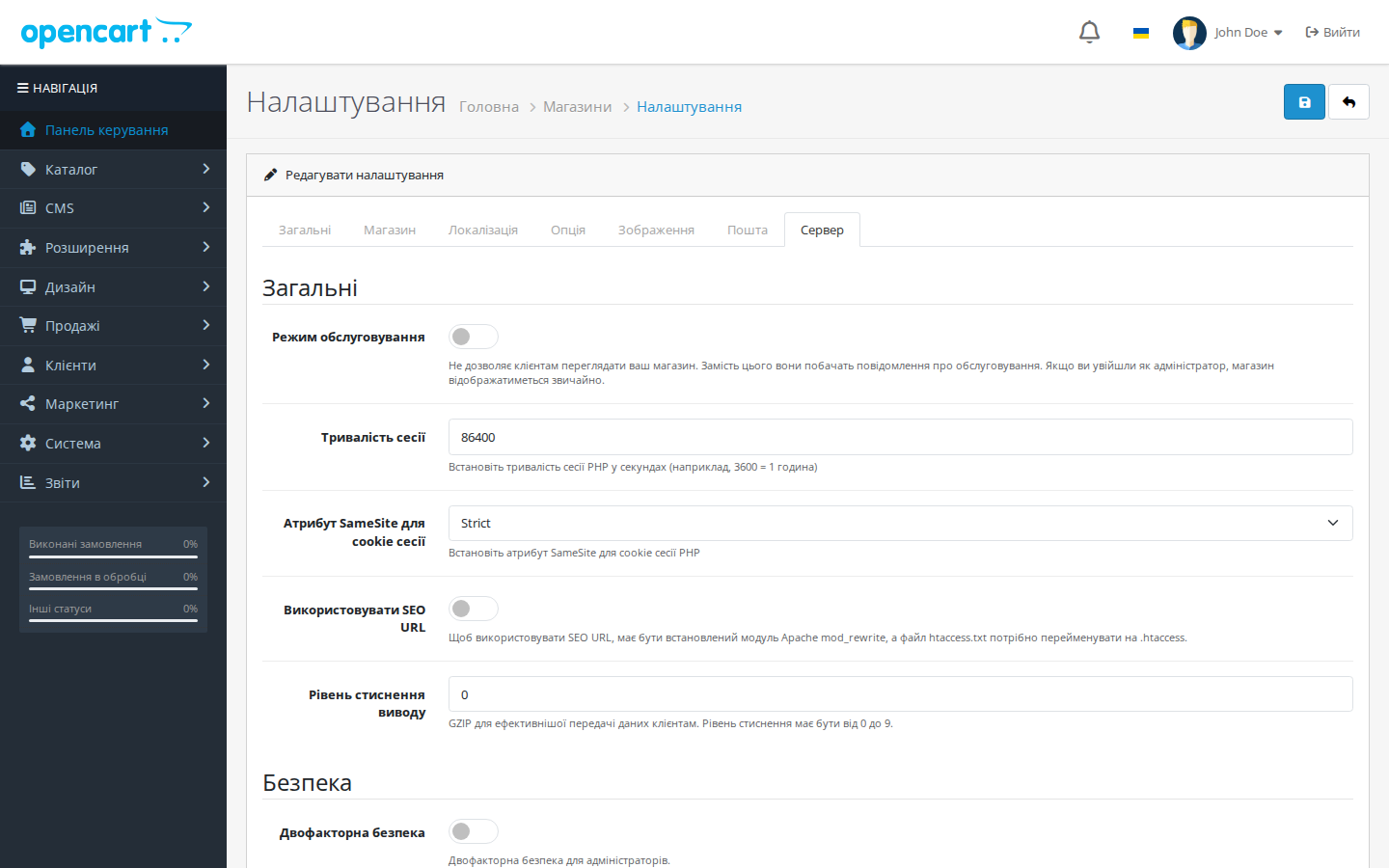
After the settings are loaded, the startup/error startup step works with the values of config_error_display and config_error_log from the admin. So on a live store, turn off error display in "System → Settings → Server" (Server). Editing default.php is needed only when you need to hide errors that occur before the database is loaded.
Site address and HTTPS
The domain and protocol live in config.php (HTTP_SERVER, and in 3.0 also HTTPS_SERVER) and in the admin. In OpenCart 3.0, the "Server" tab has an SSL checkbox. For additional stores in a multi-store setup, the address is stored in the store table. A step-by-step guide to changing the domain is described in the article changing the site address: configs, database, and 301 redirects.
Session and cache drivers
These are set only in files; there is no admin option for them. In OpenCart 3.0 you have to edit system/config/catalog.php and admin.php, and these changes will be wiped out by an update. In OpenCart 4.x, there is an CACHE_ENGINE constant in config.php for the cache, and that is the cleaner way.
What configuration errors happen most often?
- Only one config.php was updated. After renaming the
adminfolder (one of the basic security tips) or moving to a new server, the root file gets edited and theadmin/config.phpfile gets forgotten, even though it has its ownDIR_*andHTTP_CATALOG. As a result, the admin opens without styles or with a white screen. - Wrong DB_PREFIX. The dump was imported with the
oc_prefix, but the config kept a different one. OpenCart then sees no tables at all. - Relative paths in DIR_*. Constants must be absolute and end with a slash. Without the trailing
/, the paths get concatenated into something like/var/www/imagecatalog. - Edits to system/config without documentation. When the core is updated, the files are overwritten, and a custom pre-action simply disappears. In 3.0, it is better to hook in through events or OCMOD. In 4.x there is "Extensions → Startup" and events, so the core does not need to be edited.
- A value that "doesn't change". The key exists both in
settingwithstore_id = 0and instore_idfor an additional store. You edit one, while the storefront uses the other. Check with the SQL query from the section above. - Cached template. In OpenCart 3.0, the storefront's
template_cache = trueis incatalog.php, so after changes to twig you need to clear the cache, even if the configs are correct.
When moving to another hosting provider, it is convenient to go through all these points with a checklist. The full sequence of steps is in the guide to moving OpenCart to another hosting provider.
Summary
- config.php contains the environment constants: paths, URLs, database access. There are two of them, for the storefront and for the admin, and you have to change both.
system/config/default.phpis merged withcatalog.phporadmin.php, and the application file takes priority. This is where drivers, startup steps, and system events are defined.- The
settingtable is loaded by a startup step (startup/startupin 3.0,startup/settingin 4.x) and overrides the base store values with those of the current store. - A module stores its own settings via
setting/settingwith a prefix based on the extension type, and keeps large data in separate tables. - Change the store's working parameters in the admin, and edit the core only when there is no other way.
Next, it is worth understanding how the config gets into the controller objects and what happens between index.php and your method. The rest of the section's materials are collected on the OpenCart Architecture and Files page. Unfamiliar terms can be checked in the OpenCart glossary.