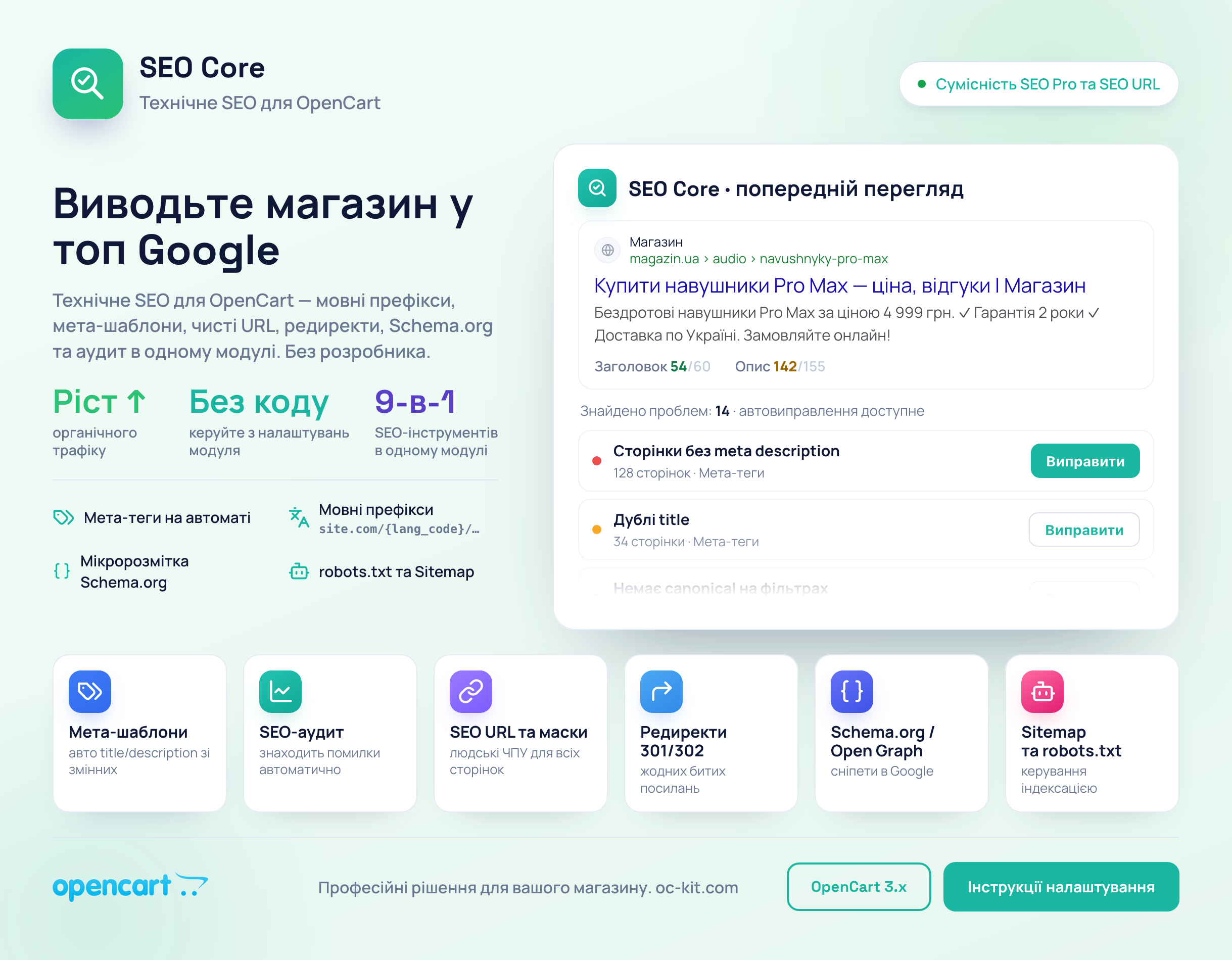
Technical SEO in an OpenCart store is usually scattered across five different modules or handled by a freelancer. Half the products have empty meta descriptions, filter pages have no canonical, redirects chain through three addresses, and nobody remembers who set them up or when. Once you have thousands of products, you can't keep up with it by hand.
«SEO Core» from oc_kit brings these tasks into one admin panel: meta tag templates, SEO URL masks, redirects, canonical, hreflang, Open Graph, Schema.org microdata, robots.txt, Sitemap, audit, and integration with Google Search Console. Below, we'll go through the settings screens and look at what's where.
Dashboard: how many problems the store has right now
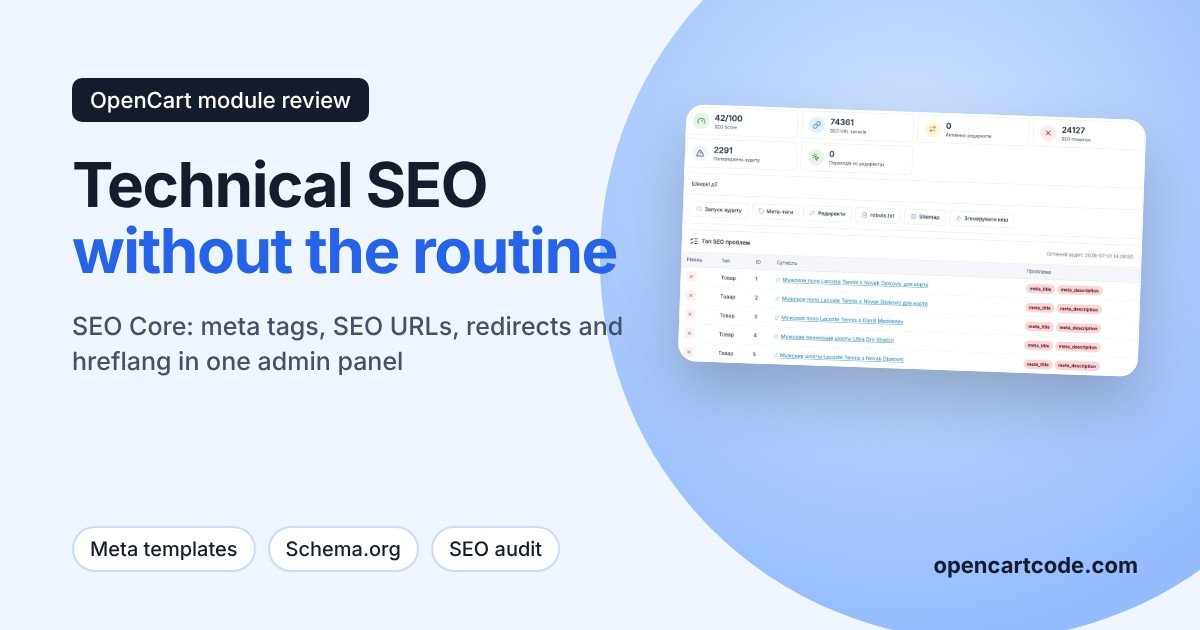
The first thing you see after installation is a store summary. The module calculates an overall score, the number of SEO URLs, active redirects, and errors, and below that shows a list of specific products and categories with problems. The demo shows a typical picture: thousands of products with empty meta_title and meta_description.
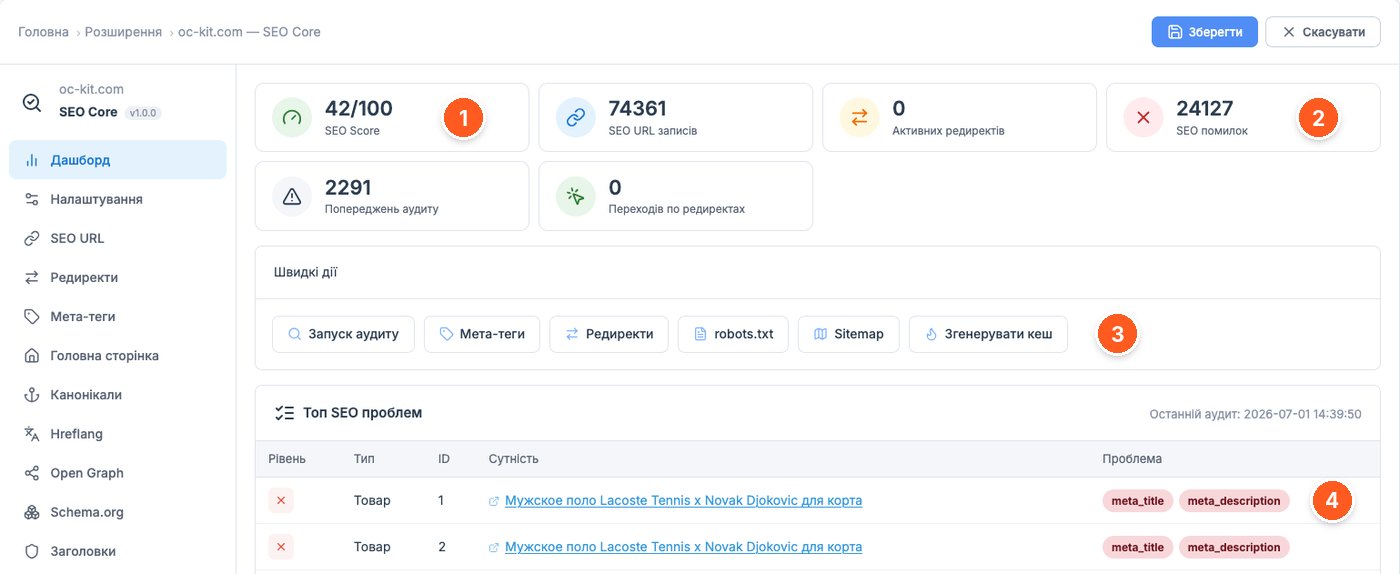
- SEO Score. The overall score of the store's technical condition on a 100-point scale.
- SEO errors. The number of errors found, next to counters for audit warnings and redirect hits.
- Quick actions. Run an audit, go to meta tags, redirects, robots.txt, Sitemap, and regenerate the cache in one click.
- Top SEO problems. A list of entities with links and labels showing what exactly is wrong, for example empty meta_title and meta_description.
General settings and URL structure
This is where you decide what the store's addresses will look like. This is the most consequential screen: if the store is already indexed, any change to the URL structure means mass redirects, so decide on the format first and only then enable it.
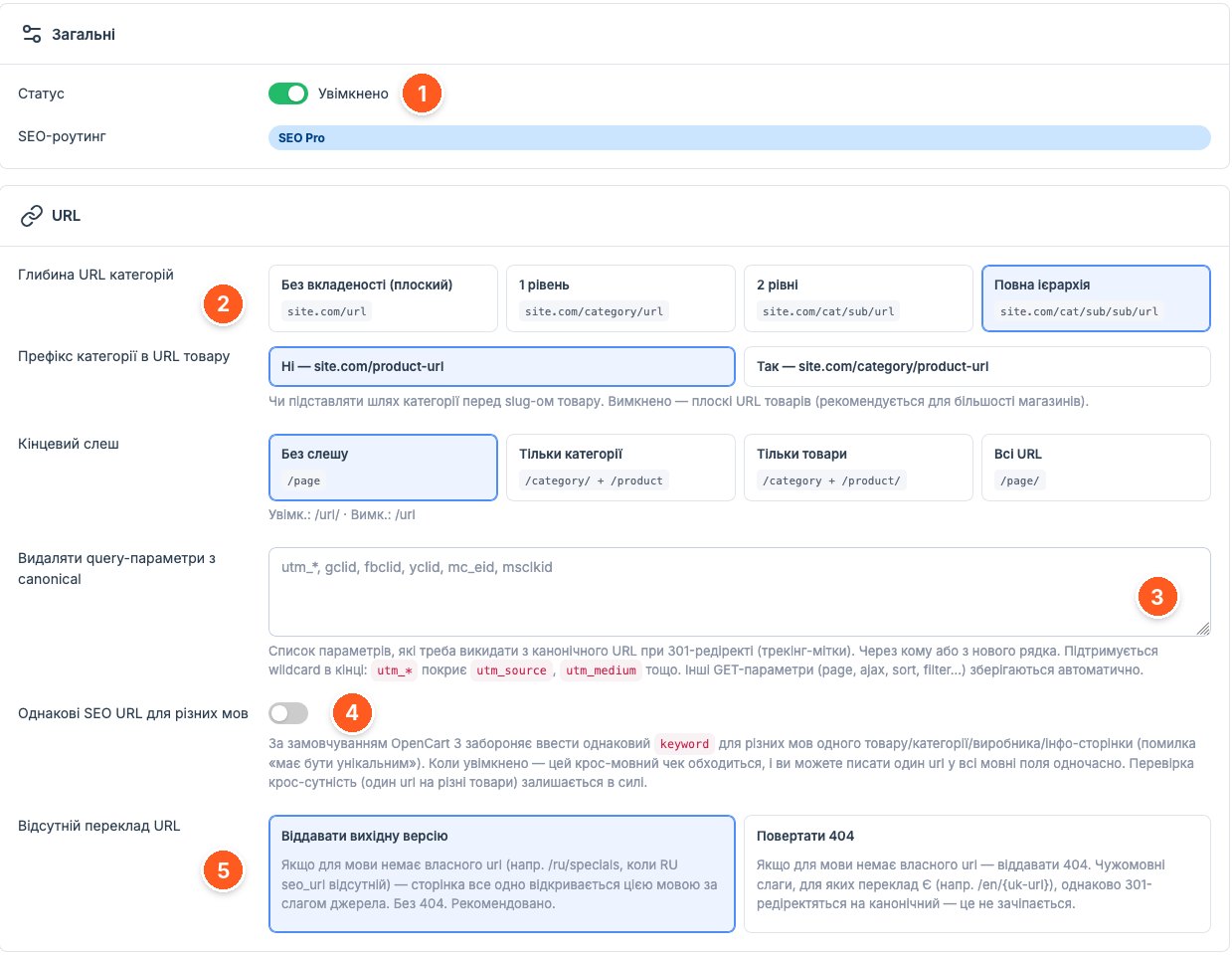
- Status. The module's main switch; the SEO routing mode is shown below.
- Category URL depth. From flat addresses like site.com/url to the full hierarchy site.com/cat/sub/sub/url. Here you also choose whether to include the category in product URLs and whether a trailing slash is needed.
- Query parameters for canonical. A list of tags such as utm_*, gclid, fbclid, which the module strips from the canonical address. A wildcard at the end is supported.
- Identical SEO URLs for different languages. Removes the standard OpenCart 3 restriction that doesn't allow entering the same keyword for different languages.
- Missing URL translation. What to do if a language has no URL of its own: serve the page with the default language's slug or return a 404.
Masks and bulk generation of SEO URLs
For stores where half the products still live at index.php?route=product/product&product_id=, this screen solves the problem in a few minutes. You set a mask for products, categories, manufacturers, and information pages, then regenerate the addresses for the required type and language.
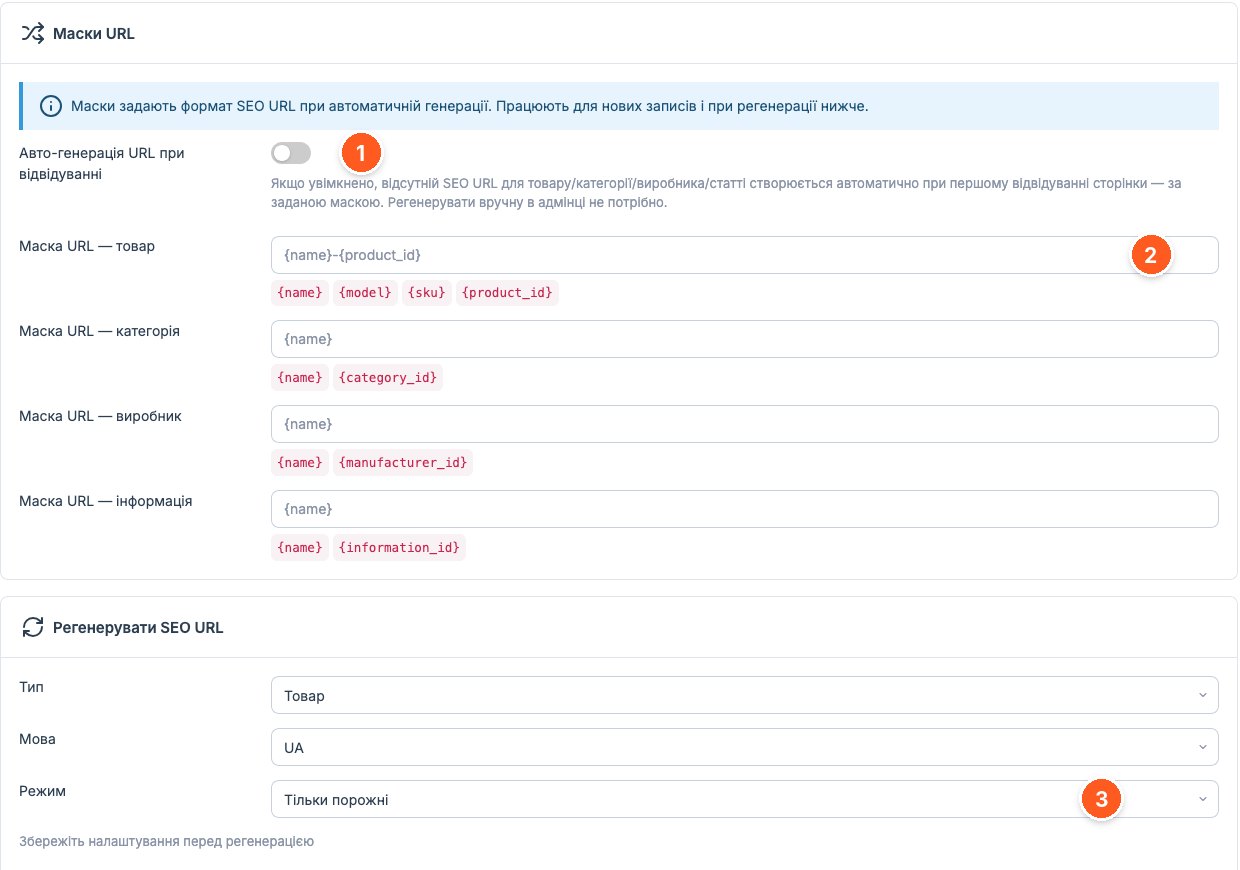
- Auto-generate URLs on visit. If enabled, a missing SEO URL is created automatically the first time the page is opened, using the set mask.
- Product URL mask. Variables {name}, {model}, {sku}, {product_id}. Similar fields exist for categories, manufacturers, and articles.
- Regeneration mode. Choose the entity type, language, and mode, for example "Only empty," so that already indexed addresses are not affected.
Meta tag templates
The main time saver in the module. Title, description, and H1 are built from a template with variables, separately for products, categories, manufacturers, pages, and blog, and separately for each language. You add 500 new products, and they already have meta tags.
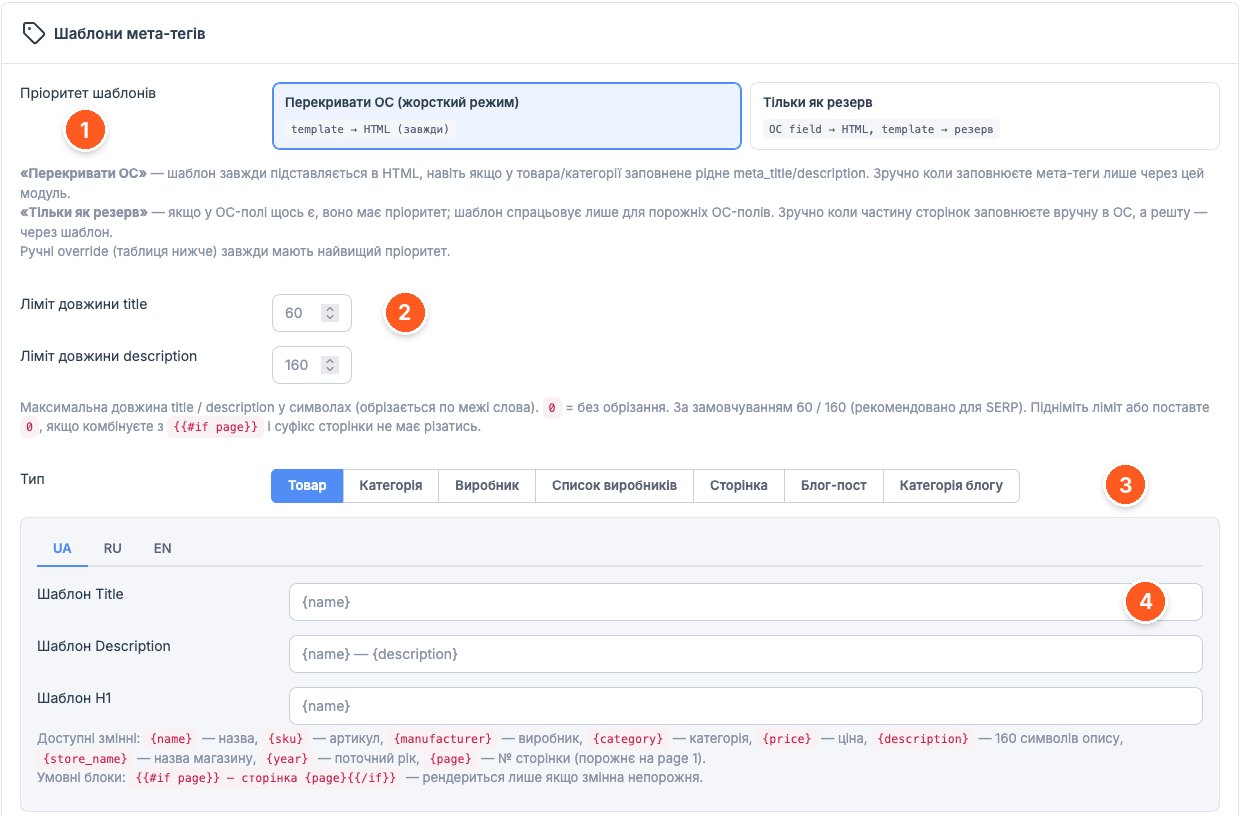
- Template priority. "Override OC" always applies the template, while "Fallback only" uses it only where the native fields are empty. Manual overrides have the highest priority.
- Length limits. Trimming of title and description at a word boundary; by default 60 and 160 characters, 0 disables trimming.
- Page type. Separate templates for products, categories, manufacturers, the manufacturer list, information pages, posts, and blog categories.
- Title, Description, and H1 templates. Variables {name}, {sku}, {manufacturer}, {category}, {price}, {description}, {store_name}, {year}, {page}, and conditional blocks such as {{#if page}}.
Alt and title masks for product photos
Standard OpenCart puts something like "product name, photo N" in alt, and some templates don't even do that. Here, alt and title for the main photo and gallery are generated from a mask for each language.
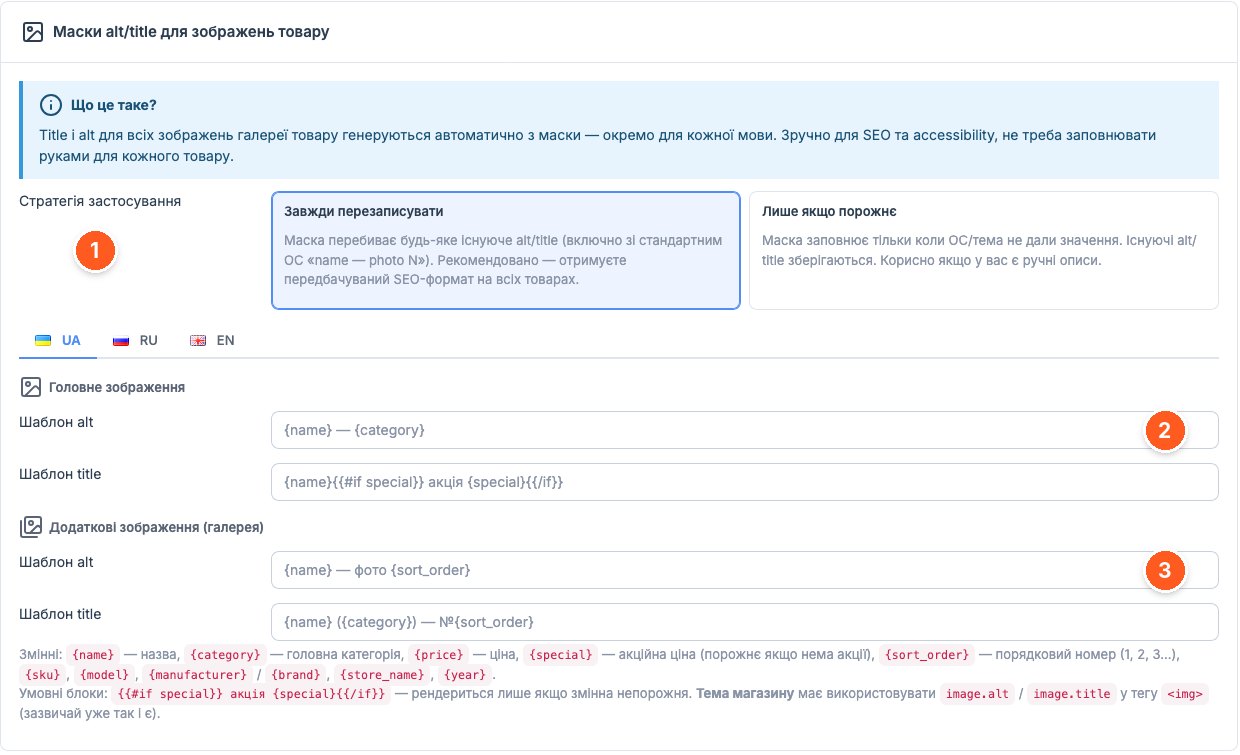
- Application strategy. "Always overwrite" or "Only if empty," if you already have manual photo descriptions.
- Main image. Alt and title templates, for example {name} and {category}, with a conditional block for the sale price.
- Additional images. Separate templates for the gallery; the {sort_order} variable gives the photo's sequence number.
Schema.org microdata
JSON-LD markup gives Google data for rich snippets: price, availability, rating, breadcrumbs. Types are enabled with toggles, and organization data is configured separately.
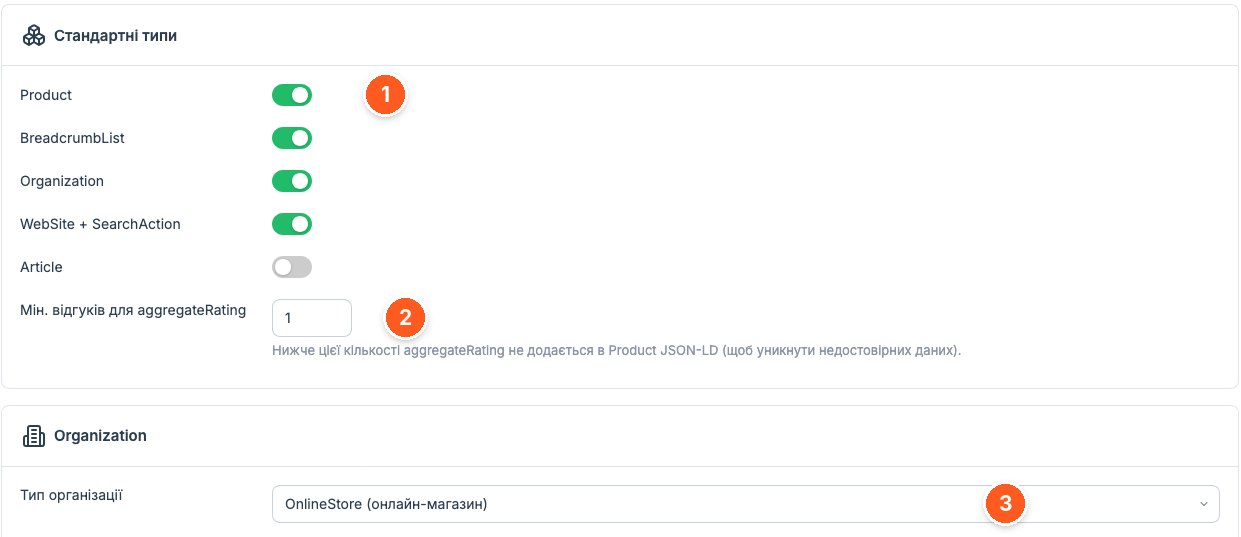
- Standard types. Product, BreadcrumbList, Organization, WebSite with SearchAction, and Article.
- Minimum reviews for aggregateRating. Below this threshold, the rating is not added to the product markup.
- Organization type. OnlineStore for an online store; for LocalBusiness, Google requires an address and opening hours.
Hreflang for multilingual stores
If you have two or three language versions, hreflang tells Google which one to show. The module generates tags for all languages where a page has an SEO URL and displays a preview. For more details about language prefixes and x-default, see our article on setting up multilingual support in OpenCart.
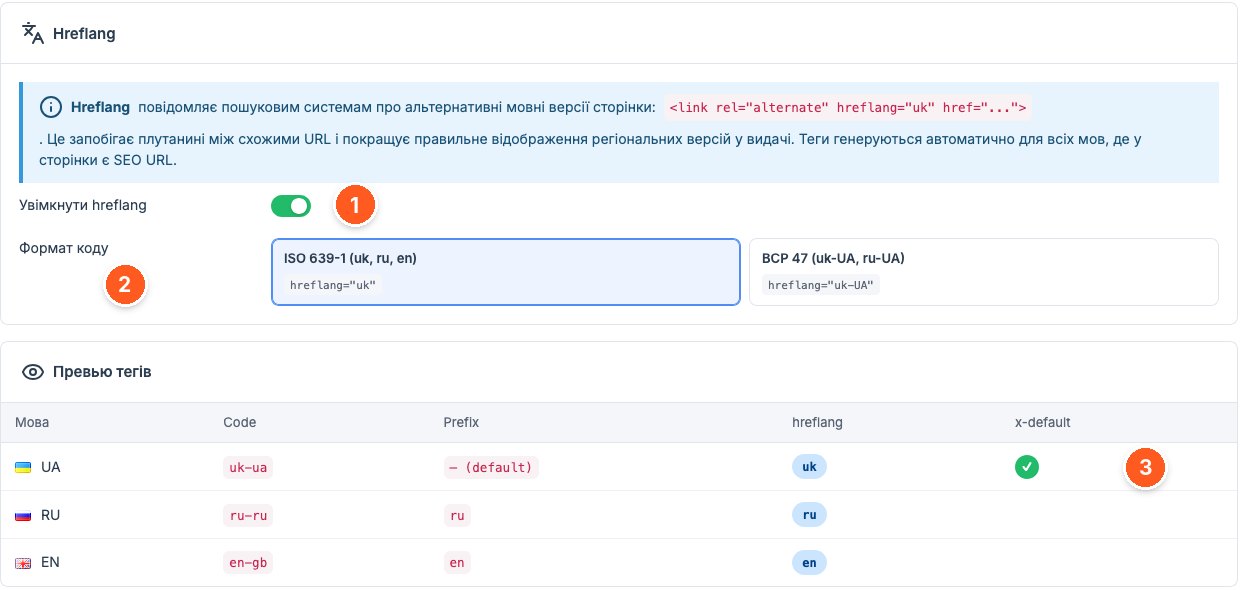
- Enable hreflang. Tags are added automatically for all language versions of the page.
- Code format. ISO 639-1 (uk, ru, en) or BCP 47 (uk-UA, ru-UA).
- Tag preview. A table with the code, prefix, hreflang value, and a mark showing which language is used as x-default.
Redirects
The section for migrations and structural changes: search, bulk insert, CSV export, and a separate filter for old redirects without hits. According to the developer, the module also catches redirect chains and loops.
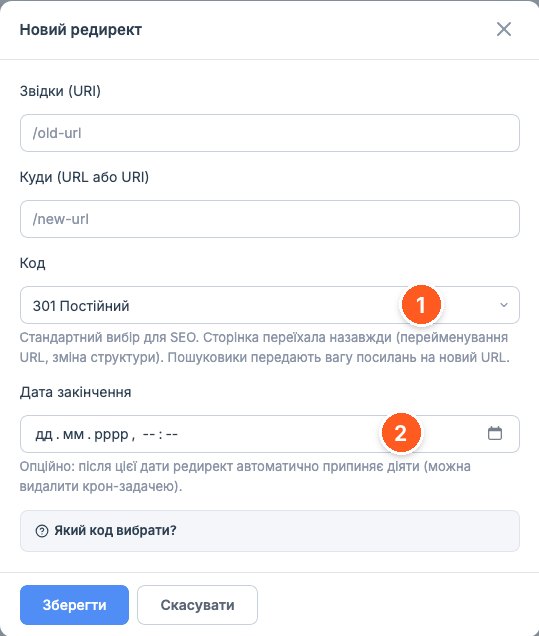
- Redirect code. 301 by default; 302, 307, 308, and 410 are also available, with a hint on which to choose.
- Expiration date. Optional: after it, the redirect stops working, so temporary promotional addresses don't stay forever.
What to consider before buying
- Works with OpenCart 3.0.x, PHP from 7.1 to 8.4.
- Requires ionCube Loader, activation with a license key, and a license for one domain. The module contacts the developer's server, but if it is unavailable, the module keeps working.
- Integration with Google Search Console and the Indexing API goes through OAuth2, so you will need access to your site's Search Console account.
- If you already have separate modules for meta tags, redirects, or microdata, decide before enabling what stays and what you turn off. Two Schema.org generators or two sets of canonical tags on one page are worse than none.
- Changing the URL structure on a live store means a wave of redirects and reindexing. Do it once, and check the result on a copy of the site first.
- The screenshots show version 1.0.0, while the marketplace version is 1.0.6, so the interface may differ slightly.
Who it is for
Stores with a few hundred products or more, where meta tags, SEO URLs, and alt texts are still filled in by hand or not filled in at all. Multilingual projects that need hreflang and separate templates for each language. Those planning a domain move or a URL structure change who want to keep redirects in one place.
If your store is small, meta tags are already written by hand, and technical SEO is handled by separate modules that work without problems, switching to an all-in-one solution makes little sense.
«SEO Core» from oc_kit on the OpenCart Code marketplace. You can ask the developer setup questions directly on the module page.