The buyer keeps a washing machine for 22 thousand in the cart for the third day. He comes in, looks, leaves. On the fourth day the cart is empty: he took the same model on Rozetka, where under the "Buy" button it said "from 917 UAH/month". Not because it's cheaper there. Simply because there you don't have to pay the full amount at once, and you do. Marketplaces have accustomed people to installments so much that their absence is read as a store's shortcoming, not as a feature.
Standard OpenCart won't help here at all: it has neither credit payment methods for Ukrainian banks, nor a payment calculator, nor the logic "this product can be bought on credit, but that one can't". Below we'll figure out how this task is solved by the "Credits of Banks of Ukraine" module from our marketplace, and what pitfalls shouldn't be stepped on when connecting.
Why credit is not "just another payment method"
A classic mistake of a beginner: thinking that installments are connected the same way as acquiring. In reality, bank credit services work under a different scheme. The buyer doesn't pay you directly: he submits an application to the bank, the bank approves or rejects it, and only after confirmation does the money (minus the bank's commission) go to your account. This means a separate seller cabinet in each bank, a separate contract, separate order statuses, and a separate API.
Now multiply that by the number of banks. In 2026, a Ukrainian buyer expects to see at least PrivatBank and monobank, and preferably PUMB or Sense Bank as well: each has its own audience, and a monobank customer rarely goes to apply for Privatbank's "Payment in installments". And then something interesting emerges: ready-made modules for each of these services separately are almost nowhere on the market. You'll find options for Privatbank's Payment in installments, there's something for monobank's Buy in installments too, but you'll have to search long for ready-made A-Bank's Pay in installments or PUMB's Payment in installments integration for OpenCart. Most likely, the search will end in individual development under each bank's API, and that's already a completely different budget than the module price.
What's inside the module
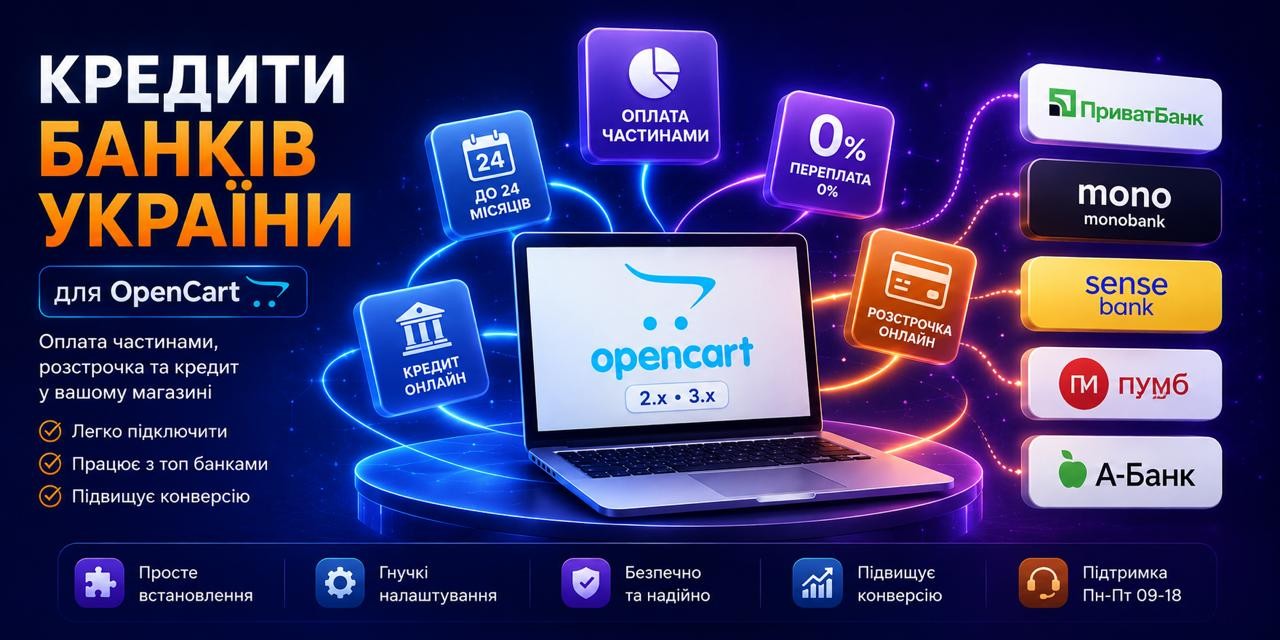
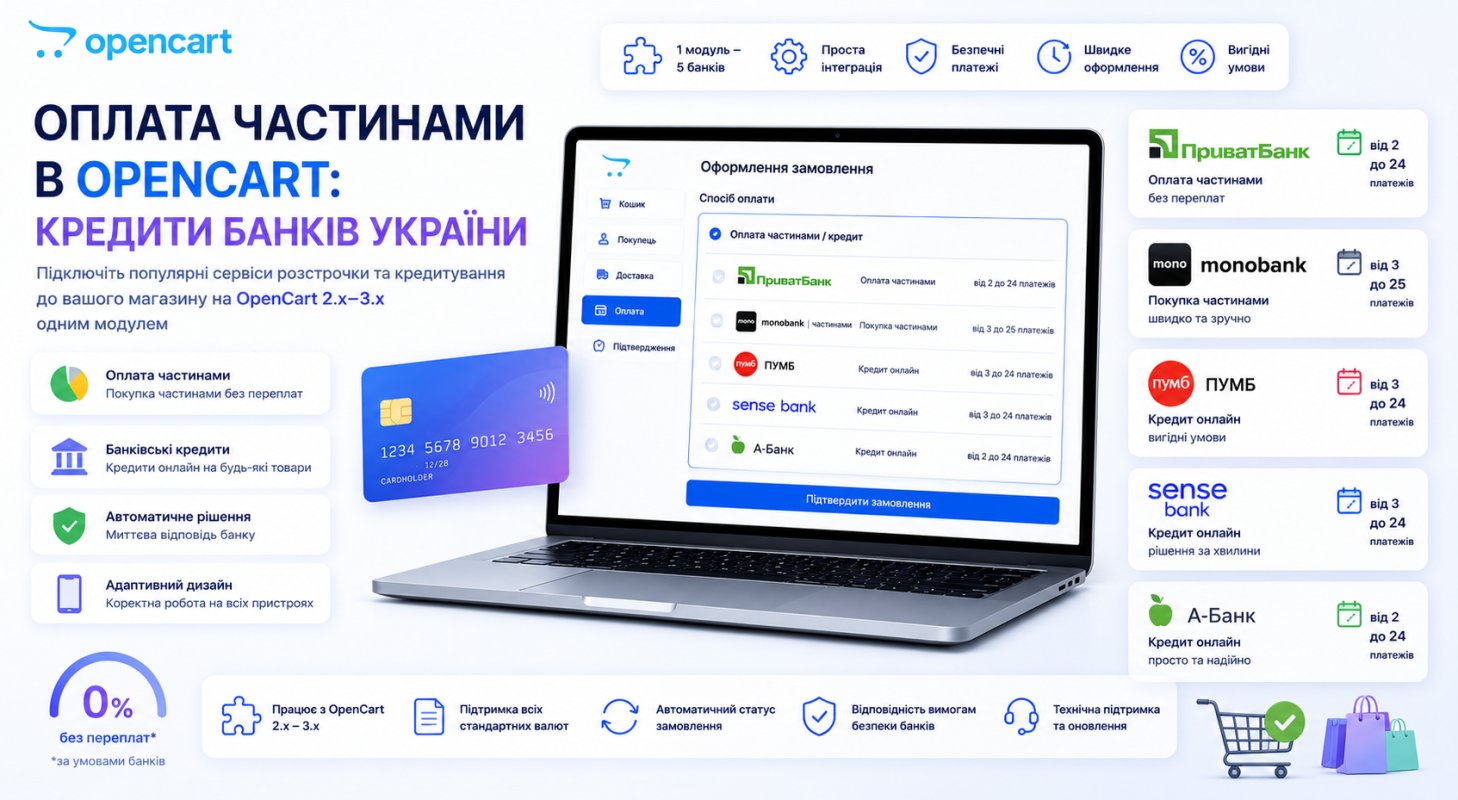
"Credits of Banks of Ukraine" covers the main credit products in one extension:
- PrivatBank: Payment in installments and Instant installments, with the ability to switch types right in the module's admin;
- monobank: Buy in installments;
- Sense Bank: Easy installments and SenseLoanOnline credit;
- A-Bank: Pay in installments;
- PUMB: Payment in installments and Pay later.
On the product page, a credit processing button appears with icons of available banks and payment information, and clicking it opens a modal window with a calculator: the buyer moves the term and immediately sees the monthly amount. The same on the order checkout page: changed the number of months, the payment amount recalculated. A small thing, but it's exactly what removes the main objection "how much will I pay per month", without forcing a person to do mental math.
Compatibility: OpenCart and ocStore 2.0.3–3.0.5, PHP from 5.6 to 8.3, separate work with Promo, Deals, ShowCase, ReMarket, UltraStore templates is declared.
Functions that save margins
The button and calculator are the storefront. The money will be saved by something else, and I wouldn't be lazy to spend an hour on these settings.
Disabling discounts for credit orders. The seller pays the bank's commission for installments. If a buyer takes a product with a promotional discount and also on installments for 10 months, you pay twice: first with a discount, then with a commission. The module allows you to disable promotions and discounts separately for each type of credit, and this is the first thing to set up after installation.
Markup depending on the term. The bank's commission grows along with the number of payments, so the module knows how to add a markup to a credit product, including tied to the credit term. You can set a maximum term for the entire catalog, and for individual products — individual terms and markups right in the product card in the admin.
Restrictions by value and availability. The minimum and maximum price of a product available for credit is set in the settings. And a separate checkbox prohibits credit processing for products not in stock. It seems like a trifle at first glance. A regular order for an unavailable product is canceled with one click, but a credit one entails the cancellation of an already approved application through the bank's cabinet: the customer has time to sign the contract, the amount is reserved, and each such case is calls, explanations, and a spoiled impression. It's simpler not to allow credit processing for items not in stock.
Payment hold. Funds are first blocked and charged only after your confirmation in the bank's cabinet. For products whose availability needs to be verified with the supplier, this is not an option but a necessity.
Installation and initial setup
The module is installed in a standard way: admin panel, Extensions → Extension Installer, upload the archive, then Extensions → Modifiers and click "Refresh" to regenerate the cache in system/storage/modification/. After that, definitely go to System → Users → User Groups → Administrator and update access permissions, otherwise instead of module settings you'll get "Permission Denied".
Then the longest part, and it's not about the module: connecting to the banks themselves. Each has its own seller cabinet, its own contract, and its own API keys, which are then entered in the module settings. Set aside several business days for this, because banks check the store before activation. A module without keys is just a button that leads nowhere.
There's a demo where you can touch everything before buying: demo.fringe.com.ua, login to admin demo/demo.
Pitfalls you should know about before buying
Ioncube Loader is mandatory. The module code is encoded, and without the Ioncube extension in PHP it simply won't run. Check through phpinfo() whether your hosting has ionCube PHP Loader before buying, not after. On most normal hostings it's either already enabled or can be enabled with a toggle in the panel; on VPS you'll have to install it yourself.
License is tied to the domain. One key — one production domain plus one test domain (technical or a subdomain of the main one). The domain is specified at purchase, so if you plan to move to a different domain name, take this into account in advance.
The module accesses the developer's server. This is stated directly in the characteristics, and it's also honestly noted there: if the server is unavailable, the extension continues to work. For a payment module this is a fundamental point, check it with any seller of encoded solutions.
Stickers for a non-standard template is separate work. Customizing credit stickers to your template is not included in free support: on the marketplace this is a separate service. If you have a heavily modified template, budget for this.
The module price at the time of publication is 25 USD, support for 365 days, installation by the author is available as an additional service. See the current figures on the module page.
Who does NOT need this
So as not to waste money, I'll honestly outline the boundaries. The module doesn't make sense if the average check in your store is one to two thousand UAH: installments on such amounts aren't interesting to the buyer, and they'll add commission and hassle with statuses for you. And if you're not yet ready to sign contracts with banks and manage their cabinets, start with regular acquiring: credit products require operational discipline, because each application goes through approval.
If your catalog consists of equipment, furniture, or anything more expensive than a few thousand UAH, the absence of installments costs you orders every day, and the question is not "should I connect", but "why haven't I connected yet".
Checklist before launch
- Check OpenCart version (2.0.3–3.0.5) and the presence of Ioncube Loader through
phpinfo(). - Submit applications to bank cabinets and get API keys: this is the longest stage, start with it.
- Install the module, update modifiers and Administrator user group permissions.
- Disable discounts and promotions for credit payment types.
- Set the minimum product value for credit and prohibition on out-of-stock products.
- Set up markup for the term if you're not ready to bear the bank's commission yourself.
- Go through test checkout for each bank on the test domain.
- Check the appearance of the button and modal on mobile: most installment applications come from there.
Other payment options, including LiqPay, MonoPay and NovaPay, are listed in the OpenCart payment modules catalog.