Unit economics of an online store is the calculation of how much you earn or lose on a single order after all the costs associated with it. If this balance (called the contribution margin) is positive, each new order brings the store closer to profit; if it is negative, growing advertising only increases losses. Below are the formula, an example with numbers, and a way to get the data from OpenCart.
What is a unit and which costs are included in an order?
A "unit" is the item you sell and measure. For most stores, this is one order, less often one customer (in that case LTV comes into play, which is covered in a separate article). The store budget will also help you get a sense of the scale of expenses. To start, use orders: they are in the database and easy to calculate.
Order costs fall into two groups:
- Variable costs arise only together with the order: the cost of goods, packaging, shipping paid by you, payment processing or cash-on-delivery commissions, returns and refusals, advertising for that order, and manager work if it is paid per order processed.
- Fixed costs include hosting, rent, salaries, and subscription modules. They are not part of unit economics, but they are covered by the accumulated contribution from all orders. How this adds up is covered in the topic on the break-even point.
A typical mistake is calculating "margin" as the difference between the website price and the purchase cost. It is always overstated, because it does not account for everything that happens after the customer clicks "Place order".
What is the profit formula for a single order?
The basic formula is simple:
Внесок = Середній чек
       − Собівартість товарів
       − Комісії (оплата, післяплата)
       − Доставка і пакування за ваш рахунок
       − Втрати на повернення та відмовах
       − Витрати на залучення (CAC)
Take the average check only from completed orders, not from all created ones: canceled and refused orders should not be included. VAT or the single tax also depend on your status, so account for them at the rate confirmed by your accountant, not "by eye".
It is useful to calculate two levels: contribution before advertising (everything except CAC) and contribution after advertising. The first shows whether the trade itself is healthy, the second shows whether the traffic pays for itself. The difference between them is the maximum you can pay for an order in advertising without going into the red.
How does this look in an example?
Suppose a store sells home appliances. The figures are illustrative; substitute your own.
| Item | UAH per order |
|---|---|
| Average check of a completed order | 1,800 |
| Cost of goods | 1,260 |
| Payment system / cash-on-delivery commission | 45 |
| Packaging | 20 |
| Losses on refusals and returns (averaged) | 60 |
| Contribution before advertising | 415 |
| Advertising per order (CAC) | 380 |
| Contribution after advertising | 35 |
Formally, the store is "in the black", but 35 UAH per order will not cover rent or salaries. If clicks get more expensive or the share of refusals grows, the order becomes unprofitable. The conclusion from the table: either raise the check and markup, or reduce CAC, or cut losses, rather than simply increasing the budget.
How to calculate cash-on-delivery refusals separately is explained in the article on the cost of refusals; for now, it is enough to include them as an averaged amount: share of refusals × (delivery there and back + packaging + "frozen" goods).
Where do I get the data for the calculation in OpenCart?
The basic figures are available in the admin panel. Open "Reports" and "Sales → Orders": there you can see the number and amounts of orders by status.
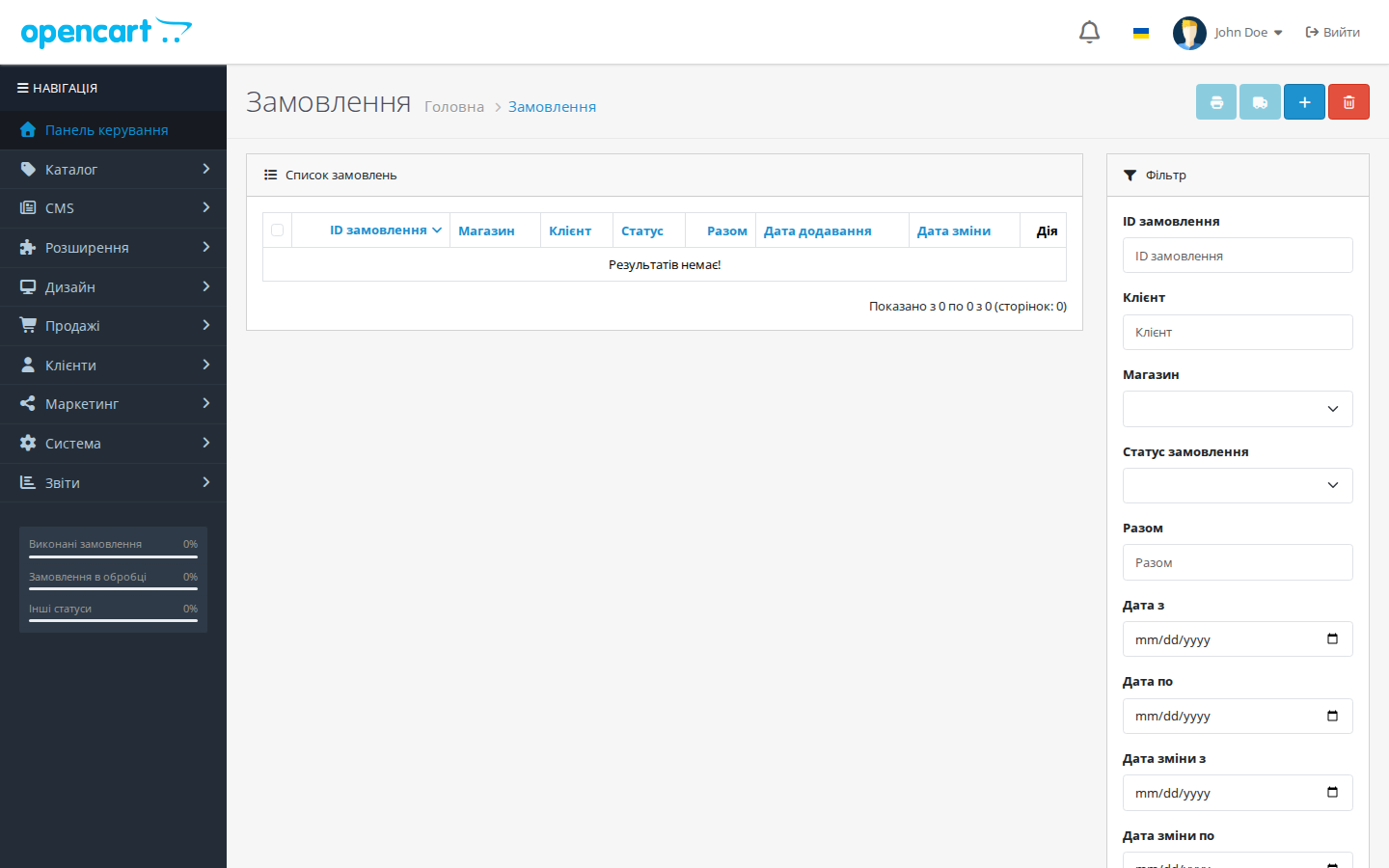
An important nuance: only use statuses that mean a real sale. The list of statuses is configured in "System → Localisation → Order Statuses". Agree within the team on what counts as a successful order ("Completed", "Delivered"), otherwise the numbers will fluctuate.
The cost price is not stored in the standard product form. The "Model" field or SKU is not suitable for this; the cleanest option is a separate table or a Google Sheet with the article number and purchase price. For a quick estimate of the average check for completed orders, you can run a database query (replace the prefix oc_ and the status ID with your own):
SELECT
  COUNT(*) AS orders_count,
  ROUND(AVG(total), 2) AS avg_check,
  ROUND(SUM(total), 2) AS revenue
FROM oc_order
WHERE order_status_id = 5
  AND date_added >= DATE_SUB(CURDATE(), INTERVAL 90 DAY);
Which hidden costs usually "eat up" the margin?
Most often, unit economics diverge from reality because some costs are simply not seen. Go through the list:
- Discounts and coupons. The check in the report is already reduced, but the markup built into the price is not. Check the margin after applying the discount. See the store launch guide and the separate topic on promotions without losing margin.
- Free shipping. This is a direct cost per order. If the carrier charges 80–120 UAH per parcel (approximately, depending on weight and rate) and the margin from the check stays the same, the free shipping threshold must be calculated separately.
- Returns and warranty replacements. Especially for appliances and clothing with sizes.
- Manager work. If processing one order takes 10–15 minutes, that is real money even with a fixed salary.
- Marketplace and price aggregator commissions, if some orders come from them. Count them as a separate channel.
- Exchange rate differences. If purchasing is in dollars or euros while prices are in hryvnia, a frozen price quickly eats up the margin.
A practical rule: calculate unit economics separately by channel (organic, Google Ads, Meta, marketplace) and by key categories. The store-wide average often hides a loss-making category that is carried by a profitable product.
How much can I pay per order and what to do if the result is negative?
The upper limit for advertising equals the contribution before advertising. In our example, that is 415 UAH: you cannot pay more, and the real target is to stay within, for example, 250–300 UAH, so that some profit remains to cover fixed costs. How to determine this limit taking repeat purchases into account is covered in the topic on CAC and LTV.
If the contribution is negative, proceed in this order:
- Check the numbers: correct statuses, completed orders, real cost price.
- Find the biggest item: it is often the purchase cost or CAC, not small commissions.
- Raise the check: bundles, upselling, a free shipping threshold slightly above the current average check.
- Reduce losses: prepayment for risky orders, phone confirmation, clearing the feed of products with minimal margin.
- Review prices by category and turn off advertising where the contribution after advertising is consistently negative.
- Only then scale traffic.
For the overall picture of costs and budget, see the section "Store Cost and Economics".
Summary
- Unit economics shows the profit from one completed order after all variable costs, including advertising.
- Calculate two levels: contribution before and after advertising; the first sets the maximum for CAC.
- Take data from completed orders ("Sales → Orders" and reports), and keep the cost price separately, since OpenCart does not store it by default.
- Do not forget refusals, returns, shipping, commissions, and discounts: these are what break a "pretty" margin.
- Calculate by channel and category, not just as a store-wide average.
Next steps: put together a table with your figures for the last 90 days, find channels with a negative contribution, and stop or rework them. Then move on to calculating the break-even point to compare the contribution with fixed costs.