Payment to an IBAN remains a familiar way of working for many online stores. This is especially true when prepayment is required, when goods are paid for on order, or when payment is made to the details of a specific sole proprietor (FOP).
At first glance, everything seems simple. The manager copies the IBAN, the recipient's name, the tax code, the amount, and the payment purpose, and then sends it to the client.
But almost every store has encountered replies like:
"What should I write in the payment purpose?"
"Please send the IBAN in a separate message."
"I can't copy the details properly."
"Is this invoice definitely up to date?"
The problem isn't the clients. A long message with payment details is simply inconvenient to use, especially on a smartphone.
Why a regular message is not enough
The buyer has to switch between the messenger and the banking app, copy each field separately, transfer the amount, and check the payment purpose.
During this process, it is easy to:
- miss a digit in the IBAN;
- copy an extra character;
- specify the wrong order number;
- pay the wrong amount;
- use outdated details.
Even a single mistake creates extra work. The manager has to look for the payment, clarify the details, and explain again to the client exactly what needs to be entered.
When there are few orders, this manual work is almost unnoticeable. But as the store grows, the same operation is repeated dozens of times a day.
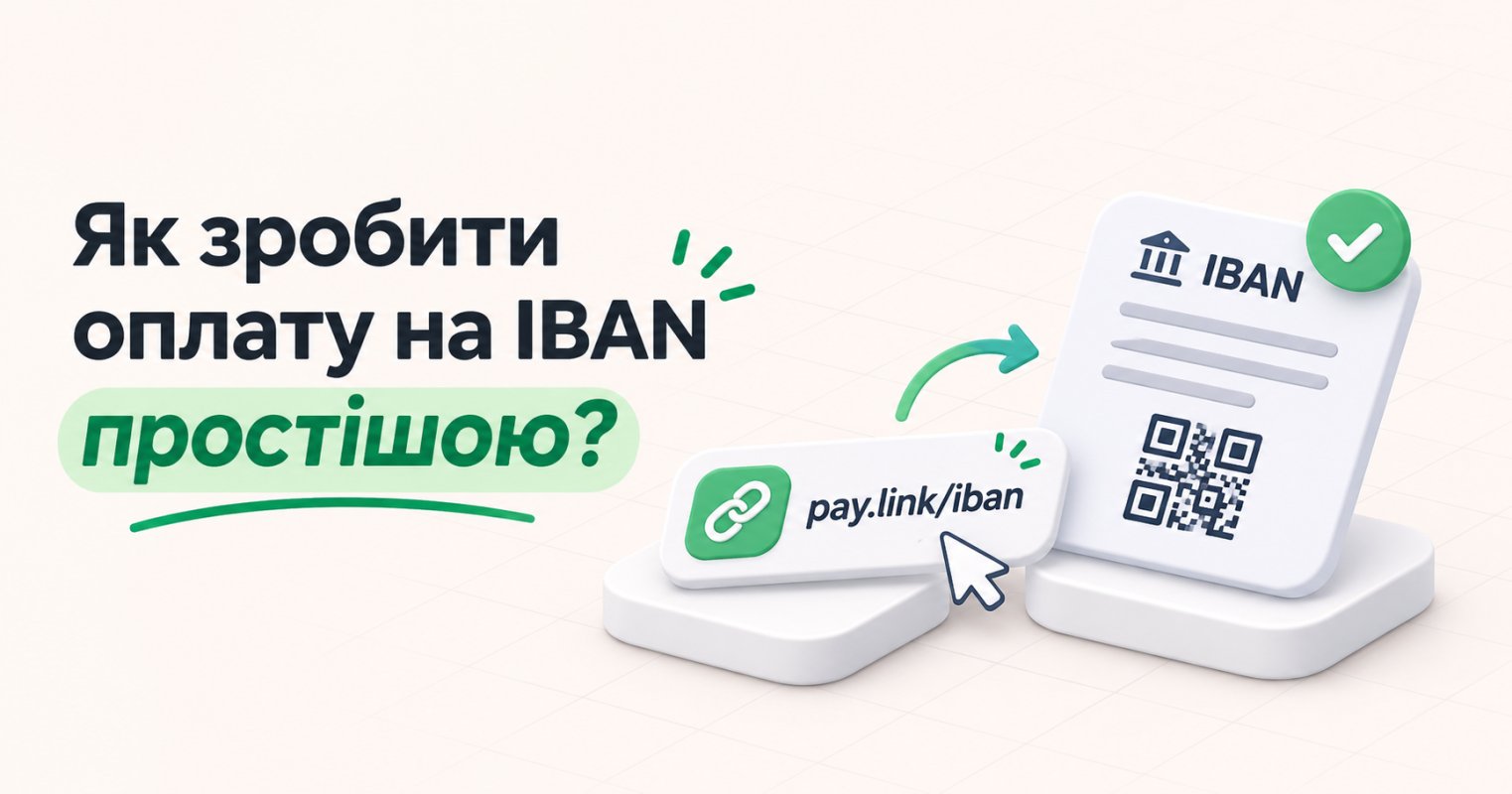
Instead of payment details, you can send a single link
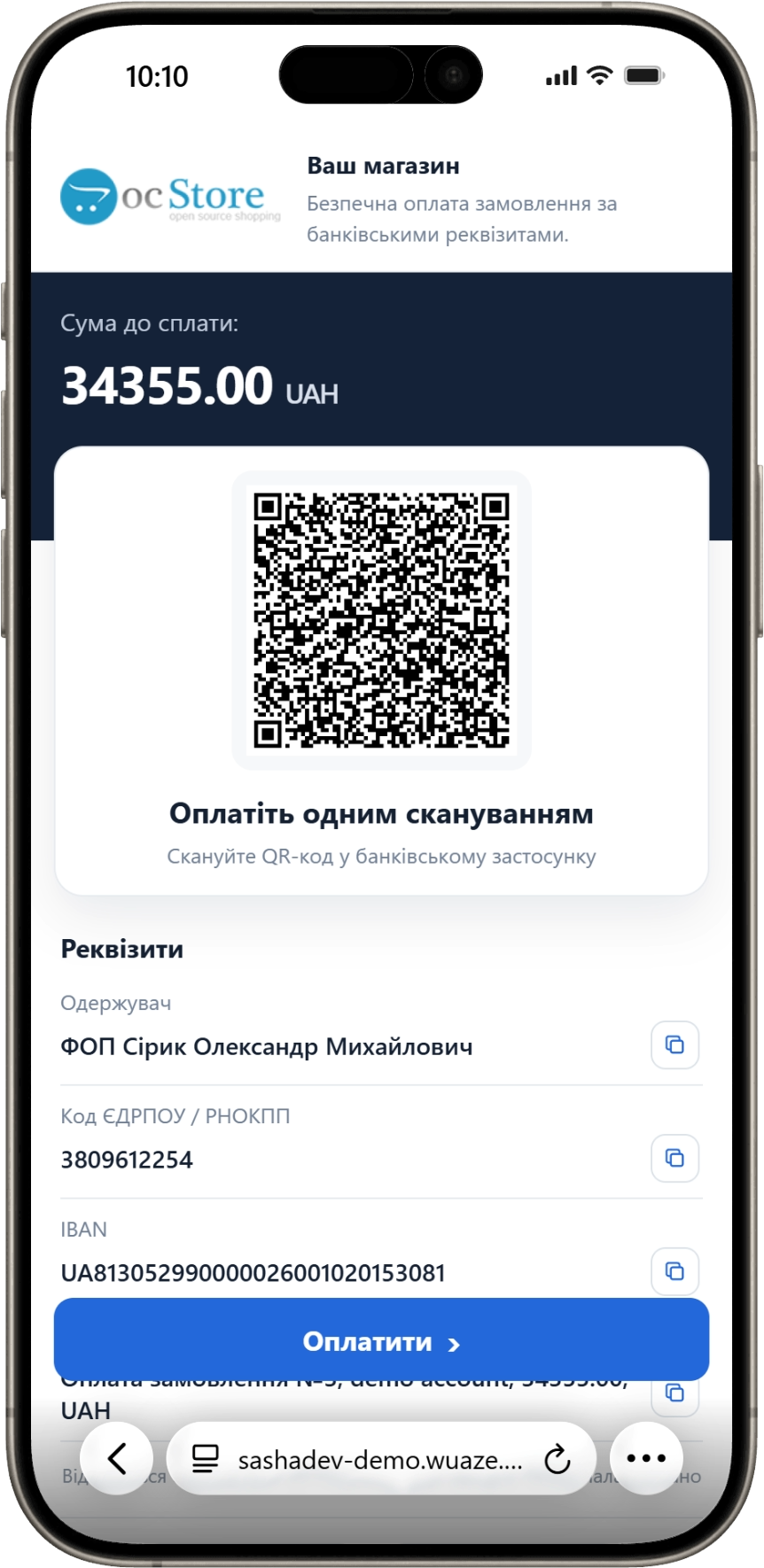
A more convenient option for the client is a personal payment page where all the information is already structured.
On it, the buyer sees:
- the amount due;
- the recipient;
- EDRPOU or RNOKPP;
- IBAN;
- the payment purpose;
- a QR code;
- buttons for copying the details.
The client doesn't need to search for the right line in the correspondence. They open the link, copy a specific field, or scan the QR code with their banking app.
This is especially convenient when the order is opened on a computer while the payment is made from a smartphone.
Fewer manual actions for the manager
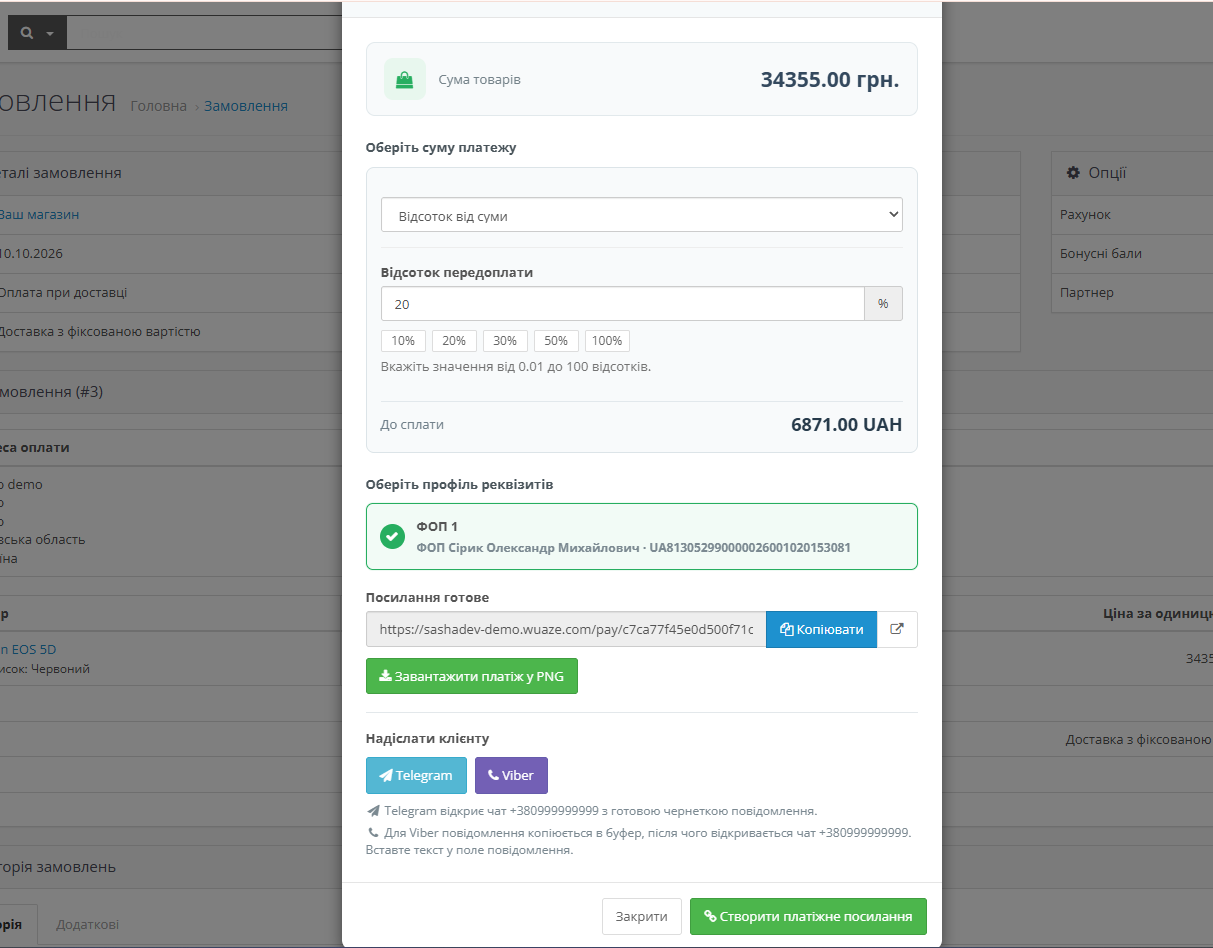
Before generating, the administrator selects:
- the required payment profile;
- the language of the payment page;
- the full amount of the goods;
- a fixed prepayment;
- a percentage of the order;
- the remainder after the prepayment;
- an arbitrary amount.
Separate payment profiles can be created for different FOPs, companies, or areas of business. The manager doesn't need to look up the IBAN in notes each time or check which recipient the payment should go to.
The finished link can be copied, opened, downloaded in PNG format, or sent via Telegram or Viber.
Payment details remain fixed
When the link is created, the module saves a snapshot of the amount and payment data.
If the administrator later changes the IBAN or recipient in the profile, the link already sent to the client will not change. This makes it possible to keep an accurate history for each order.
Several links can also be generated for a single order. For example, first for the prepayment, and then for the remaining balance.
Convenience in simple details
Fewer clarifications, fewer mistakes, and less unnecessary correspondence. Sometimes improving a service doesn't require changing the payment method itself. It's enough to make the familiar process more convenient.