Chat + AI consultant online
Chat + AI consultant online
 Parallax
Promo code will be applied automatically when you add the product to cart
Optional — you can enter the domain later from your account.
Description
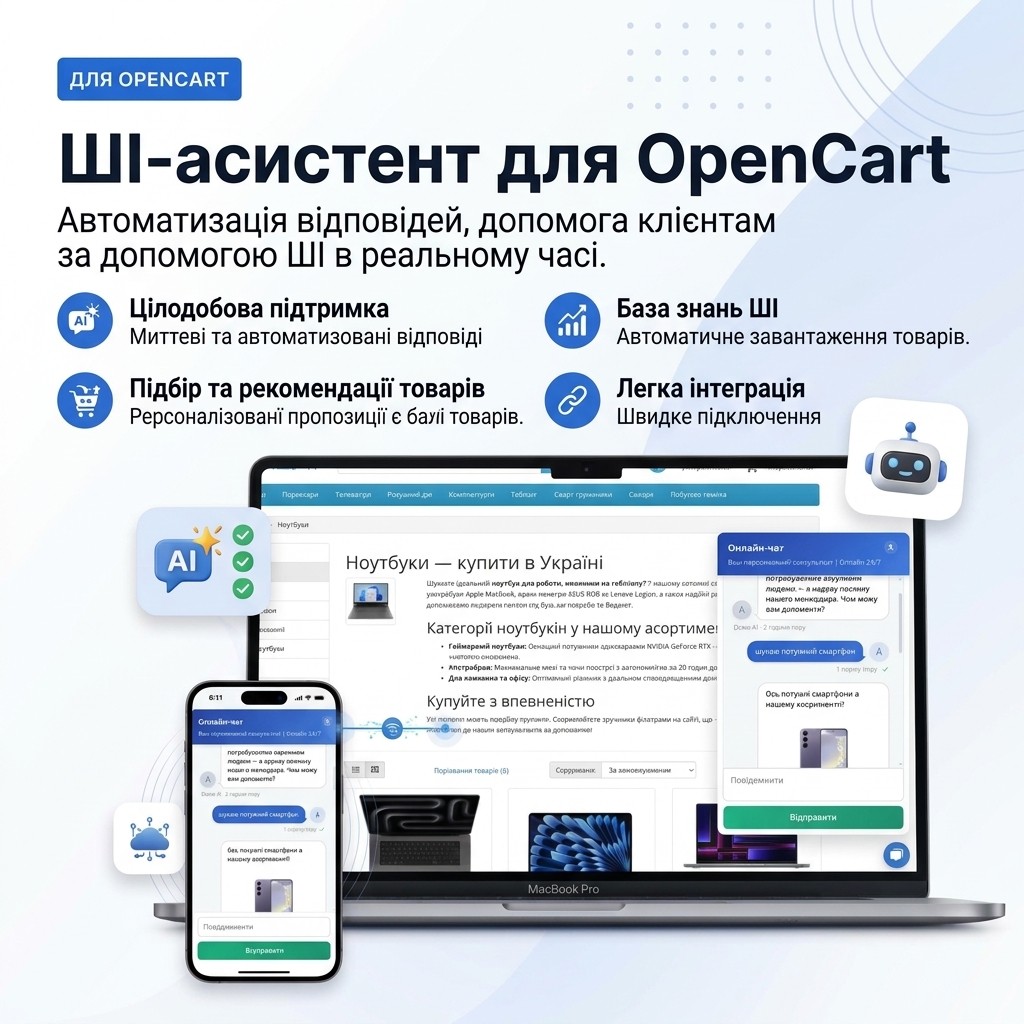
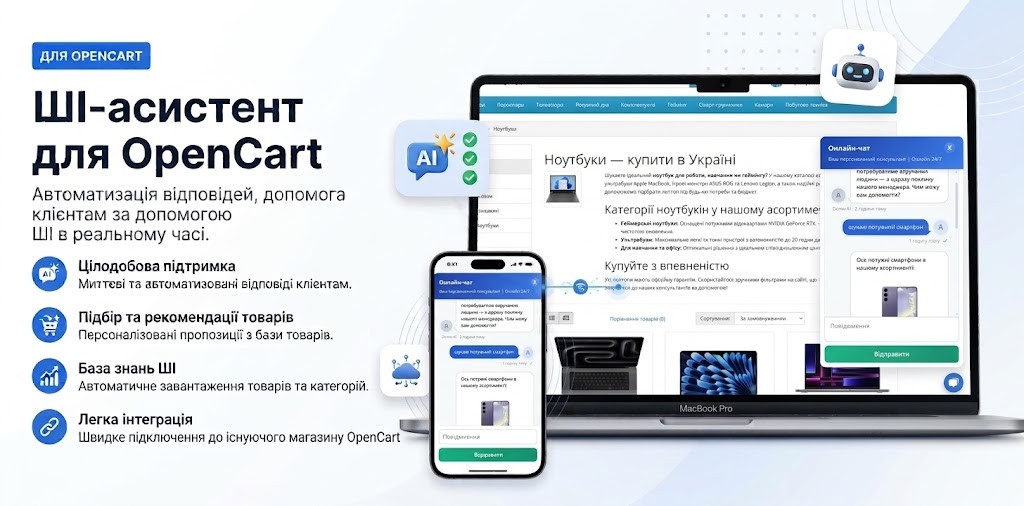
Chat + AI — Intelligent Online Chat with Integrated AI
Increase sales 24/7 with a modern AI-powered online chat module. The module automatically selects products, provides advice on size charts, answers frequently asked questions, and transfers the conversation to a live manager with one click.
Better to test once than read about it a hundred times)
Why does your business need the Chat + AI module?
- Complete knowledge of your store: AI answers questions and advises customers based on your entire product range, categories, and website articles.
- Accurate size or parameter selection: The assistant analyzes customer parameters or requests and selects the perfect size or any other parameter, easily navigating through complex charts and double sizes.
- Adding to cart and order assistance: The AI assistant not only consults but also adds the selected product directly to the customer's cart and suggests proceeding to checkout immediately.
- 24/7 sales without losing traffic: AI picks up communication during off-hours and weekends, retaining customers when managers are unavailable.
- Hybrid mode (AI + Manager): The manager sees customer contact details and the full conversation history, and can turn off AI with one click to take over the conversation if needed; the customer can also ask AI to call a manager.
Artificial Intelligence powered by Google Gemini
The module uses Google's advanced Gemini API. This allows you to fully automate responses to frequently asked questions, keep customers engaged, and provide instant support 24/7 — even when your managers are busy or on vacation.
How much does it cost to use the AI consultant?
You don't overpay for expensive subscriptions or fixed monthly plans. Payment for AI usage follows a transparent Pay-as-you-go model — you pay only for actually consumed tokens (characters in requests and responses):
- Direct payment to Google: You connect your own API key and pay Google directly without hidden commissions or markups.
- Available rates: 1,000,000 tokens — this is hundreds of thousands of words or thousands of full customer conversations, costing only a few cents.
- Maximum savings: Your monthly bill for active chat usage typically amounts to just a few cents or only a few dollars.
View the official Google Gemini API pricing page
Detailed functionality and features
1 Chat Button
- You can customize the location, size, color, icon, and animation of the button, with separate settings for desktop and mobile versions.
- When there are new messages, a red indicator (badge) with the number of unread messages appears on the chat button.
- You can enable a tooltip pop-up: customize the icon (avatar), greeting text, and display settings.

2 Chat Start
- Flexible contact form setup: you can enable or disable the display of fields (name, phone, email), set their required status, and specify a phone number mask.
- You can set a custom title for the chat header in the settings.

3 Auto Messages
- You can set a custom greeting or informational auto message that appears at the beginning of the chat.
- You can set an auto message in case the customer wants to call a manager during off-hours. Working days and hours can also be conveniently set in the control panel.

4 Chat
- Customer, manager, and AI messages are visually distinguished: each party has its own icon color, shape, and fill color.
- Each message displays the time it was sent (how long ago it was sent).
- You can set a custom name for the AI assistant (for example, "AI Consultant"), while the live employee signs as "Manager".
- Links in the chat are displayed as clickable links, and image links are automatically displayed as pictures.
- When recommending products, AI displays the name as a hyperlink, image, regular and sale price (if available), and a brief description.
- Message status is tracked by the color of the checkmark: gray means it hasn't been read yet, green means it has been viewed.
- The customer can ask the AI to call a live manager to the chat at any time.
- AI can add products to the cart: if a product has options (such as size or color), the assistant will first ask to select them, then suggest proceeding to checkout.


5 Chat List in Admin Panel
- An icon for quick access to chats is placed in the control panel header with a counter of unprocessed conversations where customers requested a manager.
- You can track exactly which page of the site a client sent a message from, helping the manager better understand the context of their inquiry.
- You can delete any messages from the conversation history for convenient management and moderation of the correspondence.
- On the chat list page, you can view detailed information about each conversation, sort them by needed parameters, and delete outdated chats.
- If administrator rights are not specified for a manager in the settings, they will only see their own chats and unassigned (not yet linked) conversations.

6 Chat in Admin Panel
- A manager can join the chat at any time and take over the conversation from the AI.
- You can enable or disable the AI assistant in the chat at any time.
- For convenient navigation, customer, AI assistant, and manager messages have their own color formatting.
- Read status indicators: gray checkmark — message not read by customer, green — read.
- You can complete the conversation at any time after resolving the customer's issue.

Additional Features
- You can flexibly configure the manager's work schedule in the settings by specifying working days and hours.
- You can set the screen width at which the chat automatically switches to adaptive mobile version.
- You can configure instant Telegram notifications that arrive whenever a customer requests a live manager in the chat.
- You can enable the ability to send files in the chat, as well as set download parameters: allowed formats (types) and maximum size.
- You can configure Cron tasks for automatic completion and closing of inactive chats.
- You can choose the optimal AI model for your business tasks to achieve the best quality responses.
- Cron task setup is supported for automatic indexing and supplementing the AI knowledge base with current products, categories, and articles.
- You can upload arbitrary additional data to the AI knowledge base (for example, size charts) so the assistant can accurately advise customers and select the right size.
You can set detailed instructions for the AI: customize the desired tone of voice, point out important accents, and specific features of your store's operations.
Technical Support
Technical support is provided on business days (Monday-Friday) and business hours from 10:00 to 17:00 except for holidays.
The response/assistance time depends on the author's workload, but all those who request and need assistance will receive a response or help.
License Agreement
The license applies only to the domain specified at the time of purchase.
The author reserves the right to revoke the license if there is a violation of copyright or the license agreement.
Free technical support is provided for 180 days from the date of purchase of the add-on.
The author has the right to change the terms of technical support or the license agreement at any time at their own discretion.
Modification or additional functionality are not included in technical support and are paid separately
Specifications
- OpenCart Version
- 2.3.0 3.0.0 3.0.1 3.0.2 3.0.3 3.0.4 3.0.5
- Module Localization
- Ukrainian, English, Russian
- Support Language
- Ukrainian, English, Russian
- Activation Method
- License key
- Ioncube Loader
- No (not required)
- Developer Server Connection
- No
- If Developer Server Unavailable
- Extension works
- PHP Version
- 5.6 7.0 7.1 7.2 7.3 7.4 8.0 8.1 8.2 8.3 8.4
Reviews (0)
Please log in to leave a review.
Log inNo reviews yet
Be the first to review this product!
Questions (0)
Please log in to ask a question.
Log inNo questions yet
Be the first to ask a question about this product!
Changelog
- minor fixes and improvements