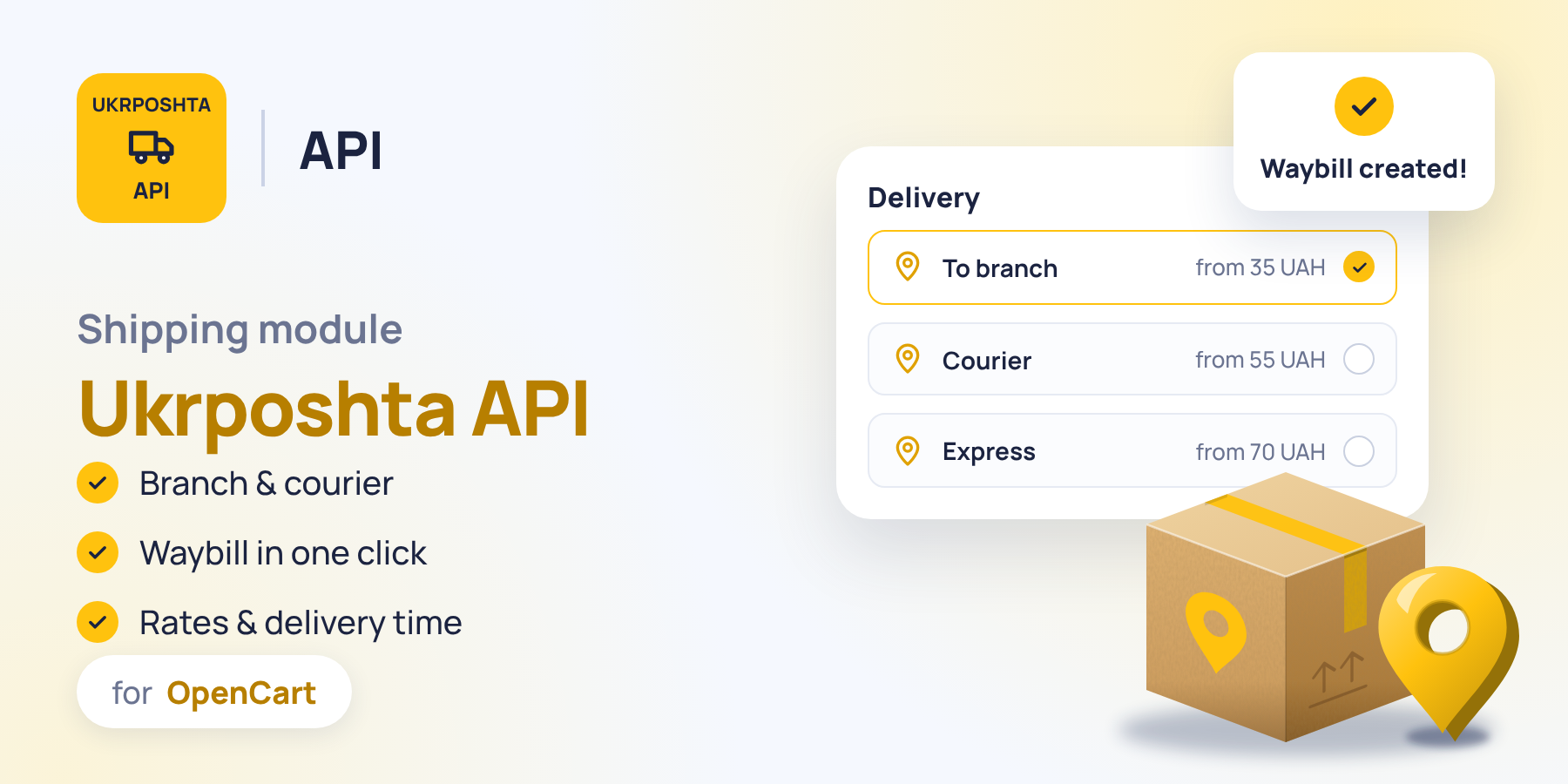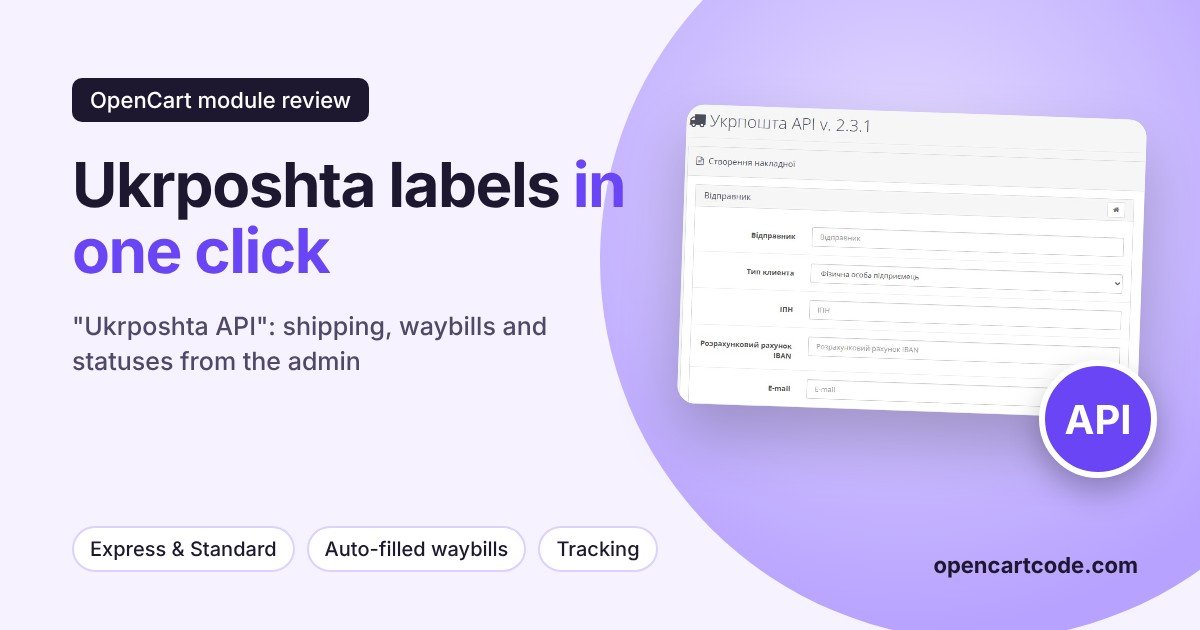
Ukrposhta still covers what other carriers often don't: small towns and villages, 11,000+ pickup points, and rates without volumetric weight. But working with it from the store without an integration is inconvenient: the manager copies the order data into the Ukrposhta account, prints the waybill by hand, then manually looks up the status and writes to the customer. The "Ukrposhta API" module moves this work into the OpenCart admin: the buyer selects a branch and sees the delivery cost and timeframe at checkout, and the waybill is created from the order card with the form already filled in.
The module works through the Ukrposhta API for e-commerce. In addition to the delivery method, it handles waybills, delivery cost and timeframe calculators, and automatic shipment tracking with order status changes and notifications. A general comparison of delivery modules for Ukrainian carriers is in the article about delivery modules for OpenCart: Nova Poshta, Ukrposhta, Rozetka, and here we'll go through this module screen by screen in the admin.
Main settings and API keys
The first tab is responsible for the connection. Three Ukrposhta keys are entered here: eCom Bearer, StatusTracking Bearer, and User token; without them the module won't work. Debug mode is also enabled here, along with the carrier logo and the place where it is displayed at checkout. A useful detail: below the save button there are options to load basic settings, as well as export and import, so a configured module can be transferred to another store without repeating the setup manually.
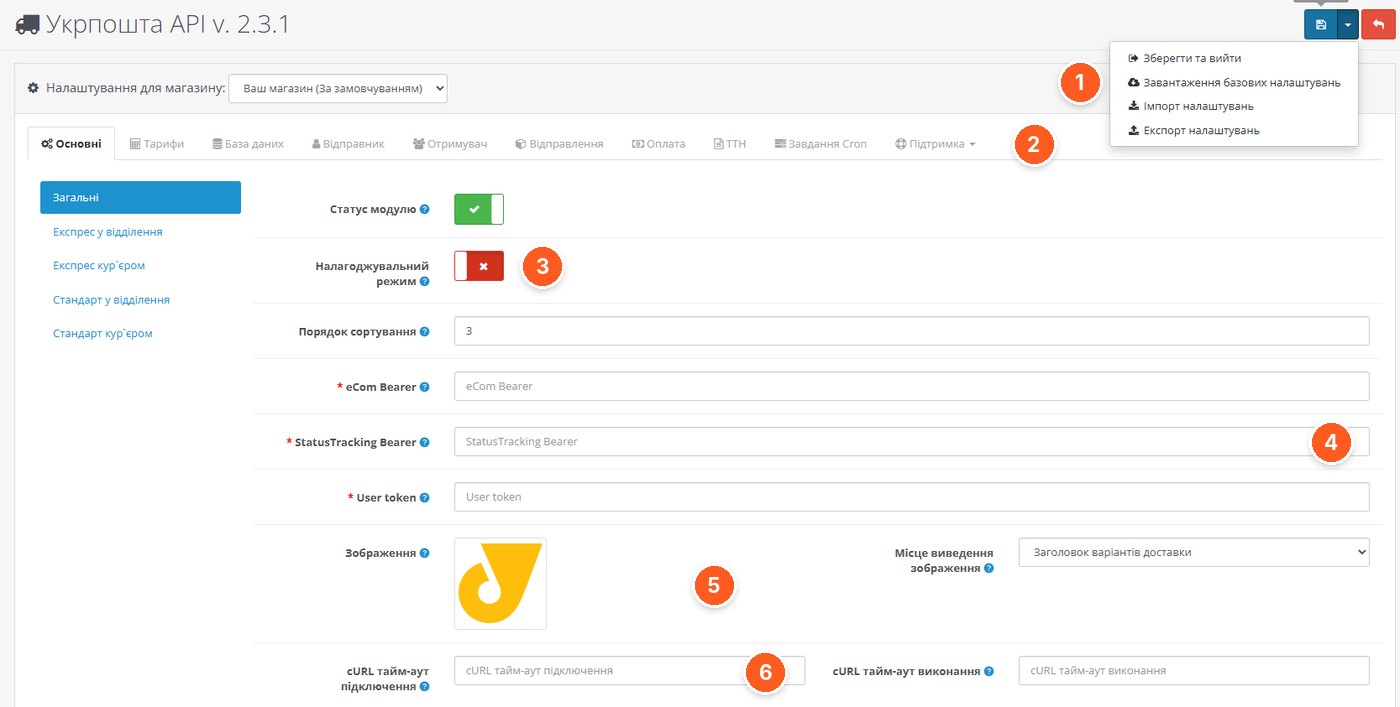
- Save menu. Save and exit, load basic settings, import and export settings.
- Module tabs. Rates, database, sender, recipient, shipments, payment, waybills (TTN), Cron tasks, and support.
- Debug mode. Turn it on when you need to figure out exactly what the API is responding with.
- Ukrposhta keys. eCom Bearer, StatusTracking Bearer, and User token, all three are required.
- Logo and display location. The carrier's image and where it appears among the delivery methods.
- cURL timeouts. Separately for the connection and for executing the API request.
Delivery methods: Express and Standard
The module offers four delivery methods: Express to a branch, Express by courier, Standard to a branch, and Standard by courier. Each is configured separately: name in several languages, geo zone, tax class, minimum and maximum order amount, and a free delivery threshold with its own text. The cost can be calculated via the Ukrposhta API or using your own rates from the "Rates" tab; the display of the delivery timeframe is enabled separately. For branch delivery, you also choose which branch types to show the buyer.
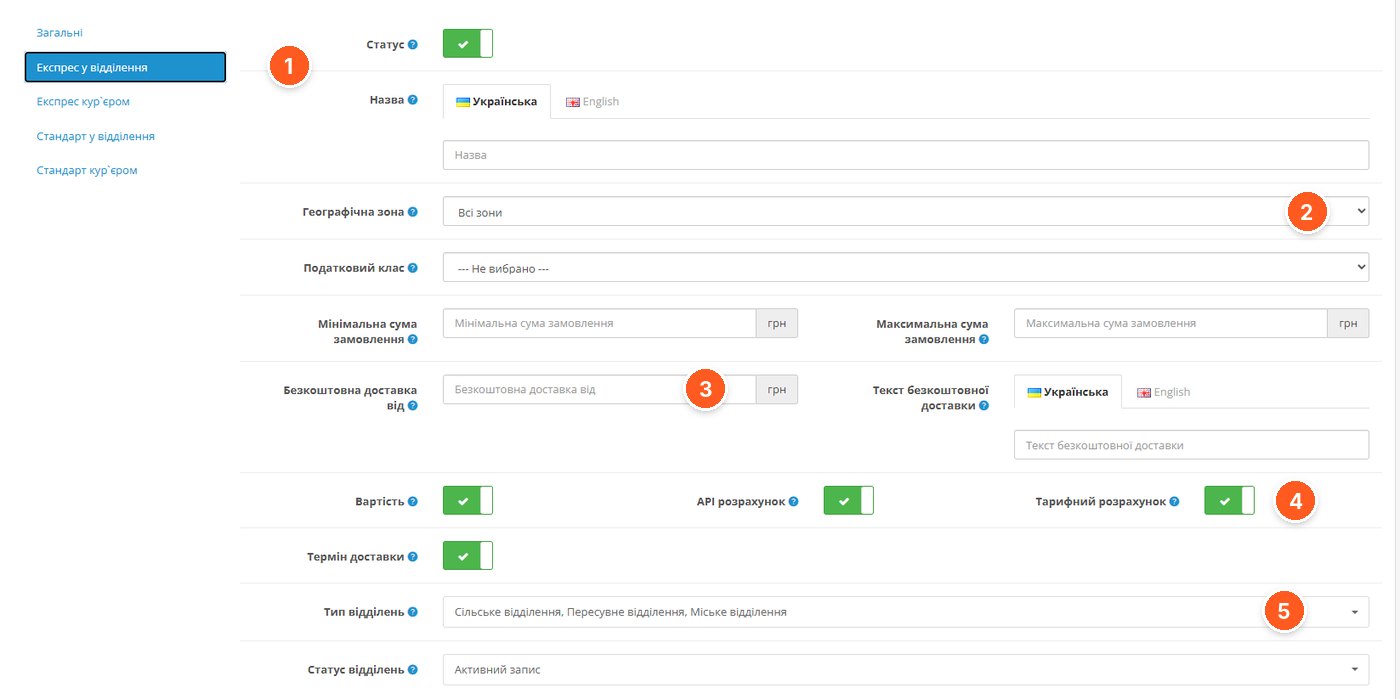
- Method switcher. General settings and four delivery methods, each with its own parameters.
- Geo zone and tax class. Restricting the method by region and taxes on delivery.
- Free delivery. The amount from which delivery is free, and the text the buyer will see.
- Cost calculation. Displaying the cost, calculation via the API or by rates.
- Branch types. Which branches to show: urban, rural, mobile.
Database: regions, localities, branches
The module keeps reference data, regions, localities, and branches, in its own database, so the buyer at checkout doesn't wait for an API response on every keystroke. The tab shows when the database was last updated and how many records were added. You can update it manually with a button or set it up in Cron, which is described below.
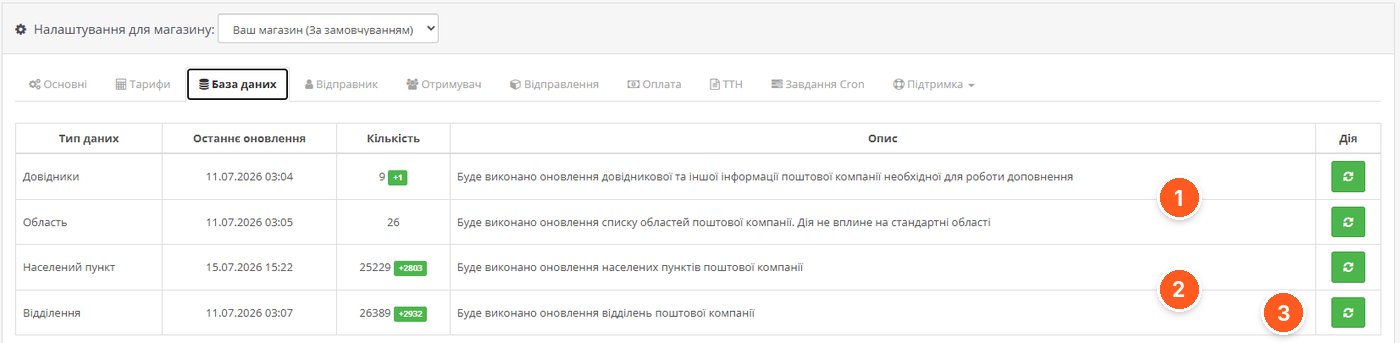
- Reference data and regions. Ukrposhta service information and the list of regions; the update does not affect OpenCart's standard regions.
- Localities and branches. The core data for selecting an address at checkout, with a counter of new records.
- Manual update. The button immediately runs an update of a specific reference table.
Payment and cash on delivery
On the "Payment" tab you set the default values for the waybill: who pays for delivery, which payment methods in the store count as cash on delivery, whether to account for it, and the commission for declared value in the calculation. Separately, you choose who pays for the return delivery of money and where to receive it: at a branch or to a bank account.
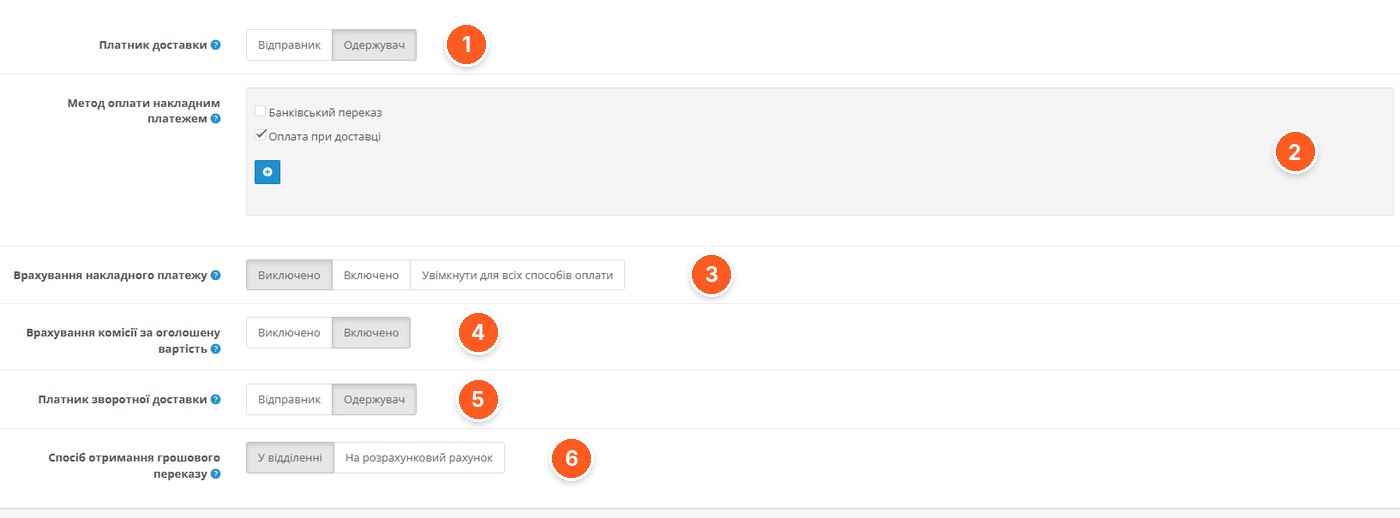
- Delivery payer. Sender or recipient.
- Cash on delivery payment method. Store payment methods for which cash on delivery is added to the waybill.
- Accounting for cash on delivery. Disabled, enabled, or for all payment methods.
- Declared value commission. Whether to add it to the calculation.
- Return delivery payer. Who pays for the money transfer.
- Method of receiving the transfer. At a branch or to a bank account.
Cron tasks: database updates and shipment tracking
Here the module generates commands for the scheduler on your hosting. The developer recommends the frequency: localities and branches once a day, regions and reference data once a month, and shipment tracking as needed. Tracking changes the order status according to the parcel's status and can send e-mail or SMS to the administrator and the buyer using templates with macros. The Ukrposhta statuses to track are selected from a list, while the mapping of statuses to the store, the delay, and the message texts are configured below on the same tab.
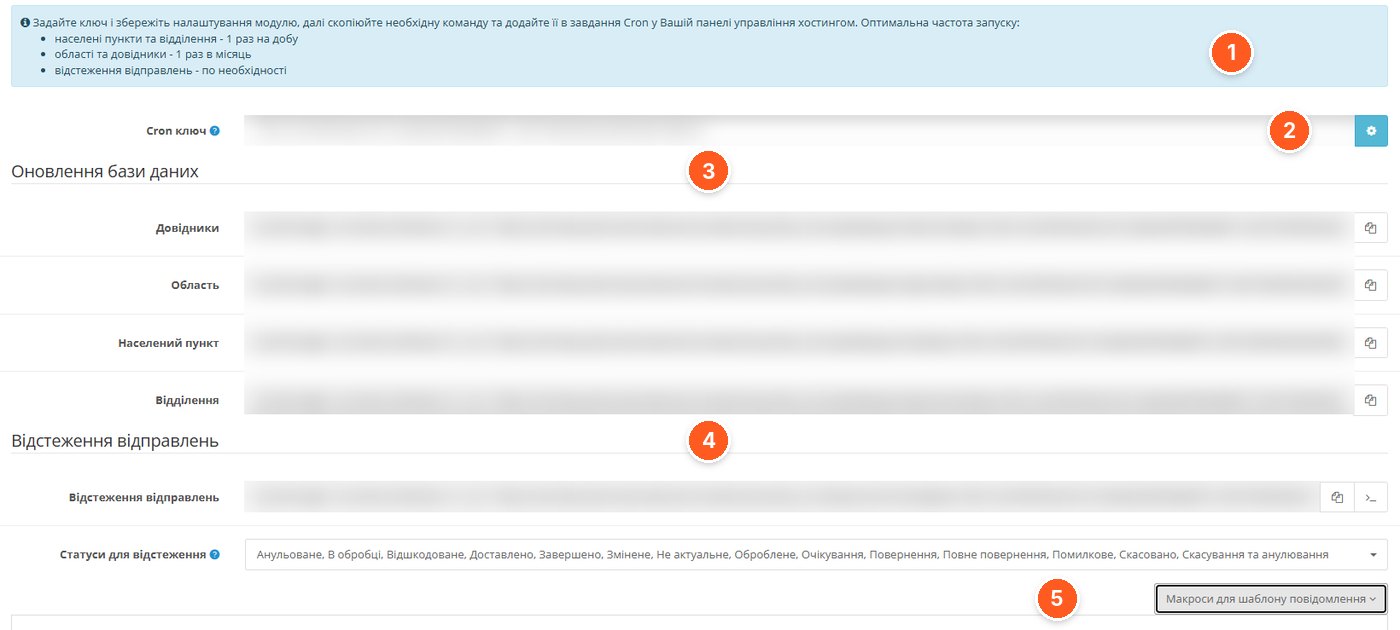
- Recommended frequency. A hint on how often to run each task.
- Cron key. Protects the task addresses from unauthorized runs; generated with the button on the right.
- Database updates. Separate commands for reference data, regions, localities, and branches.
- Shipment tracking. The command that checks parcel statuses and changes order statuses.
- Statuses and macros. Which Ukrposhta statuses to track and the macros for message templates.
Creating a waybill from an order
This is where the module saves the most time. If the buyer chose a compatible delivery method, a waybill button appears in the order. The form is filled in automatically: the sender is taken from the settings, the recipient and address from the order, and the weight, dimensions, declared value, and description are calculated according to the rules on the "Shipments" tab. Before sending to the API, the fields are validated, and the client and address are searched for in the Ukrposhta database or created automatically. Any value can be corrected manually before saving.
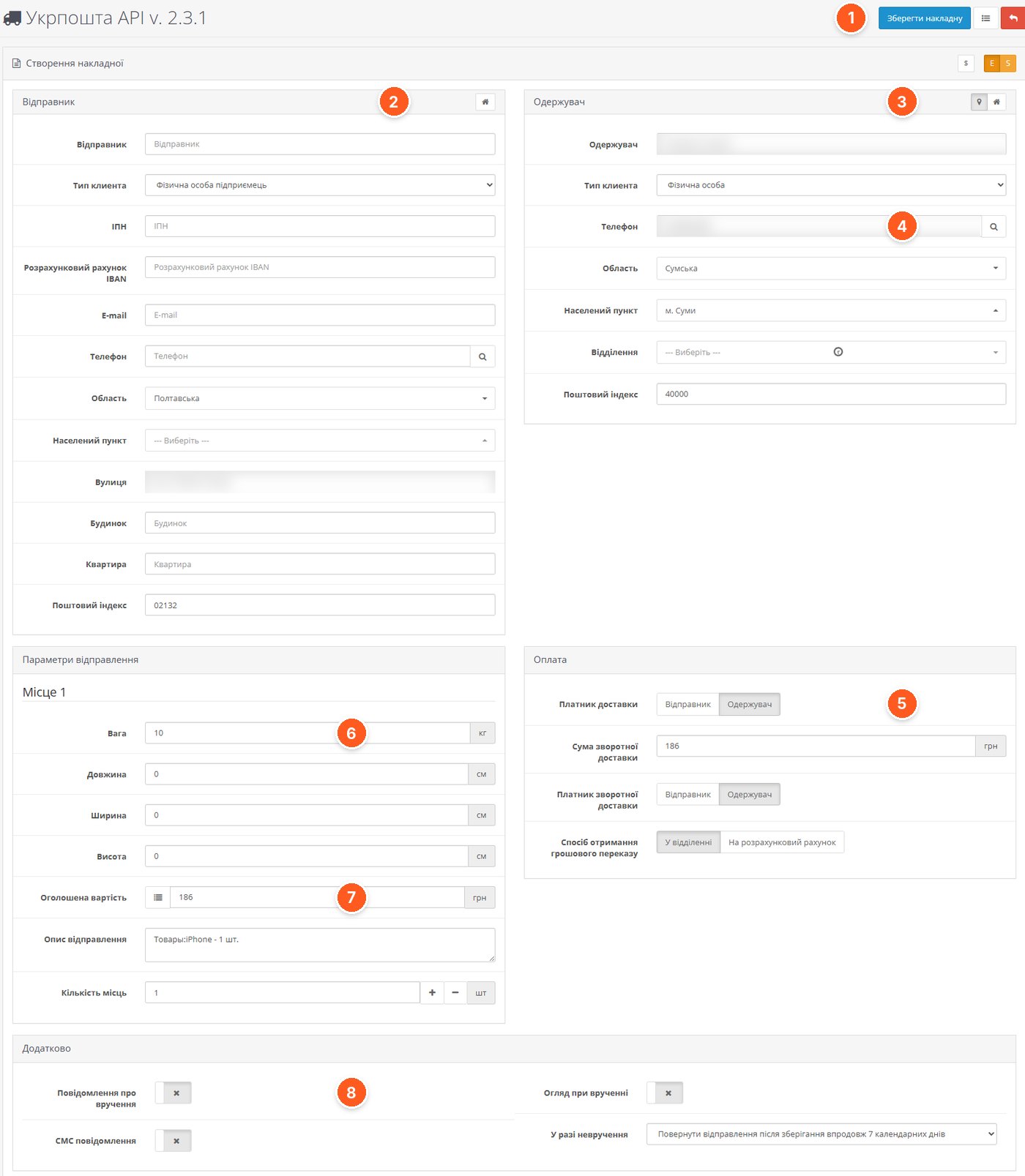
- Save waybill. Creates the shipment in Ukrposhta and links it to the order.
- Sender. Data from the settings: client type, tax ID, IBAN, address.
- Recipient. Data from the order, with selection of region, locality, and branch.
- Search by phone. Pulls the recipient's data by number.
- Payment. Delivery payer, amount, return delivery payer, and method of receiving the transfer.
- Weight and dimensions. Calculated automatically; you can add several parcels.
- Declared value and description. The description is generated from the order's products.
- Additional services. Delivery notification, SMS, inspection upon delivery, and action in case of non-delivery.
Waybill list and printing
All created waybills are collected in a separate list with a filter by waybill number and order number. From here you can edit or delete a waybill, add it to a shipment group, or download it as a PDF together with the accompanying documents. The print format is configured separately.
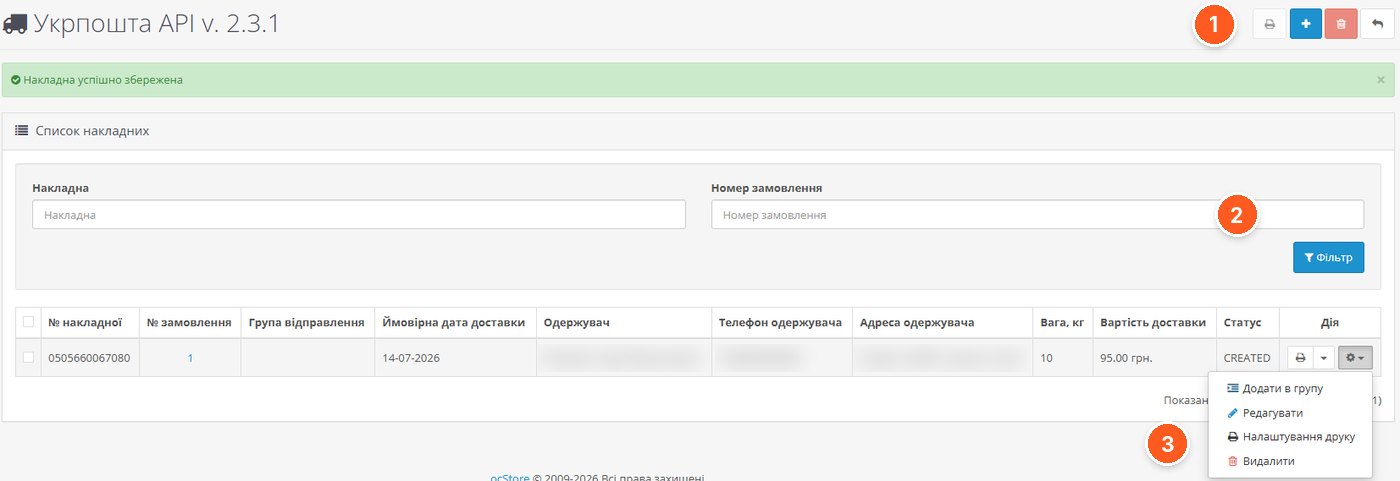
- Actions with the list. Printing, creating, and deleting waybills.
- Filter. Search by waybill number or order number.
- Waybill menu. Add to group, edit, print settings, delete.
How the buyer sees it
At order checkout, the buyer sees Ukrposhta methods with the cost and timeframe, selects a locality from a searchable list, and finds a branch by postal code. For courier delivery, the address fields are filled in.
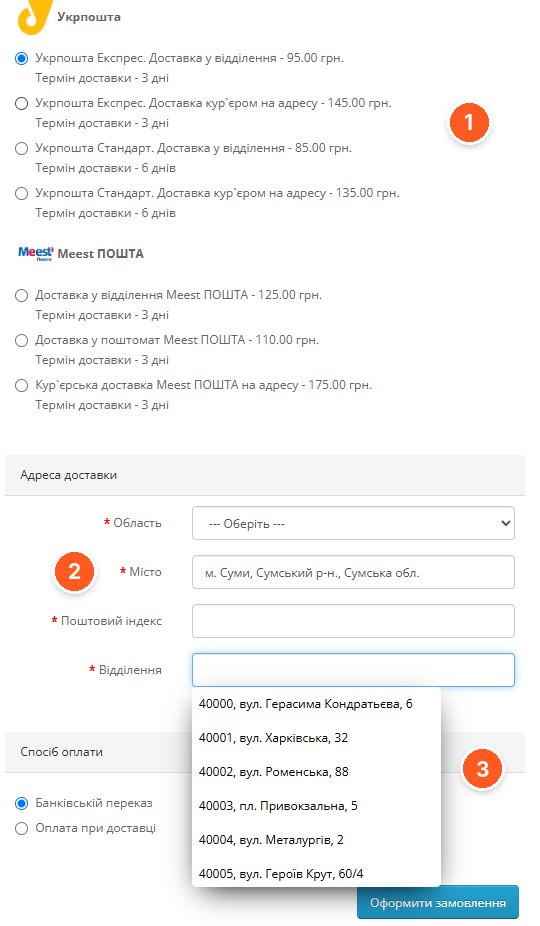
- Delivery methods. Express and Standard, to a branch or by courier, with price and timeframe.
- Locality. Selection from a list with search by name.
- Branch. List of branches with postal codes for the selected city.
What to consider before buying
- You need a contract with Ukrposhta and three API keys: eCom Bearer, StatusTracking Bearer, and User token. According to the developer, Ukrposhta API clients receive a 5% discount on shipments.
- The module is encoded; the server must have ionCube Loader 5.0 or newer, as well as PHP with cURL. PHP versions from 5.6 to 8.3 are supported.
- It works on OpenCart from 2.0.3 to 3.0.5 and builds based on them; the screenshots are from ocStore 3.0.4.1.
- The module contacts the developer's server, but if it is unavailable, the add-on continues to work. The license is for one domain including subdomains, including test ones.
- For automatic database updates and parcel tracking, you need to set up Cron tasks on your hosting.
- Full functionality at checkout is available with One Page Checkout, OCTemplates Smart Checkout, and Simple. With the standard checkout and Ajax Quick Checkout, only city and branch selection works. For other modules and templates, the developer makes adaptations for a separate fee.
- SMS notifications are supported via SmsFly; the order editor "Менеджер Замовлень" is compatible.
Who it's for
Stores that regularly ship with Ukrposhta, especially to small localities, and want to create waybills from the admin and automatically change order statuses. If you have only a few shipments a month, the benefit is less obvious: you'll need to obtain API keys and set up Cron. If you have a non-standard checkout, first check compatibility with the developer.
"Ukrposhta API" by Prorab337 on the OpenCart Code marketplace. You can ask the developer questions about setup directly on the module's page.