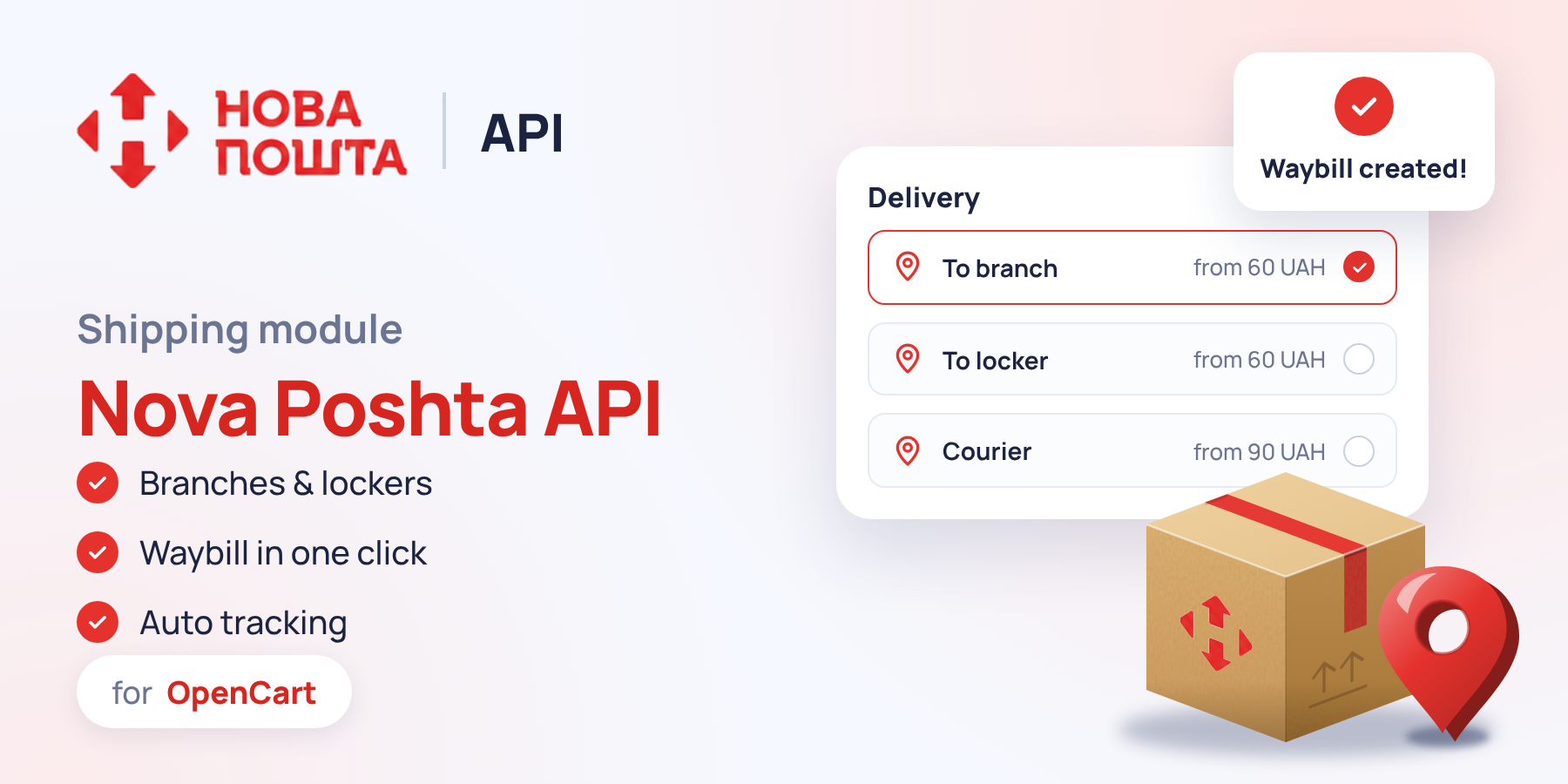
In most Ukrainian stores, Nova Poshta is the main delivery service, and most of the manual work revolves around it: entering the city and branch, creating a waybill in the Nova Poshta account, copying the number into the order, notifying the customer, and then checking whether the parcel has been picked up. The «Nova Poshta API» module by developer Prorab337 moves all of this into the OpenCart admin: the customer chooses a branch, parcel locker, or courier right at checkout, and the manager creates and prints the waybill from the order page. Let's go through the settings and working with waybills.
Main settings
The first tab is responsible for connecting to the Nova Poshta API and the module's general behavior. It's also convenient to start here if you are installing the module on several stores.
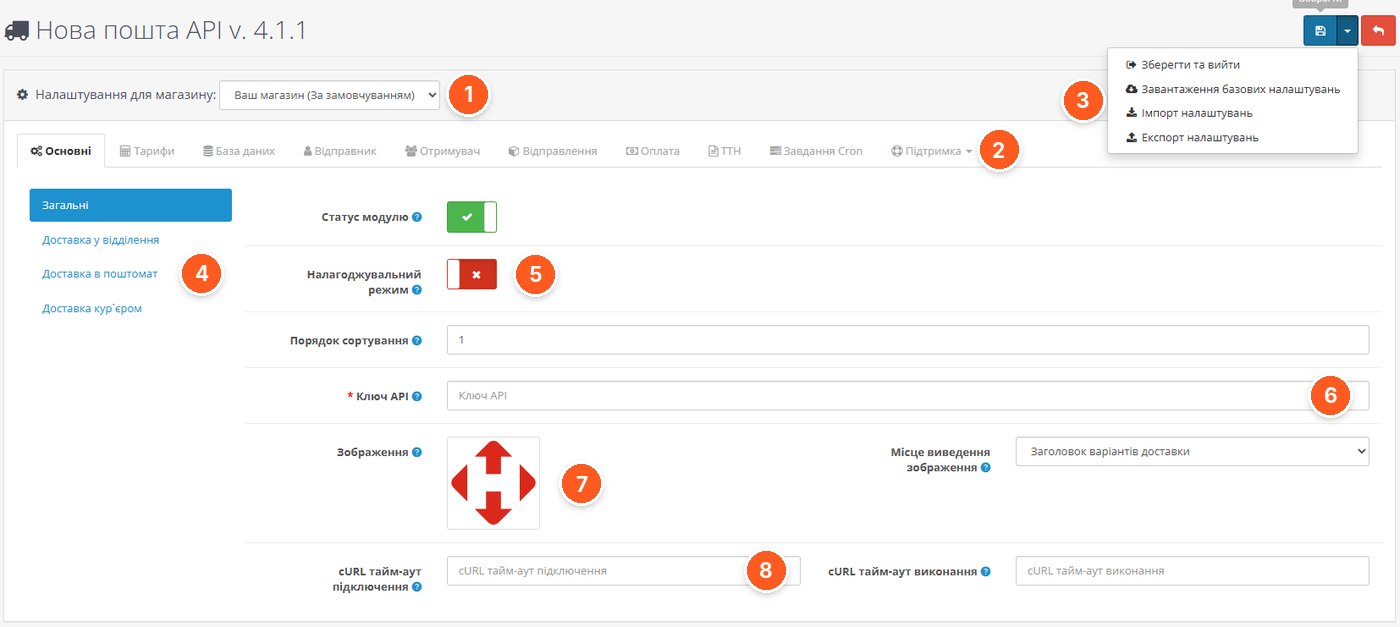
- Settings for a store. The module supports multistore, and each store has its own settings.
- Module tabs: rates, database, sender, recipient, shipments, payment, waybills (TTN), Cron tasks, and support.
- Save menu. Here you can load basic settings, as well as import and export settings. It's convenient for transferring configuration from a test site to a live one.
- Three delivery methods: to a branch, to a parcel locker, and by courier. Each is configured separately.
- Debug mode in case something isn't working and you need to figure it out.
- API key from your personal Nova Poshta account.
- Logo of the carrier and the place where it is shown during checkout.
- cURL timeouts for connecting to and executing requests to the API.
Delivery to a branch, parcel locker, and by courier
Each delivery method has the same set of parameters. We'll show them using delivery to a branch as an example.
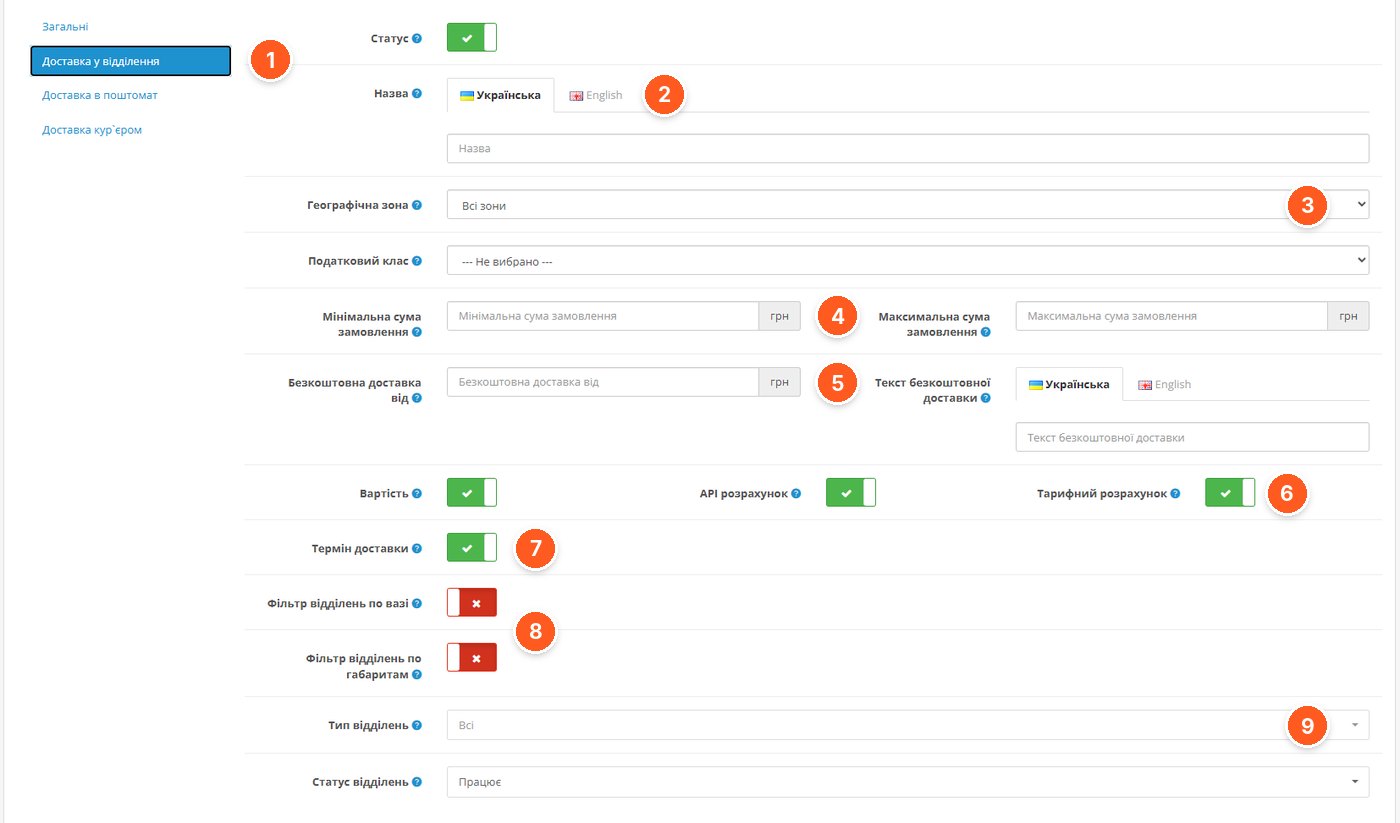
- Delivery method currently being configured.
- Name for each language of the store.
- Geo zone and tax class.
- Minimum and maximum order amount at which the method is available.
- Free shipping from an amount and the text the customer sees.
- Shipping cost: via the Nova Poshta API or according to your own rates from the «Rates» tab.
- Delivery time shown to the customer.
- Branch filter by weight and dimensions. The customer won't see a branch that cannot accept their parcel.
- Type and status of branches to display.
Custom rates
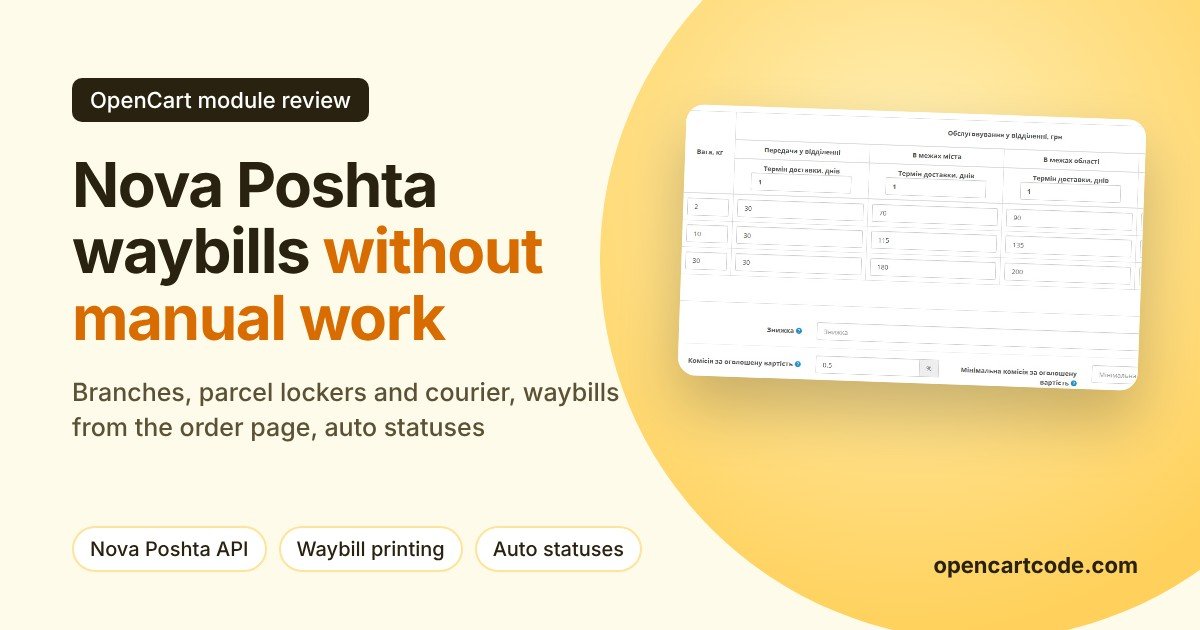
The Nova Poshta API calculates accurately, but not every store needs this: some want to add their own markup to shipping, while others prefer simpler calculations. For this there is a rate grid.
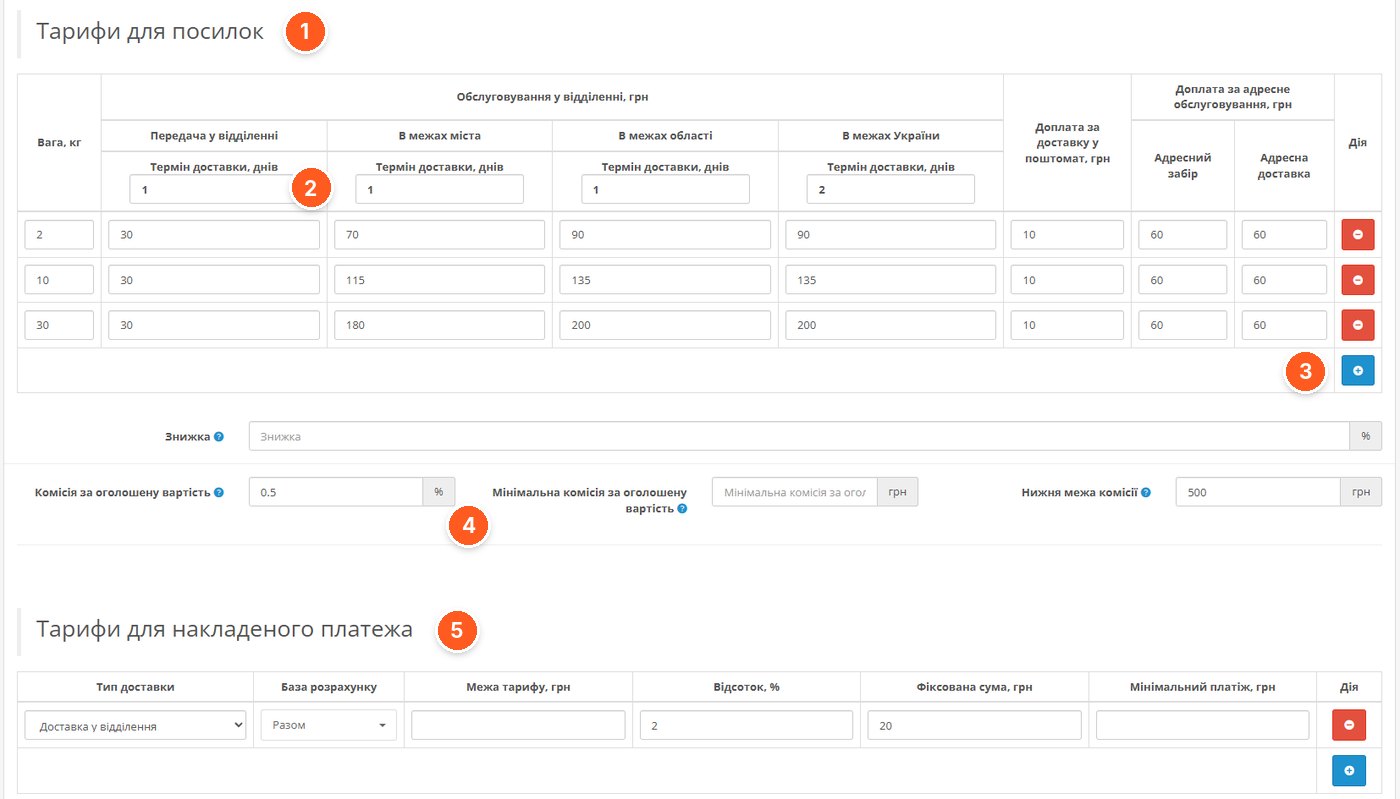
- Parcel rates by weight: delivery at a branch, within the city, region, and Ukraine, surcharge for a parcel locker and address delivery.
- Delivery time in days for each zone.
- Add row with a new weight category.
- Declared value fee, minimum fee, and lower limit.
- Cash on delivery rates: percentage, fixed amount, and minimum payment for each delivery type.
Database of cities and branches
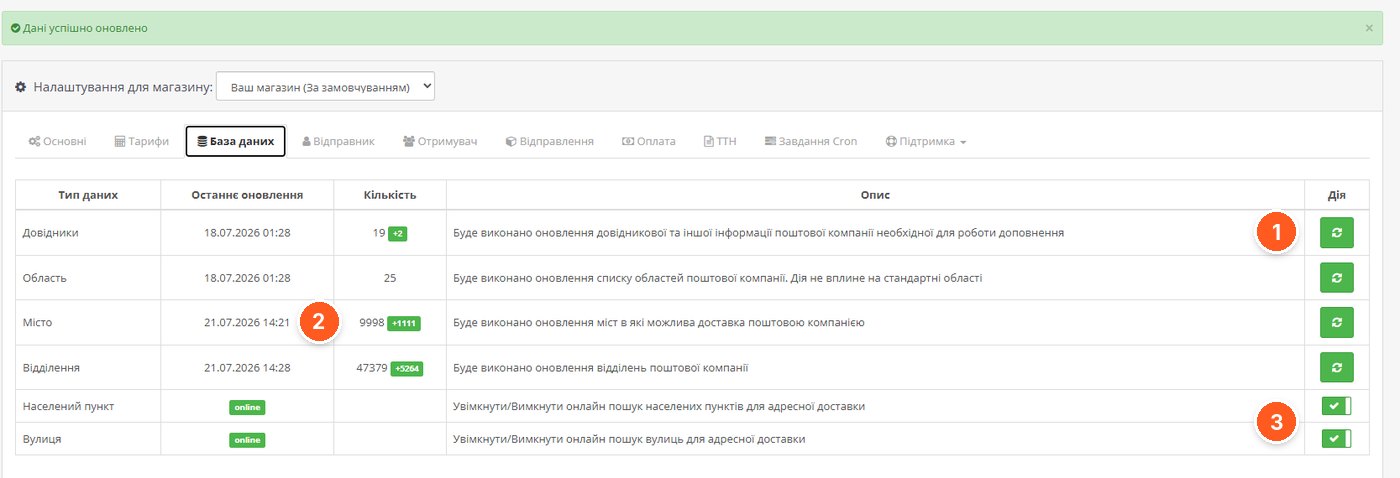
- Updating directories: regions, cities, and branches with one button. The same can be set up in Cron.
- Date of last update and number of records. The screenshot shows almost 10 thousand cities and over 47 thousand branches; the green counter shows how many were added.
- Online search for localities and streets for address delivery. Here the data is taken directly from the API, not from the local database.
Payment and cash on delivery
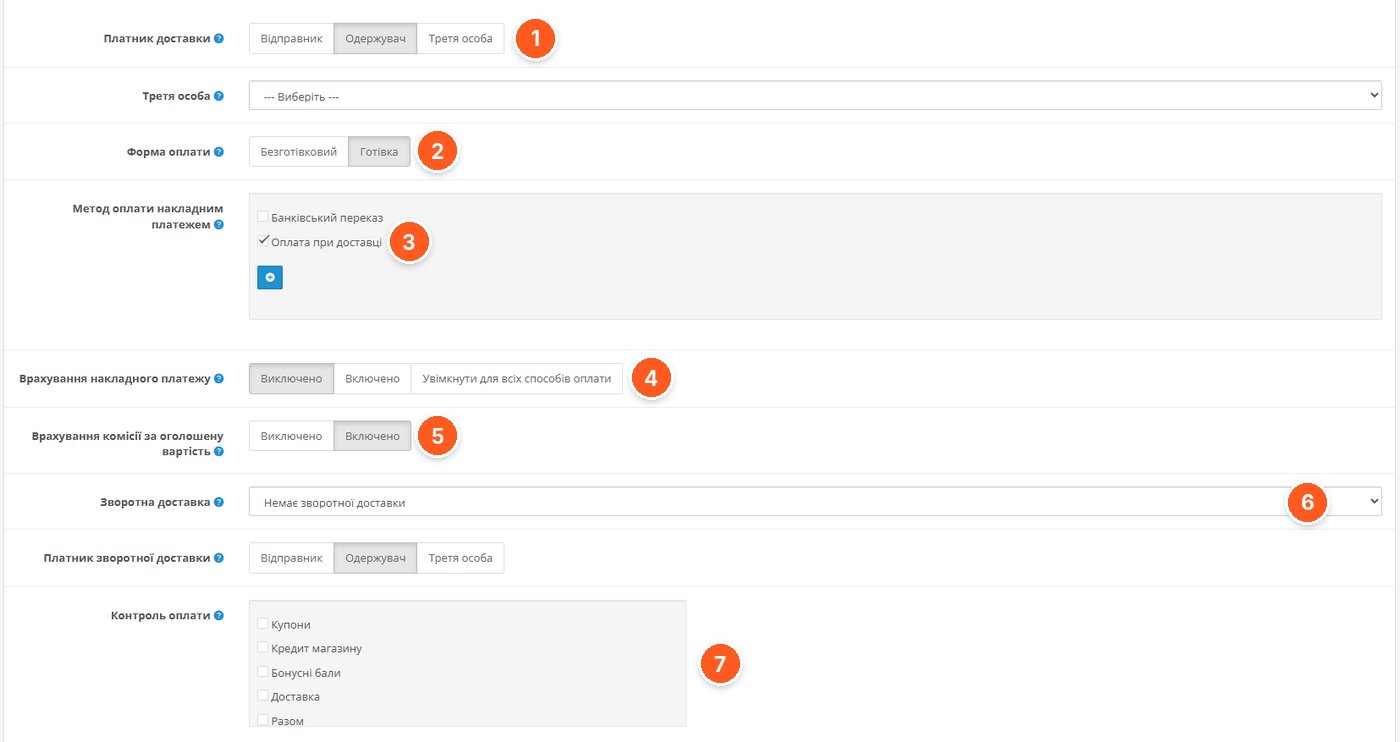
- Delivery payer: sender, recipient, or a third party.
- Payment form: non-cash or cash.
- Store payment methods that are treated as cash on delivery, for example «Cash on delivery».
- Including cash on delivery in the shipping cost.
- Including the declared value fee.
- Return delivery and its payer.
- Payment control: which order components to consider (coupons, store credit, bonus points, shipping, total).
Waybills right from the order pages
The most noticeable part of the module for the manager. Next to each order with Nova Poshta delivery, a button for working with the waybill appears.
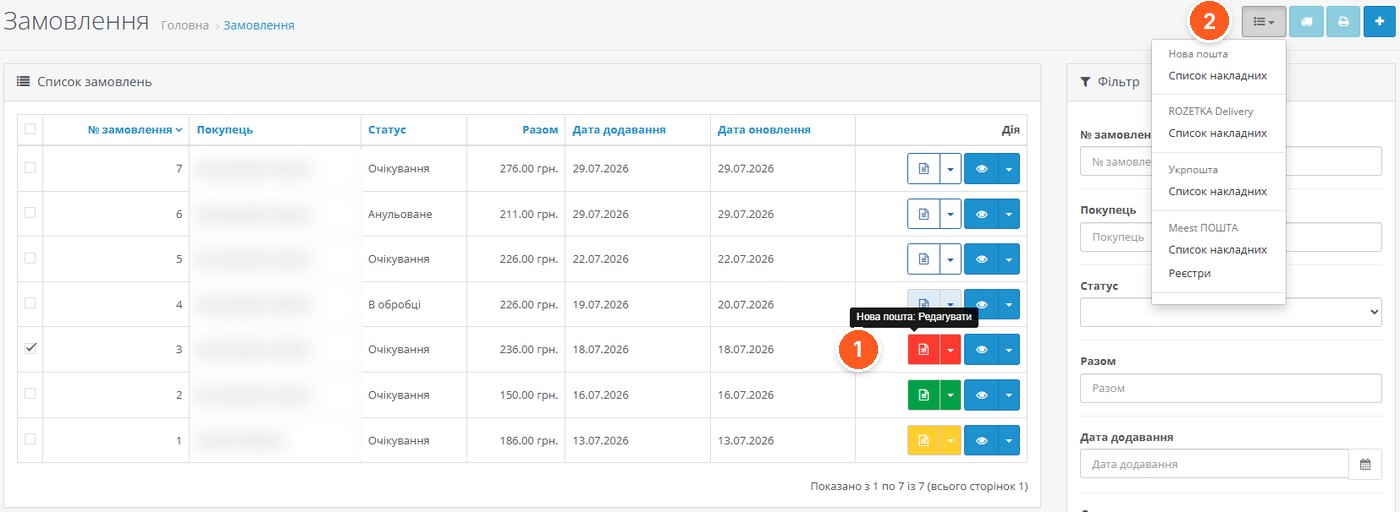
- Waybill button. From here you can create, edit, or delete a waybill, or assign an existing one to the order.
- Menu with waybill lists of Nova Poshta and other delivery services, if they are also set up in the store.
The waybill form is filled in automatically from the order data and settings. The manager only needs to check it and save.
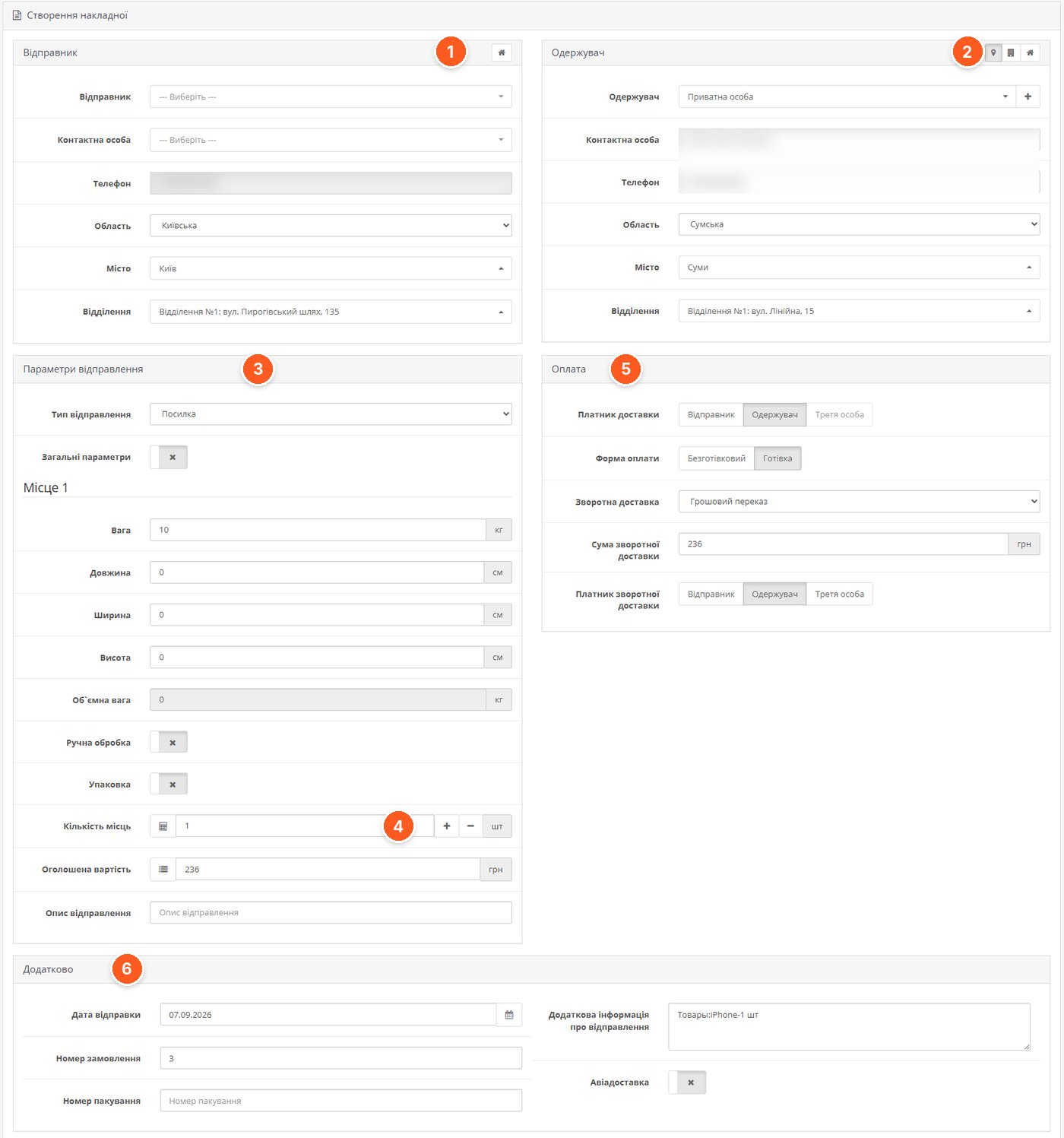
- Sender is filled in from the settings and can be changed before creation.
- Recipient and delivery type: branch, parcel locker, or address. The city, branch, and street can be searched.
- Shipment parameters: type, weight, dimensions, volumetric weight, packaging, manual handling.
- Number of seats with separate parameters for each seat and the declared value.
- Payment: payer, payment form, and return delivery with the amount.
- Additional: shipping date, order number, packing number, description, and air delivery.
Before sending to the API, the module checks the fields and itself creates or corrects the recipient's contact person in the Nova Poshta database.
Waybill list and printing
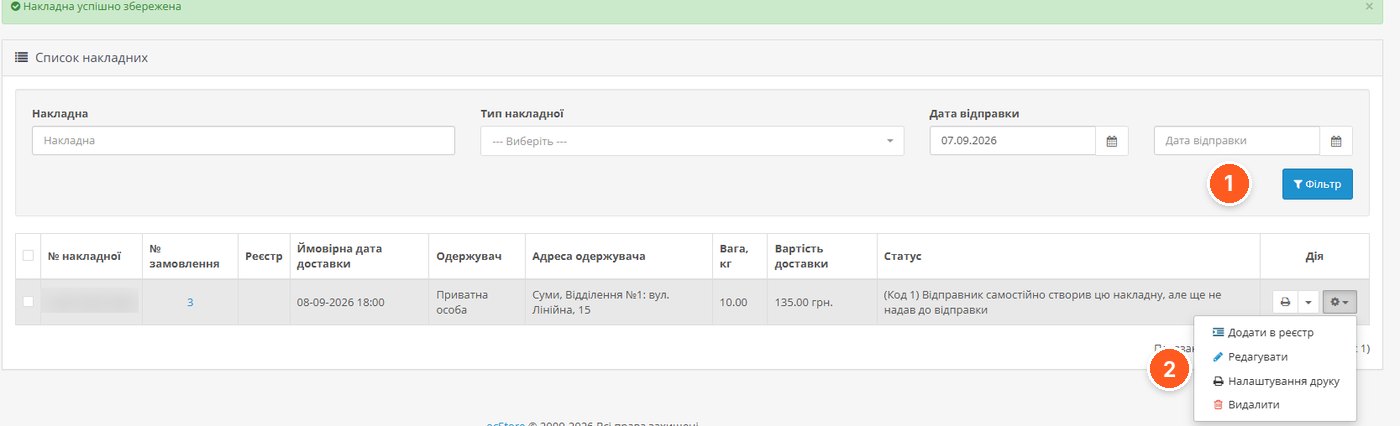
- Filters by number, type, and shipping date.
- Waybill actions: add to register, edit, configure printing, delete. The row shows the estimated delivery date, cost, and current status from Nova Poshta.
Waybills and labels can be downloaded as PDF for one or several orders, or printed directly from the browser.
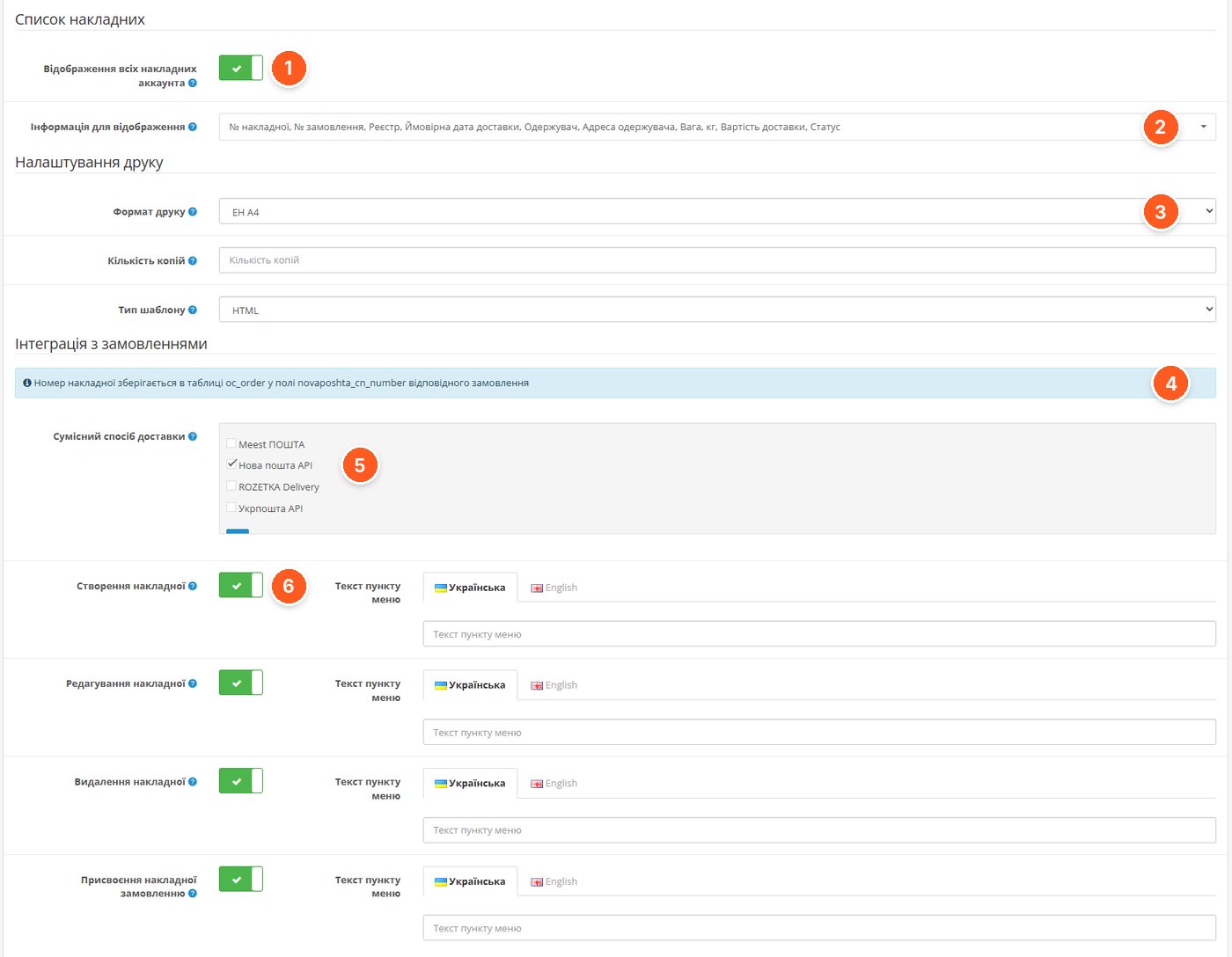
- Display of all account waybills, not only those created from the store.
- Waybill list columns.
- Printing: format, number of copies, and template type.
- Waybill number is stored in a separate field of the orders table, so it's easy to retrieve in other modules and reports.
- Compatible delivery methods for which to show the waybill button.
- Creating, editing, deleting, and assigning a waybill are enabled separately, with their own menu item text for each language.
Automation via Cron
The separate «Cron tasks» tab is responsible for daily routine: automatic database updates, shipment tracking, order status changes, notifications to the administrator and customer using email and SMS templates, and reminders about uncollected parcels. This means the customer receives the waybill number automatically, and the "Delivered" status appears in the order without the manager's involvement.
What to consider before buying
- Works on OpenCart 2.x and 3.0.x and builds based on them.
- Requires ionCube Loader version 5.0 or higher and the PHP cURL library. The module contacts the developer's server, but if it is unavailable, it continues to work.
- Full functionality at checkout is declared for One Page Checkout and the OCTemplates Smart Checkout and Simple templates. In the standard checkout and Ajax Quick Checkout, city and branch selection works.
- Notifications via standard e-mail and SmsFly. The order editor with which compatibility is declared is «Order Manager».
- For other modules and templates the developer will adapt the module on request for a separate fee.
- License for one domain with all its subdomains, including test ones. Updates are free for life, support for one year.
Who it suits
The module makes sense for a store that sends at least several parcels a day via Nova Poshta: the time savings from manual waybill creation and answering "where is my parcel" questions are most noticeable here. This is especially true if shipments go with cash on delivery and to various branches. If you have only a few orders a month, a simpler module with branch selection at checkout may be enough. A comparison of delivery modules for various services is available in our article about delivery modules for OpenCart.
«Nova Poshta API» by Prorab337 on the OpenCart Code marketplace. You can ask the developer questions about setup directly on the module's page.