When an OpenCart store grows to several thousand products, the home page and category pages start loading noticeably slower: each module on the page makes its own database queries, and PageSpeed Insights shows yellow and red scores. Jet Cache addresses both problems with one module: it caches pages, individual controllers, models, and database queries, and it also includes a set of tools for Core Web Vitals: combining and compressing CSS and JS, deferred loading, WEBP, image dimensions, preload, and fetchpriority.
Below we'll go through the main admin screens and look at what's worth enabling and what the developer advises leaving alone.
Home: general settings
The first tab is responsible for the module's overall behavior. It also has buttons for manually clearing the cache, which you'll need after every template or modifier change.
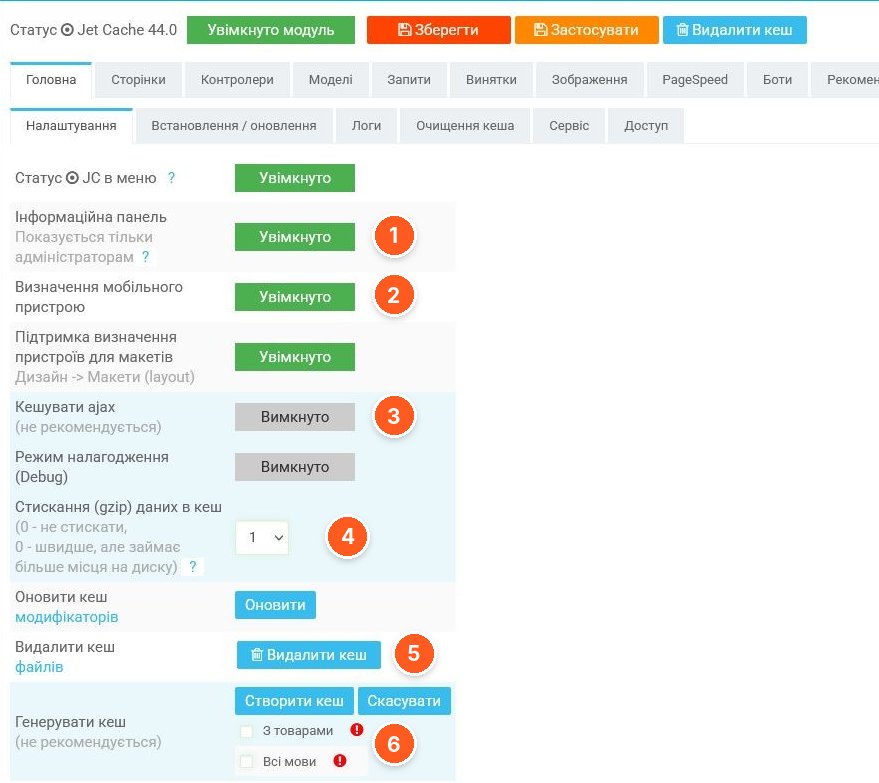
- Information panel. Shown only to administrators, a convenient way to monitor cache operation directly on the storefront.
- Mobile device detection. A separate toggle, plus below it support for device detection for layouts (Design → Layouts).
- Cache ajax. Disabled by default, and the developer explicitly marks this option as not recommended.
- Compression (gzip) of cached data. 0 means no compression: faster, but the cache takes up more disk space.
- Delete file cache. Manual clearing; next to it is a button to refresh the modifier cache.
- Generate cache. Pre-creating the cache with the "With products" and "All languages" options. Also marked as not recommended.
Page caching
The main mode, which gives the biggest performance gain: the page is served entirely from the cache, without re-running all controllers and queries.
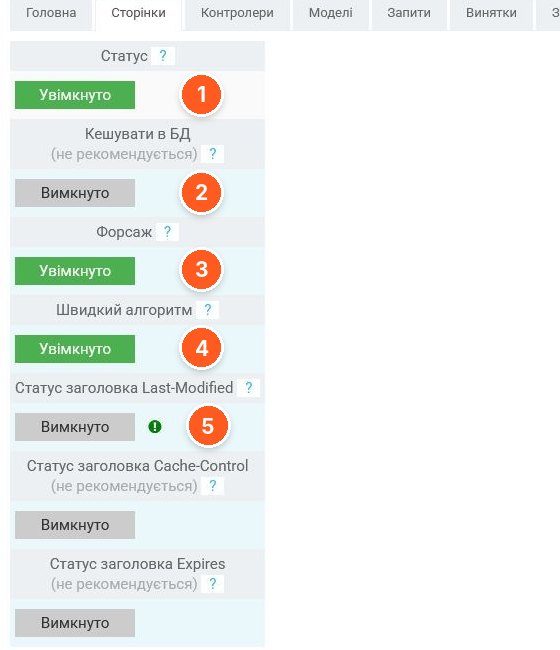
- Status. Enables page caching.
- Cache in DB. Disabled; the developer does not recommend it: the cache is stored in files.
- Forsage. A separate operating mode for the page cache; the "?" hint next to it explains what it does.
- Fast algorithm. Another operating mode toggle, enabled in the screenshot.
- Last-Modified header status. The module can send the Last-Modified header. Below are Cache-Control and Expires, both marked "not recommended".
Controller caching
If full page caching doesn't suit you (for example, because of personalized blocks), you can cache only the heavy parts: the footer, the menu, and the bestseller, featured, and latest product modules.
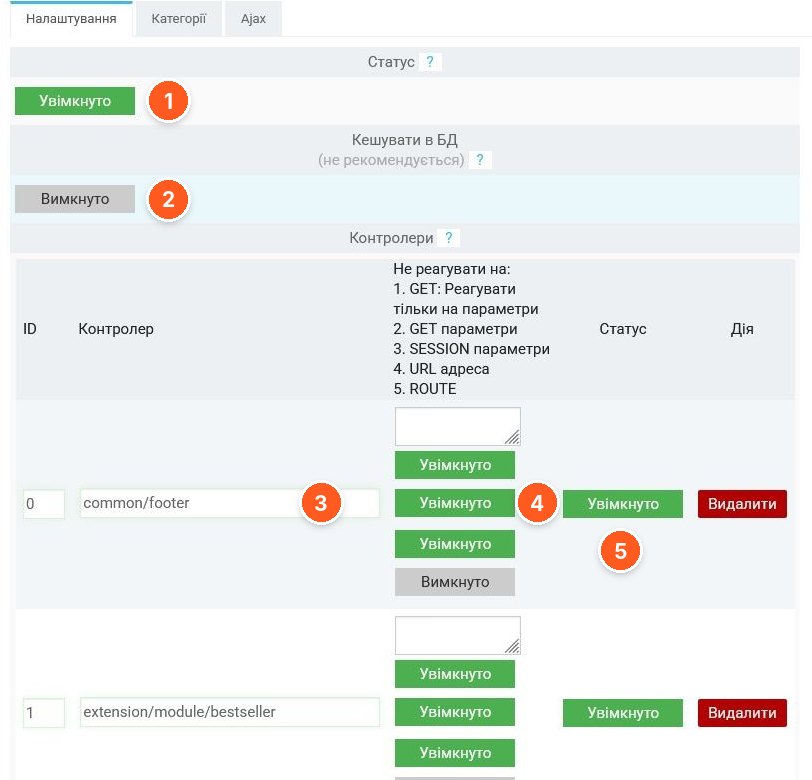
- Status. Enables controller caching.
- Cache in DB. As with pages, not recommended.
- Controller. The controller route, for example common/footer or extension/module/bestseller. Rows are added with the "Add" button.
- Do not react to. Set separately for each controller: GET (react only to the specified parameters), GET parameters, SESSION parameters, URL address, ROUTE.
- Controller status. Enables the cache for a specific row; next to it is a delete button.
There are also separate "Models" and "Queries" tabs, where classes and methods are specified in the same way (ModelCatalogProduct → getProducts, getTotalProducts, etc.), and the results of which the module caches.
Cache clearing
The most important tab from the standpoint of day-to-day work: it determines whether the customer sees a new price right after a product is edited.
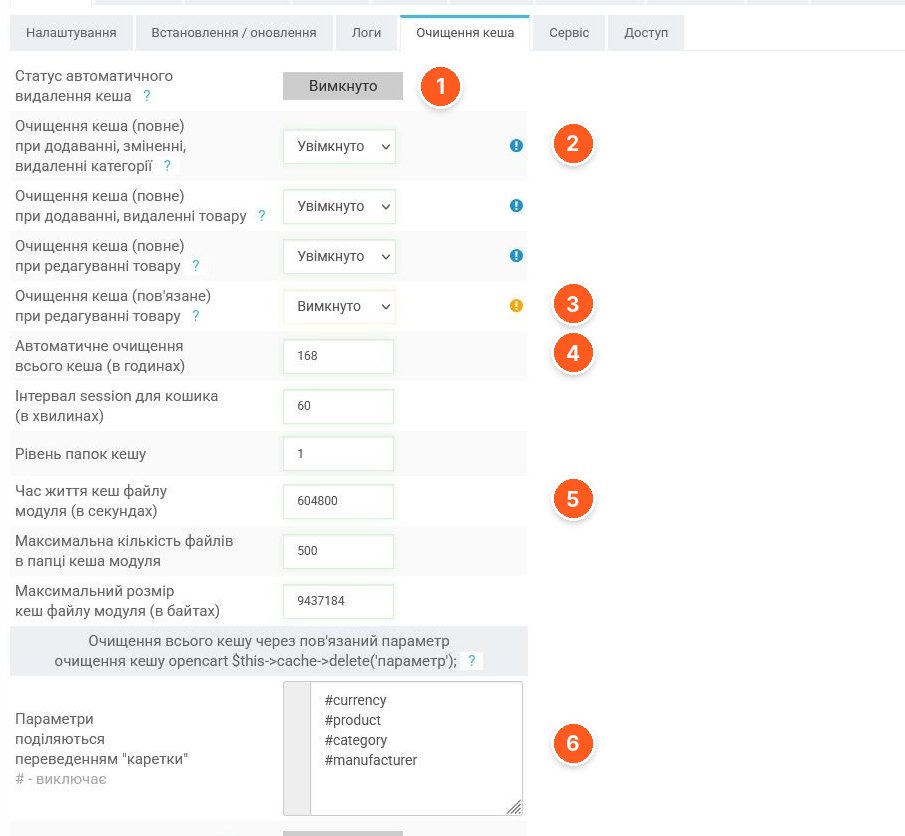
- Automatic cache deletion status. The general auto-clearing toggle.
- Full clearing on changes. Separately for adding, editing, and deleting categories, adding and deleting products, and editing products.
- Related clearing when editing a product. A separate related-clearing mode; disabled in the screenshot and marked with a yellow hint.
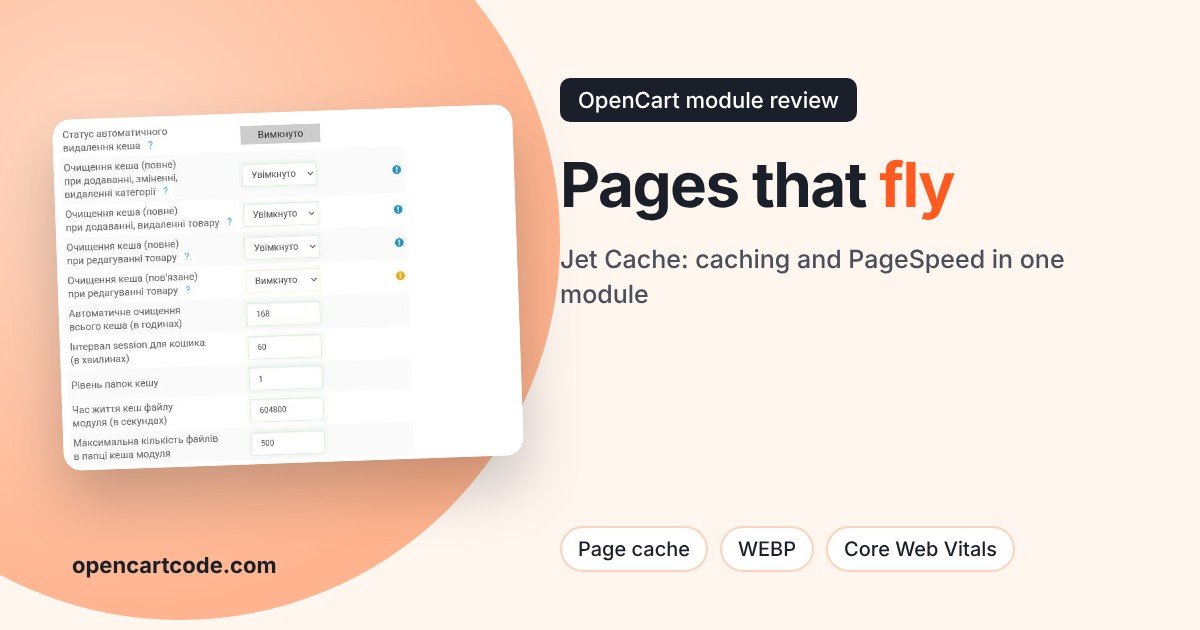
- Automatic clearing of the entire cache. Interval in hours; 168 in the screenshot, meaning once a week.
- Cache limits. The lifetime of a module cache file in seconds, the maximum number of files in the folder, and the maximum file size.
- Parameters for $this->cache->delete(). A list of keys (#currency, #product, #category, #manufacturer) which, when cleared by OpenCart's standard cache, also cause the module to reset its own cache. The # symbol excludes a parameter.
PageSpeed: images
The PageSpeed section is divided into the CSS, JS, Modifier, Images, and HTML subtabs. Images most often cause LCP slowdowns, so we'll focus on them.
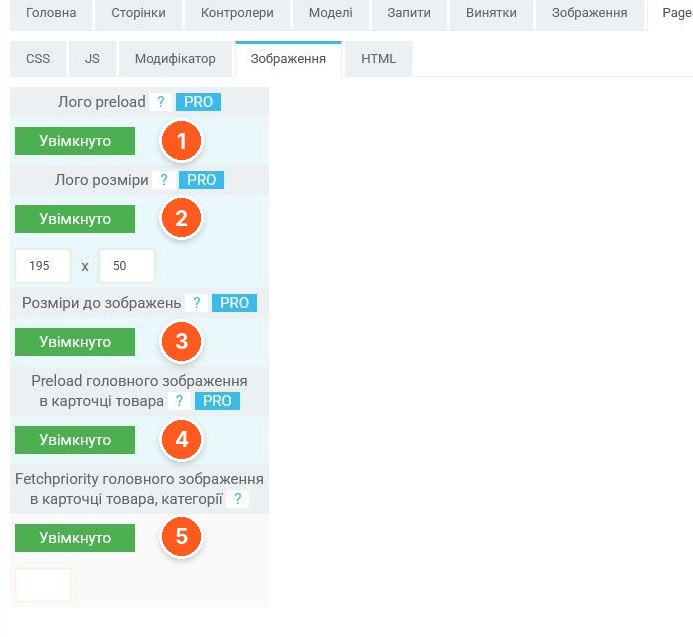
- Logo preload. Preloading the logo. An option marked PRO.
- Logo dimensions. Explicit width and height for the logo; 195×50 in the screenshot.
- Dimensions for images. The module sets width and height on images to prevent layout shifts (CLS).
- Preload of the main image in the product card. Speeds up the appearance of the main photo, that is, the LCP on the product page.
- Fetchpriority of the main image. High loading priority for the main photo in the product and category card.
Image resizes and unification
A fresh feature that saves disk space and inodes: the module collects statistics on which resize dimensions the template and modules actually request, and reduces them to a few sets. We wrote about this problem in detail in the article on unifying image sizes.
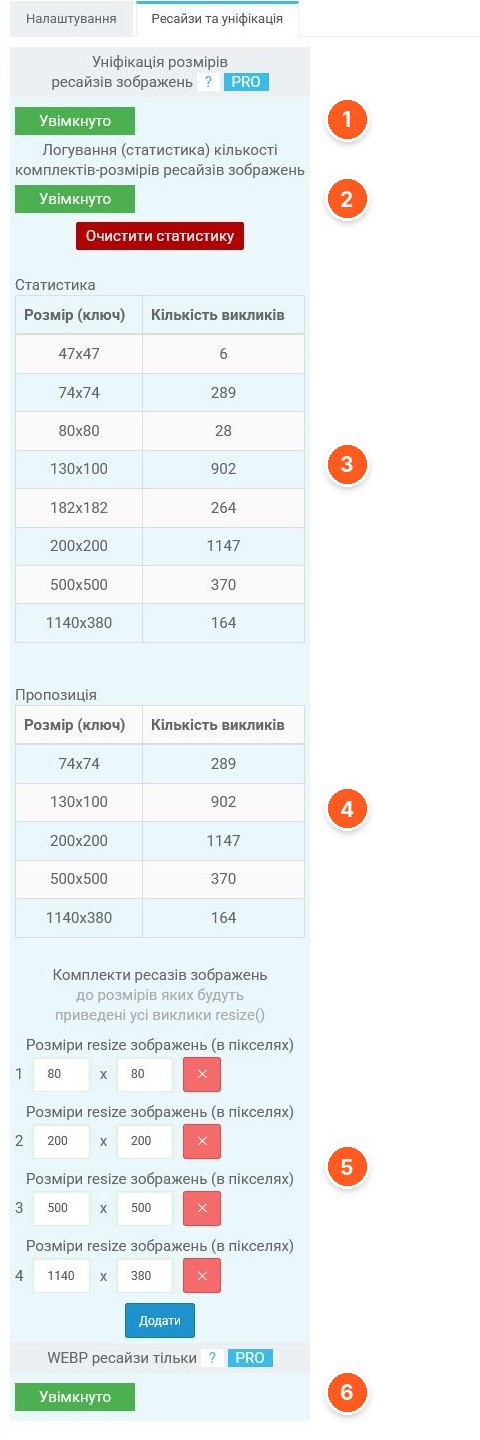
- Resize dimension unification. The main toggle, marked PRO.
- Statistics logging. Collects which dimensions are requested and how many times. The statistics can be cleared.
- Statistics. All dimensions that occurred on the site, with the number of calls.
- Suggestion. The module itself suggests a set of dimensions to which the rest should be consolidated.
- Resize sets. Dimensions to which all resize() calls will be reduced. Added and removed manually.
- WEBP resizes only. Save only WEBP versions of resizes; also PRO.
What to consider before buying
- Works with OpenCart 2.0.3–3.0.5 and builds such as ocStore, PHP from 5.6 to 8.4. Screenshots were taken on ocStore 2.3.
- ionCube is not required, there are no calls to the developer's server, and the module does not replace system files.
- Compressing images with Google libraries requires a Linux server and working PHP exec or proc_open functions (or server-side compression support).
- Themes and modules should follow OpenCart's code style. If the template contains many "hacks," combining JS and CSS may require configuring exceptions.
- Some options are marked in the admin as PRO. Before buying, check with the developer what is included in your license.
- The screenshots show version 44.0, the current module version is 46.1, so the interface may differ slightly.
- The license covers one domain; a separate license is not needed for multistore. Free support for one year from the date of purchase, via e-mail, with access to the admin and FTP.
Who it suits
Stores on OpenCart 2.x and 3.x with a large catalog, where pages are generated slowly and PageSpeed is dragged down by ads and SEO. Especially those who are ready to spend an hour configuring exceptions and checking the storefront after enabling it.
If your store is small and already fast, or you don't want to deal with a dozen tabs, the module may be excessive. But if the image/cache folder has ballooned with thousands of resizes, it's worth looking at unification separately.
"Jet Cache" by markimax on the OpenCart Code marketplace. You can ask the developer about setup directly on the module's page.