Trade-in Page for OpenCart 3x
Trade-in Page for OpenCart 3x
The module adds a full-fledged section to your website for collecting Trade-in applications.
 Lito
Lito
Promo code will be applied automatically when you add the product to cart
Enter domain without www, http, https (e.g. example.com)
Demo
Description
Trade-in page for OpenCart 3x.
Perfectly suited for collecting applications for exchanging equipment, gadgets and other goods.
The page consists of three blocks:
- How it works - explanation of the exchange process
- Application form
- FAQ - answers to frequently asked questions
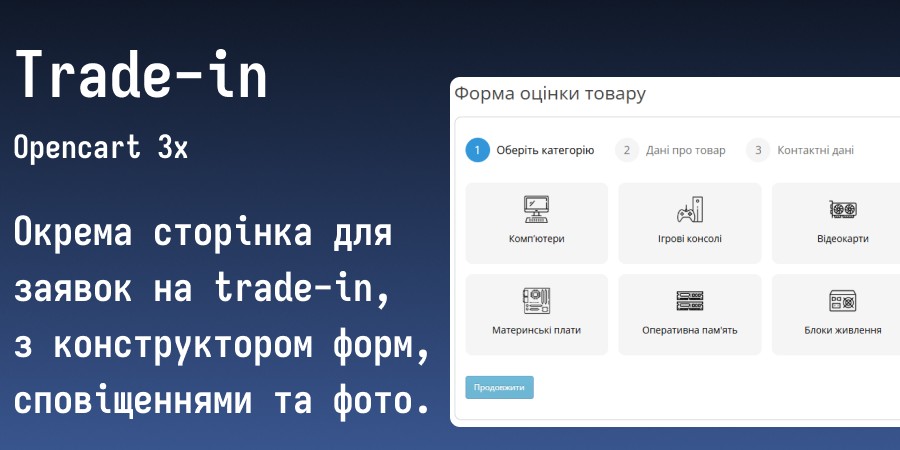
The application form has 3 steps:
- Category selection
- Product information
- Contact information and photos
Available field types for the form:
- Dropdown list
- Radio (select 1 option)
- Checkbox (select multiple options)
- Text (1 line)
- Text area (multiple lines)
Features:
- Easy content configuration for each block from the admin panel
- Unlimited number of forms and fields
- For each category, you can set a name, image and individual form
- Search by categories when entering a product name (autocomplete)
- Saving applications to the database
- Ability to add photos to the application
- Notifications about new applications via email or Telegram (instructions for creating a bot are in the settings)
- Ability to enable links in the footer
- Multi-language support
- Preliminary product valuation
Preliminary product valuation:
- The client immediately sees an approximate amount "Up to X UAH" or a detailed breakdown of what and how affected the price
- The manager receives an application with full calculation in the application and notification
- If the amount cannot be calculated, the client sees the text "The manager will determine the cost" (can be changed)
- The total never exceeds the maximum from the category or product rule
How the preliminary valuation is calculated:
- Category rule - maximum amount as % of the product's base price
- Product rule - % or fixed amount, replaces the category rule
- Form modifiers - field values (condition, set, etc.) decrease or increase the amount by % or fixed amount, can be set for individual products
How to install:
- Via admin panel: Extensions - install extensions - select archive and upload, update modifiers
- Grant permissions: Settings - users - user groups - Your group - check boxes for viewing and editing for all trade_in
- Install the main module in extensions: Extensions - Extensions - "Trade-in page" - enable and save, go to Settings - configure and fill in required fields - save.
How to update:
If you made changes to the original code or customizations - write me a private message.
If there were no changes:
- Upload the contents of the upload folder from the archive to the site root with replacement
- Manually replace the modifier content with the contents of the install.xml file
- Update modifiers
- Go to extensions - Trade-in page - click the orange button in the top right corner - save
- Go to settings - configure new fields if necessary - save
License for one domain and its subdomains.
Customization / adaptation to template - paid.
Ask all questions before purchasing.
There is no and will be no support for .ru sites, .by sites and sites hosted on their hosting.
Specifications
Features
Technical Details
- OpenCart Version
- 3.0.0 3.0.1 3.0.2 3.0.3 3.0.4 3.0.5
- Module Localization
- Ukrainian, English, Russian
- Support Language
- Ukrainian, English
- Activation Method
- Automatic activation
- Ioncube Loader
- No (not required)
- Developer Server Connection
- No
- If Developer Server Unavailable
- Extension works
- PHP Version
- 7.0 7.1 7.2 7.3 7.4 8.0 8.1 8.2 8.3
- Compatible with Templates
- Default
Reviews (0)
Please log in to leave a review.
Log inNo reviews yet
Be the first to review this product!
Questions (0)
Please log in to ask a question.
Log inNo questions yet
Be the first to ask a question about this product!
Changelog
- Added preliminary product price estimation
- Improved search functionality with special characters in product names
- Code improvements and optimization
- Added ability to attach photos
- Improved application review page
- Additional settings for photos and notifications
- Fixed requests for product categories in autocomplete