The store owner works in the OpenCart admin panel for hours every day: orders, products, prices. The standard OpenCart 3 dashboard works, but it looks the same as it did ten years ago: small icons, gray tables, no dark theme. The "Velar" module changes only the look of the admin panel. The logic, the menu, and all the pages stay in their places, so neither you nor your managers will have to learn anything new.
Dashboard: the first thing you see after logging in
After installation, the admin panel gets a new font, rounded cards, and FontAwesome 6 icons. The main page with counters for orders, sales, and customers becomes easier to read: large numbers are visible at once, without squinting at small text.
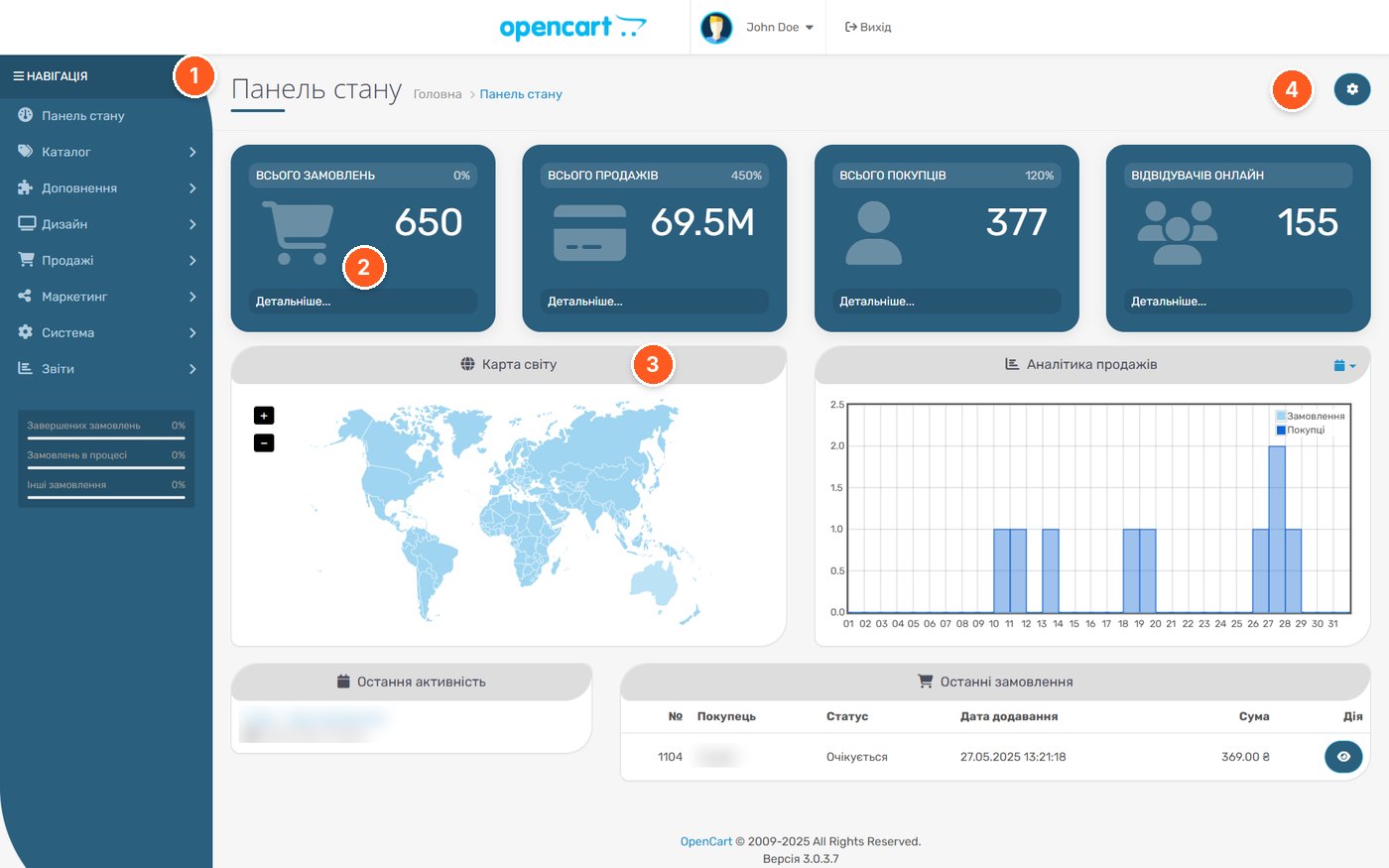
- Side menu. The navigation is the same as in the standard admin panel; only the styling has changed.
- Statistics cards. Orders, sales, customers, and online visitors in large colored blocks.
- Block headers. The map, analytics, recent activity, and orders are styled in the same way.
- Theme settings button. Opens a panel where you can change the color, font, and display modes.
Theme settings
Everything is configured from a single pop-up panel, without a separate module page. There are 8 ready-made color presets and the option to choose a custom color for the main elements, so the admin panel is easy to match to the store's brand colors.
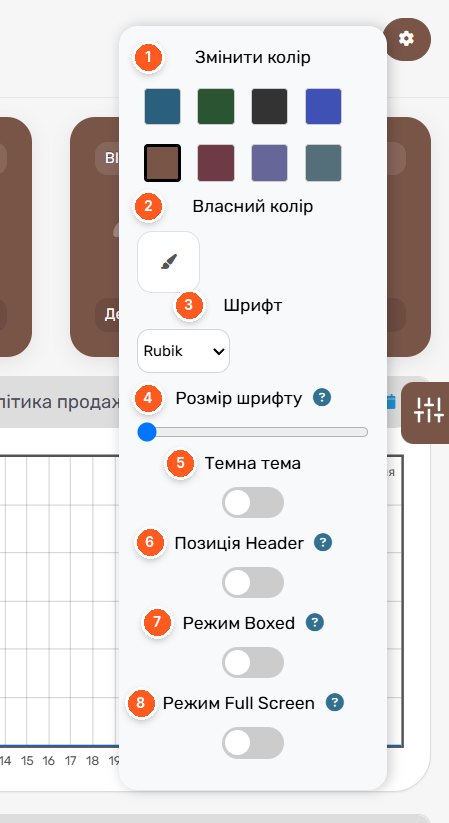
- Change color. 8 ready-made presets for the main admin panel elements.
- Custom color. Any color instead of the ready-made options.
- Font. Choice of the interface typeface; the screenshot uses Rubik.
- Font size. A slider to enlarge the text on a big monitor or reduce it on a laptop.
- Dark theme. Turns on dark mode for evening work.
- Header position. Fixes the top header so it does not disappear when scrolling.
- Boxed mode. Page content in a container of limited width.
- Full Screen mode. The page uses the full width of the screen.
Product list
The tables have more space between rows, colored stock badges, and round action buttons. The filter on the right is styled as a separate card. The columns and functions are the same as in the standard admin panel.
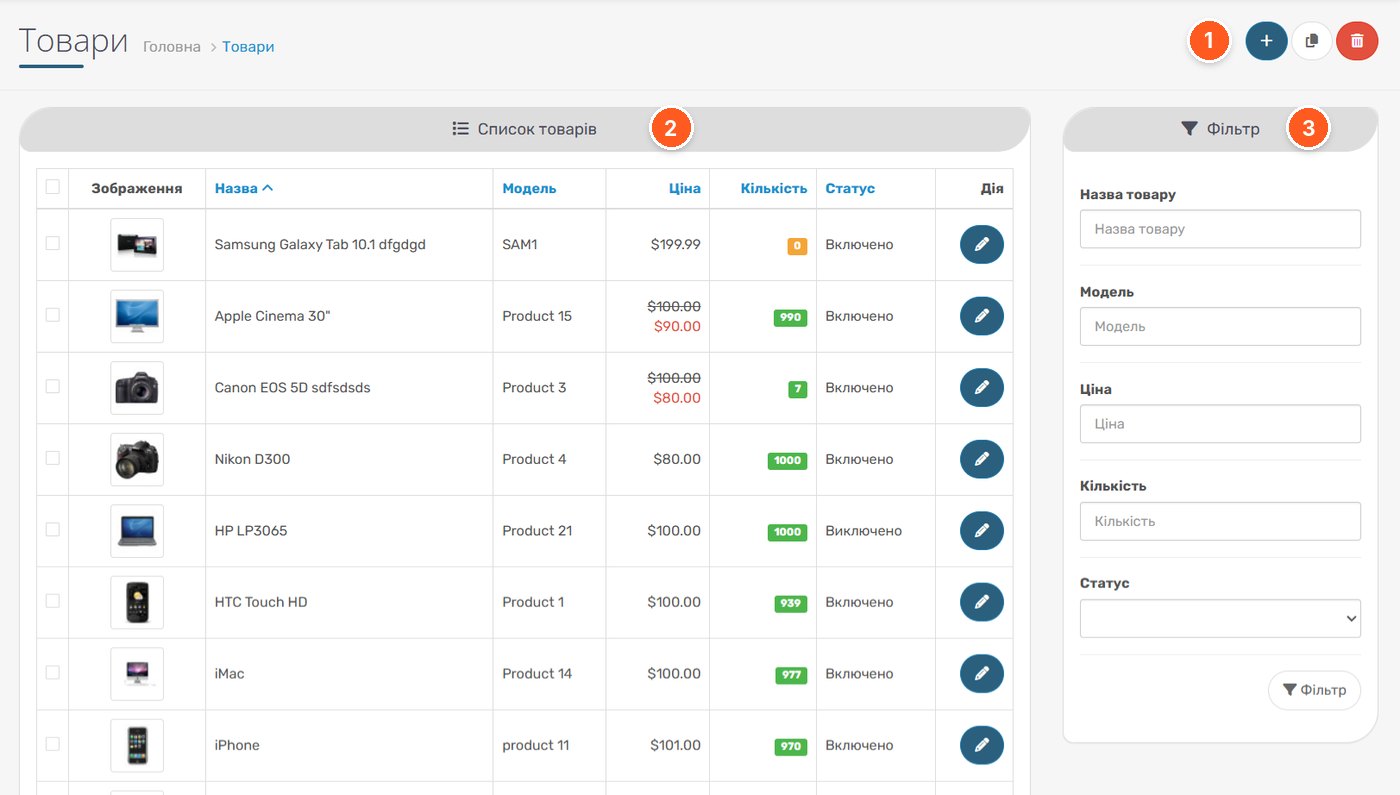
- Action buttons. Add, copy, and delete products; now round and colorful.
- List header. The admin panel blocks have the same rounded style.
- Filter. The standard product filter in a separate card.
Dark mode
The dark theme here is complete: tables, forms, the filter, and the header are recolored, not just the background. For those who process orders in the evening, this is a noticeable relief for the eyes.
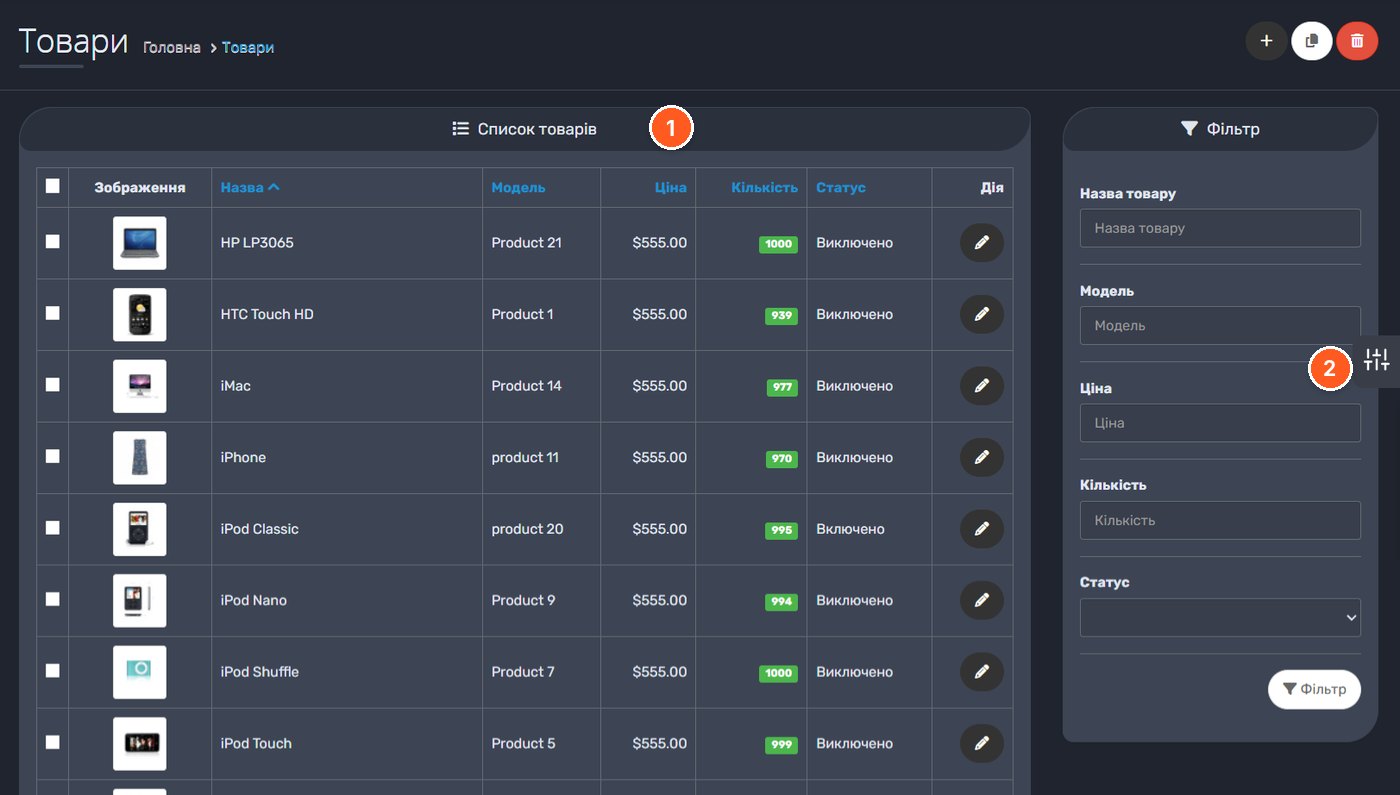
- Table in dark mode. Text, stock badges, and buttons remain high-contrast.
- Side tab. Quick access to the theme settings from any page.
Product editing
The product edit form keeps all standard tabs, language versions, and the description editor. Only the appearance has changed: the tabs are clearer, the editor panel is rounded, and the fields are wider.
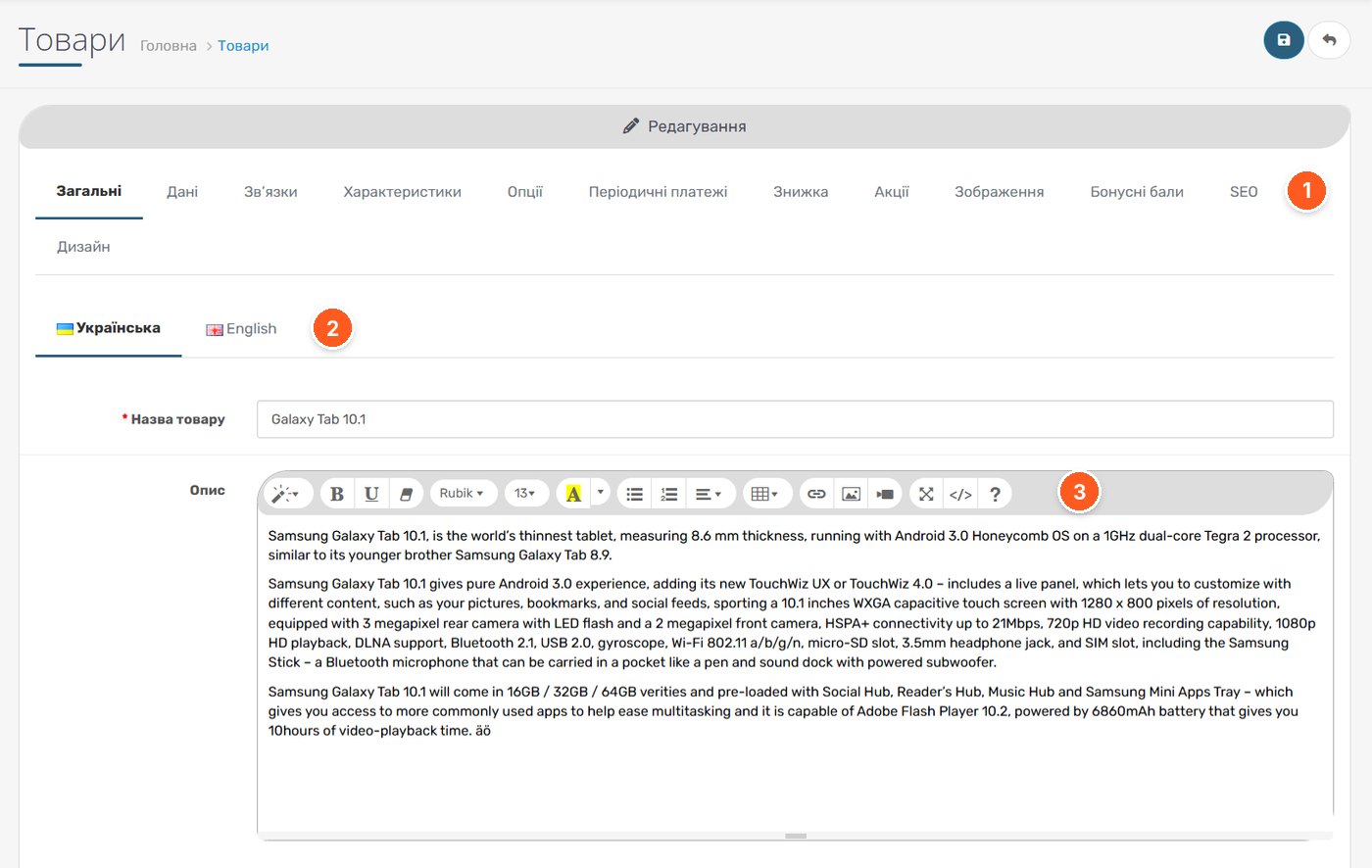
- Product tabs. General, Data, Links, SEO, and the rest of the standard tabs are in their places.
- Language versions. A description language switcher with flags.
- Description editor. The standard editor with a toolbar in the new design.
What to consider before buying
- Works with OpenCart 2.3 and 3.0, ocStore 2.3 and 3.0. Screenshots were taken on OpenCart 3.0.3.7.
- ionCube is not required; the module does not contact the developer's server.
- Installation is standard: via "Extensions Installer", then refresh the cache in the Modifications manager and press Ctrl+F5 in the browser. How such modifiers work is explained in the article about OCmod in OpenCart.
- The theme changes the look of admin pages, so pages of third-party modules with non-standard markup should be checked after installation.
- The developer promises collapsing of the side menu for OpenCart 3 in future updates; it is not yet available in the current version 1.5.
- License for one domain.
Who it is for
Stores where managers work in the admin panel every day and want a more modern and convenient interface without changing the familiar logic. Also for those who work a lot in the evenings and have been waiting for a dark theme. If you log into the admin panel once a week and the appearance does not bother you, the module will add nothing to the store's functionality: it is purely a design change.
«Velar - Updated Admin Panel Design» by sasha3337774 on the OpenCart Code marketplace. Questions about setup can be asked directly to the developer on the module's page.